

Managing data is one of the biggest challenges businesses, organizations, and individuals face. Whether for tracking sales figures, managing budgets, or analyzing trends, the ability to store, sort, and process information efficiently is critical. Spreadsheets provide a flexible and accessible solution for these needs, offering tools that adapt to different purposes. Their combination of simplicity and powerful capabilities makes them a go-to option for managing everything from small datasets to complex projects. This post explores why spreadsheets remain indispensable for data management in various environments.

The Power of Organized Data
The primary value of spreadsheets lies in their capacity to transform vast, unstructured datasets into a coherent, organized format. This foundational structure is key, enabling users to interpret and analyze information efficiently and rapidly. Transforming raw information into orderly tables—complete with appropriate rows, columns, and conditional logic—is the essence of data control. When data complexity outstrips basic user skills, specialized solutions are often necessary to maintain this structure, prompting users to seek assistance through resources like https://www.simplesheets.co/hire-a-google-sheets-expert, ensuring the underlying architecture remains robust and functional. This structured environment makes it possible to categorize, sort, and filter data with precision, allowing for clearer pattern recognition and ultimately supporting more data-informed decision-making.
Flexibility for Multiple Use Cases
Spreadsheets adapt to a wide variety of needs. They are used in accounting, project management, human resources, research, and countless other fields. This flexibility stems from their customizable nature; users can create layouts, formulas, and data structures that suit their exact requirements. A project manager might track progress with a Gantt chart in a sheet, while an analyst could run complex financial models within the same platform.
Spreadsheets are not limited to a single purpose, which makes them an investment that provides long-term value. Their ability to adapt means users do not need to learn multiple software tools for different tasks. Instead, a single spreadsheet environment can accommodate diverse workflows, saving time and reducing costs. This adaptability is a strong reason for their continued popularity in workplaces around the world.
Collaboration Made Simple
Modern spreadsheet platforms offer powerful collaboration features that allow multiple people to work on the same document simultaneously. Cloud-based spreadsheets are accessible from anywhere, letting teams collaborate without geographical constraints. This capability is especially useful for remote work environments or projects involving contributors from different time zones.
Changes are updated in real time, meaning everyone involved can see the latest version without confusion over multiple file versions. Commenting features allow team members to leave feedback directly in the document, ensuring smooth communication. The ability to track changes and view revision history adds an extra layer of accountability and accuracy, making teamwork more effective and transparent.
Data Analysis and Visualization
Spreadsheets are powerful tools for both analyzing and visualizing data. Built-in functions allow users to perform calculations, statistical analysis, and trend identification without advanced programming skills. Charts, graphs, and pivot tables translate data into visual formats that are easy to understand.
Visual representation of data helps decision-makers identify trends quickly, compare figures, and present findings clearly. This ability is particularly valuable when communicating with stakeholders who may not have deep technical expertise. A well-organized spreadsheet can serve as both a repository of data and a presentation tool, providing insight without requiring extra software.
Automation and Efficiency
Automation tools within spreadsheets can drastically reduce manual work. Functions, macros, and scripts allow repetitive tasks to be completed automatically. This capability improves efficiency and reduces the likelihood of human error. For example, a company can automate invoice creation, data entry, or report generation.
Spreadsheets can also integrate with other software platforms, allowing data to flow between systems without manual intervention. These integrations further improve productivity and accuracy, making spreadsheets a cornerstone of streamlined workflows. Automation transforms spreadsheets from simple tables into dynamic tools that drive operational efficiency.
Scalability and Accessibility
Spreadsheets are scalable, able to handle data from small personal projects to enterprise-level datasets. Cloud-based solutions make them accessible on any device with internet access, meaning users can work wherever and whenever they choose. This scalability ensures that spreadsheets remain relevant as needs grow.
The accessibility of spreadsheets extends beyond software features. Their familiarity means that new users can often begin working with them with minimal training. Combined with their adaptability, this makes spreadsheets a sustainable solution for long-term data management. For many organizations, spreadsheets represent a cost-effective way to handle expanding data requirements without switching to specialized systems.
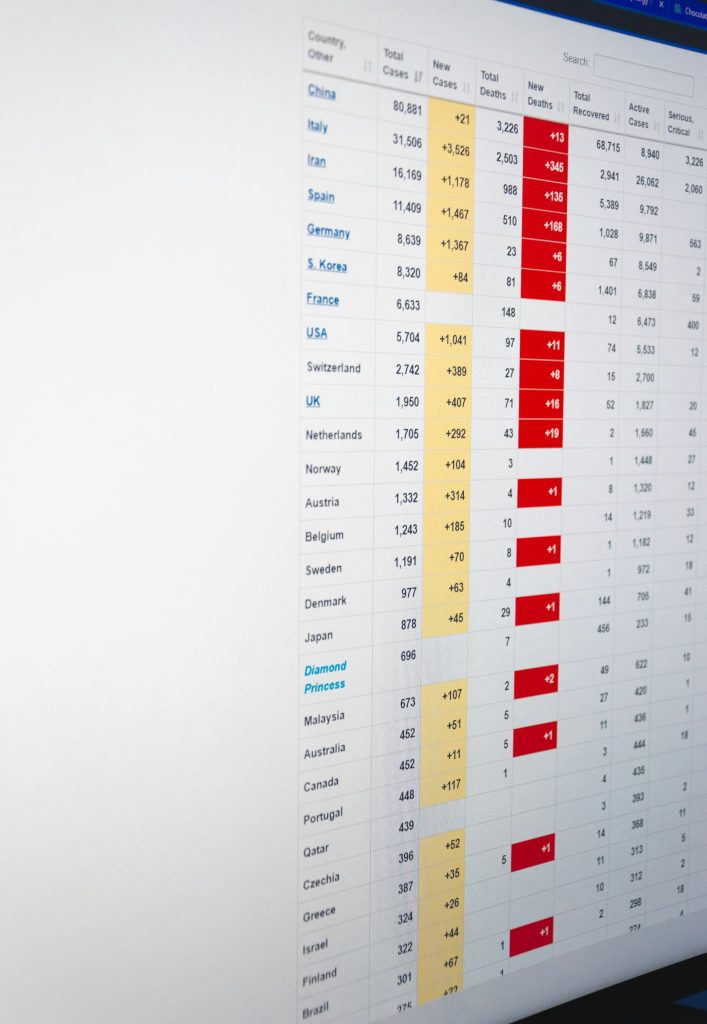
Spreadsheets remain one of the most versatile and powerful tools for data management. Their ability to organize data in structured formats, adapt to multiple use cases, support collaboration, facilitate analysis, and automate tasks makes them indispensable for individuals and organizations alike. They provide an accessible entry point to data management while offering advanced capabilities for those who need more complexity. From simple budgeting to large-scale business analytics, spreadsheets offer a practical and scalable solution that continues to meet the evolving demands of the modern workplace. Their enduring value lies in their flexibility, efficiency, and unmatched ability to turn raw data into meaningful insights.

A dad of 3 kids and a keen writer covering a range of topics such as Internet marketing, SEO and more! When not writing, he’s found behind a drum kit.










