Thinking about trading stocks on MT4? It can seem a bit daunting at first, like figuring out a new gadget. But really, it’s just a tool, and like any tool, you get better with practice. This guide is here to break down how to use MT4 for stocks, step-by-step, so you can feel more comfortable and make smarter moves.
Key Takeaways
- Getting started with stocks on MT4 involves picking a broker, downloading the platform, and learning your way around its different windows.
- MT4 offers tools like Market Watch and Terminal, plus charting features and indicators, to help you understand market movements.
- You can place different types of trades on MT4, like market orders and pending orders, and it’s important to set stop-loss and take-profit levels.
- Advanced features include drawing tools for trend lines and Fibonacci, built-in analysis tools, and the option to automate trades with Expert Advisors.
- Customizing your charts, indicators, and trading profiles can make your MT4 experience smoother and more efficient.
Getting Started with Stocks on MT4
So, you’re looking to trade stocks using MetaTrader 4 (MT4)? That’s a smart move. MT4 is a really popular platform, and for good reason. It’s got a lot of tools that can help you out, whether you’re just starting or you’ve been around the block a few times. But before you can start buying and selling, there are a few things you need to sort out.
Choosing Your Broker and Account Type
First things first, you need a broker. Think of them as your gateway to the stock market. Not all brokers are the same, so do a little digging to find one that feels right for you. They’ll offer you different account types. You’ll usually see a choice between a demo account and a live account. A demo account is basically a practice playground. You get fake money to trade with, so you can get a feel for how MT4 works and try out different strategies without risking any of your own cash. It’s a great way to learn the ropes. Once you’re feeling more confident, you can open a live account. This is where you’ll use real money to trade.
Here’s a quick look at the account types:
- Demo Account: Practice trading with virtual funds. Perfect for learning and testing.
- Live Account: Trade with real money. Requires a deposit to start.
Downloading and Installing the MT4 Platform
Once you’ve picked your broker and account type, you’ll need to get the MT4 platform onto your computer or device. Your broker will usually have a link for this on their website. The download and installation process is pretty standard, just follow the on-screen instructions. It’s not complicated, honestly. They have versions for pretty much every operating system out there, so don’t worry about compatibility. After it’s installed, you’ll need to log in using the account details your broker gave you. This connects you to their servers so you can see real market prices and place trades. If you’re looking for a bit more detail on getting the platform set up, there are some helpful guides available explaining the platforms.
Navigating the MT4 Interface
When you first open MT4, it might look a little busy. Don’t let that scare you off. The platform is laid out logically. You’ll see different windows for different things. The ‘Market Watch’ window shows you all the stocks (or other instruments) you can trade and their current prices. The ‘Terminal’ window is where you’ll see your open trades, your account balance, and your trading history. Then there’s the main chart area, which is where you’ll spend a lot of your time analyzing price movements. There’s also a toolbar at the top with quick buttons for common actions. It takes a little getting used to, but once you know where everything is, it’s quite straightforward.
Getting comfortable with the MT4 interface is key. Spend some time just clicking around, opening and closing windows, and seeing what each button does. It’s better to do this when you’re not actively trading real money.
So, take your time with these initial steps. Getting your broker sorted and understanding the basic layout of MT4 will set you up for a much smoother trading experience down the line.
Essential Trading Tools on MT4
Alright, so you’ve got MT4 up and running, and you’re ready to look at some stocks. But before you start clicking around like a madman, let’s talk about the tools that are actually going to help you figure out what’s going on. Think of these as your trading binoculars and compass.
Understanding Market Watch and Terminal Windows
These two windows are like your command center. The Market Watch window is where you see all the different stocks (or forex pairs, or whatever you’re trading) and their current prices. It’s basically a live ticker tape. You can add or remove symbols here to keep it clean and only show what you’re interested in. Then there’s the Terminal window. This is where all the action happens after you place a trade. You’ll see your open positions, your trade history, news updates, and alerts. It’s super important to get familiar with both because they give you the raw data and the status of your trades.
Leveraging Charting Features
Charts are where the real visual analysis happens. MT4 gives you a lot to play with here. You can change the chart type – bar, candlestick, or line – and adjust the timeframes, from minutes to months. Candlestick charts are pretty popular because they show you the open, high, low, and close prices for a specific period, giving you a good sense of price action. You can also slap on a bunch of drawing tools like trend lines, horizontal lines, and even Fibonacci retracements. These help you spot patterns and potential support or resistance levels.
Utilizing Technical Indicators
Indicators are basically mathematical calculations based on price and volume that can give you clues about where the market might go next. MT4 comes loaded with a ton of them. You’ve got your basics like Moving Averages, which help smooth out price action to show you the general trend. Then there are oscillators like the RSI (Relative Strength Index) or Stochastic, which can help you figure out if a stock is overbought or oversold. You can add them to your charts with a few clicks, and you can even tweak their settings to see if you can make them work better for your specific trading style. Just remember, no indicator is perfect, and they work best when you use them together.
Don’t get overwhelmed by all the indicators. Start with a couple that make sense to you and learn how they behave. Trying to use too many at once can just make your charts look like a confusing mess and lead to bad decisions.
Executing Trades on MT4
Alright, so you’ve got your charts set up, maybe even a few indicators humming along. Now comes the exciting part: actually putting on a trade. It sounds simple enough, right? Buy low, sell high. But on a platform like MT4, there are a few ways to get your orders into the market, and knowing them can make a big difference.
Placing Market and Pending Orders
When you decide it’s time to trade, you’ve got two main paths: market orders and pending orders. A market order is pretty straightforward. You see a price, you like it, and you hit ‘Buy’ or ‘Sell’ right then and there. Your trade gets executed at the very next available price. It’s fast, and it’s what most people do when they want to get into a trade immediately.
Pending orders are a bit more strategic. Instead of trading at the current price, you tell MT4 to enter a trade if the price reaches a certain level you’ve set. There are a few types:
- Buy Limit: You want to buy, but you think the price will dip a bit first before going up. So, you set a price below the current market price.
- Sell Limit: You want to sell, but you think the price will rise a bit first before falling. You set a price above the current market price.
- Buy Stop: You think the price will keep going up if it breaks through a certain level. You set a price above the current market price.
- Sell Stop: You think the price will keep falling if it breaks through a certain level. You set a price below the current market price.
Using pending orders means you don’t have to sit glued to your screen waiting for the perfect moment. You can set them up and let the platform do the work. It’s a good way to catch moves you might otherwise miss, especially if you’re trading across different timeframes.
Setting Stop-Loss and Take-Profit Levels
Okay, so you’ve placed your order, whether it was a market order or a pending one. Now, what? You don’t want to just let a trade run wild, right? That’s where stop-loss and take-profit orders come in. Think of them as your trade’s safety net and profit target.
A stop-loss order is super important for managing risk. You set a price level where, if the market moves against your trade, it automatically closes. This stops you from losing more money than you’re comfortable with. It’s like having an emergency exit.
On the flip side, a take-profit order is set at a price level where you’ve decided you’ve made enough profit. When the market hits that level, the trade closes automatically, and you lock in those gains. It helps you avoid giving back profits if the market reverses.
Here’s a quick look at how you might set these when placing an order:
| Order Type | Action |
|---|---|
| Market Order | Set SL/TP after order is placed |
| Pending Order | Set SL/TP within the order placement window |
It’s a good habit to set these levels right when you open a trade. It helps you stay disciplined and stick to your trading plan.
Modifying and Closing Open Positions
Sometimes, the market doesn’t behave exactly as you planned, or maybe your strategy changes. That’s where managing your open trades comes in. You can adjust your stop-loss and take-profit levels on an existing trade. For example, if a trade is moving in your favor, you might want to move your stop-loss up (for a buy trade) to protect the profits you’ve already made. This is often called ‘moving your stop to break-even’ or implementing a trailing stop.
To do this, you usually right-click on the trade in the ‘Terminal’ window and select ‘Modify Order’. From there, you can change the SL and TP levels. You can also adjust the trade volume or even set a trailing stop automatically.
When you decide it’s time to exit a trade, whether it’s because you’ve hit your profit target, your stop-loss, or you just want out, closing is simple. You can again right-click on the trade in the ‘Terminal’ window and select ‘Close Order’. Or, if you’re using the ‘One-Click Trading’ feature, you might have a quick close button available directly on your chart.
Managing your trades actively is key. Don’t just set and forget. Keep an eye on your open positions and be ready to adjust your stop-loss or take-profit levels as market conditions evolve. This proactive approach can really help protect your capital and secure gains.
Advanced Strategies for Stocks on MT4
Alright, so you’ve got the basics down, you know how to place an order and set your stop-loss. That’s great! But to really get ahead in the stock market using MT4, you’ll want to explore some more advanced techniques. It’s not just about buying and selling; it’s about understanding the market’s pulse and using the platform’s tools to your advantage.
Drawing Trend Lines and Fibonacci Retracements
This is where charts start to make a lot more sense. Drawing trend lines is pretty straightforward. You connect a series of price highs or lows to see the general direction the stock is moving. If a stock keeps making higher highs and higher lows, that’s an uptrend, and you’d draw a line connecting those lows. A downtrend is the opposite, connecting the highs. These lines can act as support or resistance, giving you clues about potential price reversals.
Fibonacci retracements are a bit more mathematical, but they’re super useful. They’re based on the idea that markets tend to retrace a predictable portion of a prior move before continuing in the original direction. MT4 has built-in tools to draw these levels automatically. You just pick a significant high and low point on your chart, and the tool draws horizontal lines at key Fibonacci ratios (like 38.2%, 50%, and 61.8%). Traders often watch these levels for potential turning points.
Exploring Built-in Analytical Tools
Beyond just trend lines and Fibonacci, MT4 is packed with other analytical tools. You can find things like pivot points, which are calculated based on the previous day’s high, low, and closing prices, and are used to predict potential support and resistance levels for the current day. There are also Gann tools, which use geometric patterns and time cycles, though these can be a bit more complex to master.
Think of these tools as different lenses to view the market. Some traders swear by pivot points, while others find Gann analysis more insightful. It’s worth experimenting with them to see which ones fit your style. You can add them to your charts just like indicators.
Using these advanced tools isn’t about finding a magic bullet. It’s about gathering more information to make a more educated guess about where the price might go next. The more data points you have, the clearer the picture can become.
Automating Trades with Expert Advisors
Now, this is where things get really interesting for some traders. Expert Advisors, or EAs, are basically trading robots. You can program them with specific trading rules, and they’ll execute trades automatically on your behalf. This is great if you have a strategy that works well but you can’t always be in front of the screen, or if you want to remove the emotional aspect of trading.
EAs can be coded using the MQL4 language, or you can buy pre-made ones. Some EAs are designed for specific strategies, like trend-following or scalping. It’s important to remember that EAs aren’t foolproof. You still need to monitor them and understand the logic behind their actions. Many traders use them in conjunction with a good broker like GO Markets that supports automated trading. Testing an EA thoroughly on a demo account before using real money is a must. You can also use them to manage trades 24/7, which is handy for international markets.
Customizing Your MT4 Trading Environment
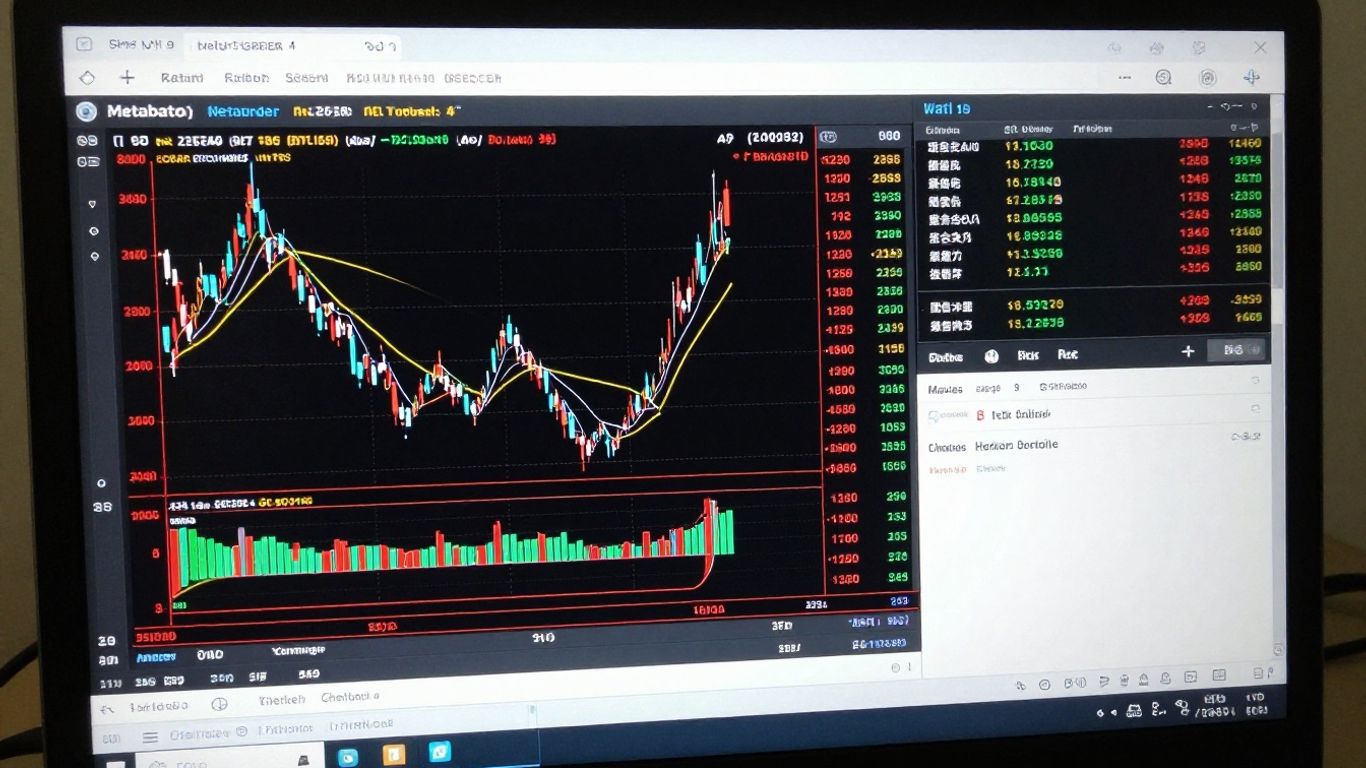
Alright, so you’ve got the basics down, you know how to place a trade, and maybe you’ve even tinkered with a few indicators. But MT4 is way more than just a place to buy and sell. It’s your personal trading station, and making it work for you is a big deal. Think of it like setting up your workshop – you want the tools where you can reach them, the lighting just right, and everything organized so you’re not fumbling around when a good opportunity pops up. Making MT4 feel like your own space can seriously boost your trading game.
Personalizing Charts and Indicators
Your charts are where the action is, right? MT4 throws a bunch of built-in indicators at you, which is great, but you don’t have to stick with how they look out of the box. You can change the colors of those moving averages, make the RSI lines thicker, or even change the background color of your chart. It might sound minor, but seeing things clearly and in a way that makes sense to your eyes reduces mental clutter. Plus, you can tweak how some indicators actually work. For example, you can change the ‘period’ on a Moving Average to make it react faster or slower to price changes. It’s all about getting those tools to show you what you need to see.
Creating and Applying Chart Templates
Imagine you’ve spent ages setting up a chart just how you like it – maybe you’ve got your favorite indicators on there, specific colors, and a certain timeframe. Now you want to look at a different stock, say, Apple instead of Microsoft. Do you want to do all that setup again? Nope. That’s where templates come in. You can save your perfect chart setup as a template. Then, whenever you open a new chart, just slap that template on it, and boom – it’s ready to go. It saves a ton of time and keeps your analysis consistent across different assets.
Setting Up Trading Profiles
This is like saving your entire MT4 workspace. A profile can include multiple charts, each with its own template, and even the Market Watch window set up with the symbols you trade most often. So, you could have one profile for your main forex pairs, another for stocks, and maybe a third for commodities. When you switch between profiles, MT4 rearranges everything to match that setup. It’s super handy for keeping your trading organized, especially if you follow a lot of different markets or use different strategies at different times.
The goal here isn’t just to make your charts look pretty, though that’s a nice bonus. It’s about creating an efficient trading environment that supports your decision-making process. When your platform is set up intuitively, you can react faster to market changes and stick to your trading plan without distractions.
Managing Risk When Trading Stocks on MT4
Alright, let’s talk about keeping your money safe while you’re trading stocks on MT4. It’s easy to get caught up in the excitement of potential profits, but if you’re not careful, losses can pile up fast. That’s where risk management comes in, and MT4 has some pretty handy tools to help you out.
The Importance of Stop-Loss Orders
Think of a stop-loss order as your safety net. It’s a pre-set price where your trade automatically closes if the market moves against you. This stops a small loss from turning into a big one, which is super important for protecting your trading capital. You should really consider setting one for every trade you make. It helps you stick to your plan and avoids those gut-wrenching moments when a trade goes way south.
Securing Profits with Take-Profit Orders
On the flip side, you’ve got take-profit orders. These are like setting a target for your winning trades. When the market hits that price, your trade closes, and you lock in your profits. It’s a good way to make sure you actually take home some gains instead of watching them disappear if the market reverses. It helps you keep a good balance between potential risk and reward.
Implementing Trailing Stops for Dynamic Protection
Now, this one’s a bit more advanced but really useful. A trailing stop is like a stop-loss that moves with the market, but only in your favor. So, if your trade starts making money, the trailing stop moves up with it, locking in more profit. If the market then turns around, it stops you out at that higher level, protecting your gains. It gives your winning trades more room to run while still keeping a safety net in place.
Here’s a quick look at how you might set these up:
- Stop-Loss: Set a price below your entry point for a buy trade, or above for a sell trade.
- Take-Profit: Set a price above your entry point for a buy trade, or below for a sell trade.
- Trailing Stop: Configure the distance (in pips) the price needs to move in your favor before the stop-loss starts trailing.
Using these tools isn’t about predicting the future perfectly; it’s about controlling what you can. By setting these levels before you even enter a trade, you’re taking a proactive step to manage your downside and secure your upside. It’s a disciplined approach that can make a big difference over time.
Wrapping It Up
So, we’ve gone through a lot of what MT4 can do for stock traders. It’s a pretty solid platform, right? You’ve got all these tools for looking at charts, setting up trades just how you like them, and even letting the computer do some of the work with EAs. Remember, though, it’s not magic. Using MT4 well means putting in the time to learn its features and, most importantly, practicing good risk management. Keep learning, keep practicing, and you’ll get more comfortable with it. Happy trading!
Frequently Asked Questions
What exactly is MT4 and why is it so popular for trading stocks?
MT4, or MetaTrader 4, is a super popular computer program that lets people trade different things like stocks, currencies, and more. It’s famous because it’s easy to use, even for beginners, and it has lots of cool tools to help you understand the market and make smart trading choices. Think of it like a powerful calculator and map for traders.
How do I start trading stocks on MT4 if I’m new to this?
First, you’ll need to pick a stockbroker that uses MT4. Then, download and install the MT4 program onto your computer or phone. After that, you’ll create an account, which can be a practice account (demo) with fake money or a real account with actual cash. Once your account is set up, you can start exploring the platform and placing trades.
What are ‘stop-loss’ and ‘take-profit’ orders, and why should I use them?
These are like safety nets for your trades. A ‘stop-loss’ order automatically closes your trade if the price goes down too much, stopping you from losing too much money. A ‘take-profit’ order does the opposite; it closes your trade when the price goes up enough, so you can lock in your earnings. They help you manage your money wisely.
Can I trade stocks on my phone using MT4?
Absolutely! MT4 has a mobile app that works on both iPhones and Android phones. This means you can check your trades, see market prices, and even make trades while you’re on the go, which is super convenient.
What are ‘Expert Advisors’ (EAs) on MT4?
Expert Advisors, or EAs, are like little robots you can program to trade for you automatically on MT4. You can set them up with specific rules, and they’ll look for trading opportunities and make trades without you having to be there all the time. It’s a way to automate your trading strategies.
How can I make my MT4 charts look the way I want them?
MT4 lets you change almost everything about how your charts look. You can pick different colors, add special lines, and use various tools to help you see patterns. You can even save your favorite chart setups as ‘templates’ so you can quickly apply them to new charts whenever you want. This makes trading more comfortable and efficient.