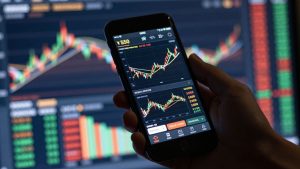
Thinking about getting into forex trading? It’s smart to practice first. You don’t want to jump in with real money and lose it all, right? That’s where a forex trading simulator comes in handy. These tools let you trade with fake money, so you can learn the ropes without any financial risk. In 2026, there are tons of great options out there. We’ve checked out some of the best forex trading simulators to help you find the right one to practice on. Let’s see which forex trading simulator might be the best fit for you.
Key Takeaways
- A forex trading simulator lets you practice trading with virtual money, making it a safe way to learn without risking real cash.
- Using a forex trading simulator helps you understand market movements and test different trading strategies before you trade live.
- Many simulators offer features like historical data playback and real-time charts to make practice feel like the real market.
- Some platforms are better for beginners, while others have advanced tools for experienced traders looking to refine complex strategies.
- Choosing the right forex trading simulator depends on your experience level and what specific skills you want to improve.
1. Forex Tester Online
Forex Tester Online is a solid choice if you’re looking to get a feel for forex trading without putting any real money on the line. It’s basically a training program that lets you play around with fake money using actual past market data. This means you get to see how your trading ideas might have played out in real-time situations, which is pretty neat.
One of the big draws here is the backtesting feature. You can load up historical data and run your strategies through it to see the results. It’s like having a crystal ball, but for trading. The platform is designed to be used on your computer, tablet, or phone, so you can practice whenever and wherever you have a moment. Plus, it gives you detailed reports on how you’re doing, pointing out where you’re strong and where you might need to work a bit more.
Here’s a quick look at what it offers:
- Realistic Market Simulation: Uses actual historical data to make practice feel like the real deal.
- Advanced Backtesting Tools: Lets you test your trading strategies on past market movements.
- Multi-Device Accessibility: You can use it on your computer, tablet, or phone.
- Performance Analytics: Provides detailed reports to help you understand your trading habits.
While Forex Tester Online is generally well-regarded for its realistic simulations and robust backtesting capabilities, some users have reported occasional technical hiccups. Additionally, newcomers to trading might find the initial learning curve a bit steep as they get accustomed to all the features.
It’s a good way to build confidence and refine your approach before you even think about trading with actual funds. You can experiment with different trading styles, like scalping or longer-term strategies, and see how they perform over time.
2. TradingView
TradingView is a really popular platform, and for good reason. Lots of traders, from beginners to those who’ve been at it for a while, use it. It’s known for its charting capabilities, which are pretty top-notch. You get real-time data, which is super important when you’re trying to get a feel for how the market actually moves. Plus, the charts are really customizable. You can mess around with over 100 indicators, different chart types, and a bunch of drawing tools to set things up exactly how you like them.
One of the best things about TradingView is its paper trading feature. This lets you practice trading with virtual money, so you can test out strategies without risking any of your own cash. It’s a great way to get comfortable with the platform and see if your trading ideas have potential before you go live.
Here’s a quick look at what makes it stand out:
- Highly Customizable Charts: Tailor your view with numerous indicators and drawing tools.
- Real-Time Data Feeds: Practice with up-to-the-minute market information.
- Active Community: Share ideas and learn from other traders.
- Alerts and Notifications: Stay on top of market movements without constantly watching.
While TradingView is fantastic for analysis and practice, some users have mentioned occasional issues with order execution speed and customer support. It’s something to be aware of, especially if you’re planning to transition to live trading soon.
It’s a solid choice for anyone looking to improve their technical analysis skills and get a feel for trading in a simulated environment. You can explore a lot of its features and see how it works to get a better sense of its capabilities.
3. Investopedia Simulator
Investopedia’s simulator is a solid choice, especially if you’re just starting out in the forex world. It’s basically a free way to get a feel for trading without putting any of your own money on the line. You get to play around with virtual cash, which is pretty neat because it mimics real market conditions. This means you can try out different trading ideas and see how they might play out, all while learning the ropes.
What’s cool about this simulator is how it blends learning with doing. They’ve got tutorials and guides that break down trading concepts in a way that’s easy to get. Plus, you can join trading leagues and go head-to-head with other users. It makes the whole learning process a bit more engaging, you know? It also keeps track of your progress, so you can actually see if you’re getting better over time.
Here’s a quick rundown of what it offers:
- Free to use: No cost to start practicing.
- Educational resources: Plenty of guides and tutorials for beginners.
- Real market data: Practice with up-to-date information.
- Competitive leagues: Join challenges and compete with others.
While it’s great for getting the basics down, some users have mentioned that it doesn’t have all the fancy tools you might find on other platforms. It’s more about learning the fundamentals than advanced strategy testing. Sometimes, it can also be a bit slow to load or have minor glitches, which can be a little annoying when you’re trying to make a trade.
Overall, if you’re looking for a straightforward, educational platform to dip your toes into forex trading, Investopedia Simulator is definitely worth checking out. It’s a good starting point before you move on to more complex tools.
4. TradeHero
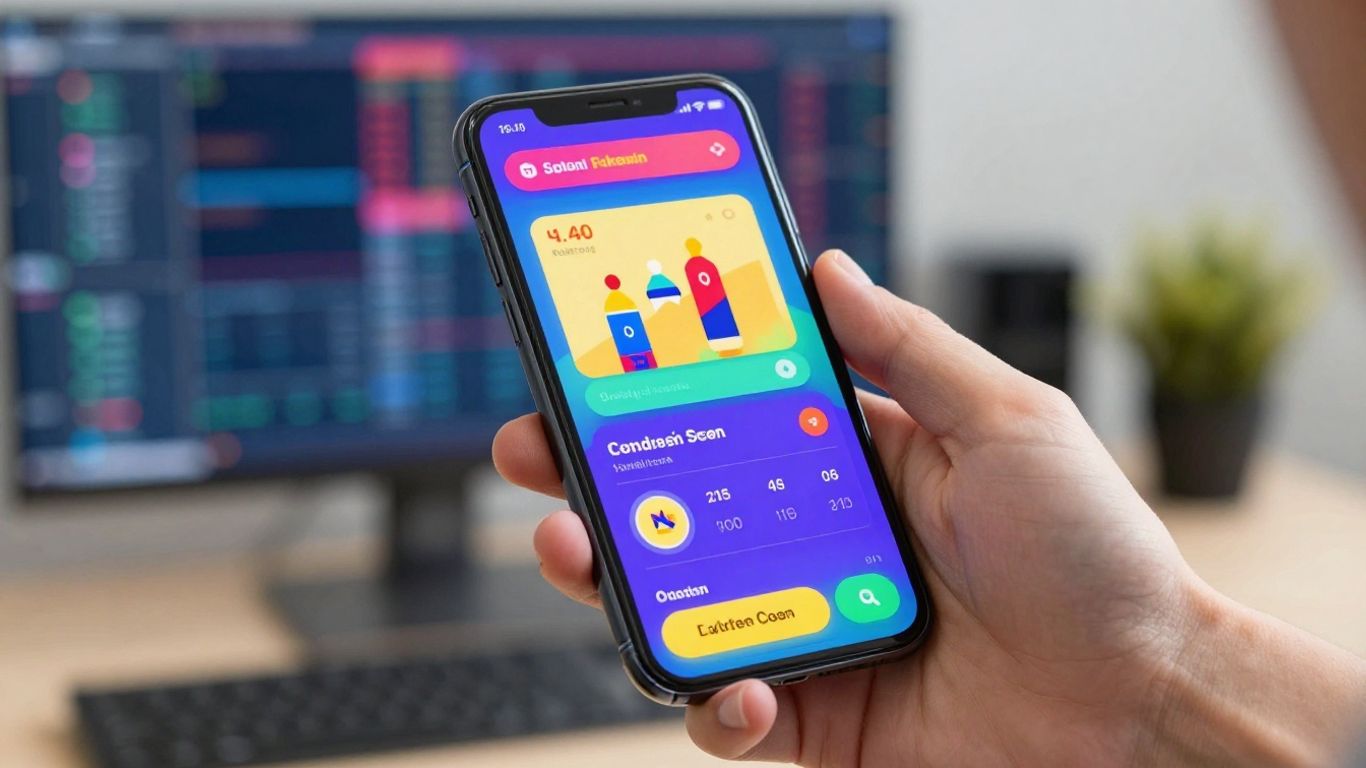
TradeHero takes a different approach to learning the ropes of forex trading. Instead of just staring at charts, it turns the whole process into a game. You get to play around with virtual money, trying out different trades without risking a dime of your own cash. It’s a pretty neat way to get a feel for the market, especially if you’re just starting out.
One of the coolest things is that you can actually trade with your friends. Imagine a friendly competition where you’re both trying to make the most virtual profit. TradeHero has leaderboards and challenges that can actually make you want to get better. Plus, they’ve got educational stuff built right in, covering the basics and some more involved strategies.
While TradeHero is designed to be fun and engaging, it’s important to remember that virtual trading, even with its game-like features, doesn’t perfectly mirror the emotional and psychological pressures of real-money trading. The speed of the app has also been a point of feedback for some users.
Here’s a quick look at what TradeHero offers:
- Gamified Learning: Makes trading practice more enjoyable.
- Social Competition: Trade against friends and climb leaderboards.
- Educational Resources: Learn trading concepts within the app.
- Virtual Trading: Practice with simulated funds to avoid real risk.
It’s a solid option if you find traditional learning methods a bit dry. You can even check out how other traders are doing on the leaderboards to get some ideas.
5. GoCharting
GoCharting is a pretty solid choice if you’re into detailed charting and technical analysis for your Forex practice. It gives you a bunch of chart types and over 100 technical indicators, which is great for really digging into the market data. You can check out stocks, crypto, and Forex all in one spot, making it easy to switch gears and try out different trading ideas. Plus, it works on your computer, tablet, or phone, so you’re not tied to one device.
The platform really shines with its advanced charting capabilities and multi-market support.
Here’s a quick look at what it offers:
- Advanced Charting: Access a wide array of chart types and technical indicators for deep analysis.
- Multi-Market Support: Easily switch between Forex, stocks, and cryptocurrencies.
- Accessibility: Use the platform on various devices, including computers, tablets, and smartphones.
- Detailed Analysis Tools: Perform in-depth market analysis to test your strategies.
Some users have mentioned that the charts sometimes have glitches, like not updating correctly, which can be a bit annoying when you’re trying to practice. Customer support can also be a bit slow to respond, according to a few reviews. It might take a little time to get used to all the advanced features if you’re just starting out.
While GoCharting offers powerful tools for technical analysis, occasional technical hiccups and slower customer support have been noted by some users. It’s a good platform for practicing, but be aware of these potential drawbacks.
If you’re looking for a platform that lets you explore different trading scenarios, GoCharting is definitely worth checking out. You can even explore options trading with The Options Desk if that’s something you’re interested in alongside your Forex practice.
6. TradeStation
TradeStation is a platform that many traders know well. It’s not exactly a dedicated training app, but it does give you a whole bunch of tools for trading, whether you’re just starting out or have been doing this for a while. They offer a way to practice trading with fake money, so you can try out your ideas without risking any actual cash. It feels pretty real because they use actual market data.
What makes TradeStation stand out is its powerful set of tools and the real-time market information it provides, which really helps make practice trading feel authentic. You can customize charts, use a bunch of technical indicators, and even test your strategies on past market data to see how they would have performed. Plus, you can use it on your computer, tablet, or phone, which is handy.
Here’s a quick look at what it offers:
- Advanced Charts & Indicators: Get access to detailed charting and a wide array of technical tools to analyze market movements.
- Real-Time Data Feed: Practice with up-to-the-minute market information for a true simulation.
- Customizable Workspace: Adjust the platform’s layout and features to match your personal trading style.
- Multi-Device Compatibility: Trade and practice from wherever you are, on any device.
Some people find TradeStation a bit tricky to get the hang of at first, and occasionally, getting help from customer support can take a while. It’s a solid platform, but be prepared to spend some time learning its ins and outs.
While TradeStation is a robust platform for experienced traders, its complexity means beginners might need extra patience to get comfortable with its full capabilities. The realistic simulation environment, however, is a big plus for strategy testing.
7. Trade Nation Simulator
Trade Nation offers a simulator that’s pretty straightforward, which is nice when you’re just trying to get a feel for things. You can jump right in without signing up or giving over any personal info, which is a big plus if you’re not keen on that. It’s designed to be super simple, so if you’re brand new to forex and just want to see how placing an order works or how prices move without any real money on the line, this is a good spot to start.
It’s basically a no-fuss way to get your feet wet.
- Instant Access: No need to create an account, just open it up and go.
- Beginner Friendly: The layout is clean and easy to understand, letting you focus on the trading basics.
- Risk-Free Practice: Practice order entry and price action without any financial pressure.
This simulator is a good starting point for absolute beginners. It strips away the complexity so you can focus purely on understanding the mechanics of placing trades and observing market reactions. It’s not about advanced strategy testing here, but more about building that initial comfort level with the trading interface itself.
While it’s great for getting started, don’t expect a ton of fancy tools. It’s more about the core experience of making a trade and seeing what happens.
8. Goat Funded Trader
Goat Funded Trader isn’t just another simulator; it’s a prop firm designed to bridge the gap between practice and real-world trading with actual capital. They offer simulated accounts that can go up to $800,000, which is pretty wild. The whole idea is to let you test your trading strategies in a controlled environment that feels a lot like the real deal, complete with rules and constraints you’d face if you were trading with funded money. This platform is built for traders who want to prove they have a consistent, rule-based edge before they even think about risking their own cash.
What sets Goat Funded Trader apart is how they integrate the simulation with actual funding opportunities. You can use their platform to refine your approach, and if you meet their criteria, you can get access to capital. They have different ways to get funded, including challenges or even instant funding options, which is a nice touch if you’re confident in your skills right away. They also talk about audited session records, which means your trading activity is tracked and verified, adding a layer of seriousness to the whole process.
Here’s a quick look at what they emphasize:
- Simulated Capital: Practice with substantial virtual amounts, up to $800K.
- Realistic Constraints: Trade under conditions that mimic funded trading rules.
- Funding Paths: Options to get access to real capital based on performance.
- Audited Records: Your trading activity is tracked and verified.
- Fast Payouts: If you’re successful, they aim for quick profit distribution.
The goal here is to make your practice count. Instead of just endlessly paper trading without a clear objective, Goat Funded Trader wants you to use the simulator as a serious test bench. It’s about showing you can follow a plan, manage risk, and be profitable consistently, all before you put real money on the line. They even have a trading simulator that mirrors funded trading constraints.
They also mention things like no minimum targets and no time limits on some of their challenges, which can take a lot of the pressure off. Plus, they talk about triple paydays and up to a 100% profit split, which sounds pretty good if you’re looking to make trading a serious income source. It’s a way to turn disciplined practice into a potential payday, and they even offer discounts sometimes, so it’s worth checking out if you’re serious about getting funded.
9. Soft4FX
Soft4FX is a pretty solid choice if you’re already familiar with MetaTrader 4 (MT4). It basically works as an add-on for MT4, which means you get to practice in an environment you already know. This can save you a lot of time learning a whole new platform.
What’s cool about Soft4FX is that it uses real historical tick data. This gives you a much more realistic feel for how the market actually moves, including all the little ups and downs. You can test out different trading styles, whether you’re into quick scalping or longer-term swing trades. It’s a one-time purchase, which is nice because you don’t have to worry about monthly fees piling up. For the price, it’s a pretty professional tool for practicing your forex skills.
Here’s a quick look at what it offers:
- MT4 Integration: Works directly within the familiar MT4 platform.
- Lifetime Access: Pay once and use it forever.
- Realistic Data: Uses tick data for accurate market simulation.
- Strategy Testing: Test various trading approaches.
- Performance Reports: Get detailed feedback on your trades.
The software lets you replay market movements at different speeds. This is super helpful for really dissecting specific trading scenarios and understanding why certain trades worked or didn’t work out.
It’s a good option for traders who want to refine their strategies without the risk of losing real money. You can check out their Forex trading simulator for more details.
10. NakedMarkets
NakedMarkets really aims to give you a feel for what actual trading is like, but without risking your own cash. It uses tick-by-tick data, which is pretty detailed, to make the spreads and how trades get done feel as real as possible. This is good for anyone who wants to test out custom strategies or see how their risk management holds up over time using past market data.
It’s not the cheapest option out there, especially if you want the full premium experience, but the realism it offers is a big draw for traders who are serious about precision. You can tweak a lot of settings here, like your stop-loss levels, how much leverage you’re using, and even the logic for when to enter a trade. Plus, it’s got tools built right in to check your risk and see how much of your capital you’re using.
- High-quality historical data: Get realistic spreads and execution details.
- Extensive customization: Adjust parameters like stop-loss, leverage, and entry logic.
- Fast backtesting: Run multiple tests quickly with efficient algorithms.
- Built-in risk analysis: Evaluate capital usage and potential drawdowns.
- Clean interface: Easy to use for both beginners and experienced traders.
The platform’s focus on detailed data and customizable parameters means you can really drill down into the specifics of your trading approach. It’s designed to help you understand the nuances of market execution and risk before you commit real funds.
While it might cost a bit more, the detailed simulation and advanced tools make NakedMarkets a solid choice for traders looking for a professional-grade practice environment.
11. MetaTrader 4 / 5 Demo
When it comes to forex trading, MetaTrader 4 and 5 are pretty much the industry standard. And the best part? They both offer a free demo account that acts as a really solid simulator. You get to practice in conditions that feel a lot like the real market, using actual pricing and spreads. It’s not just for beginners, either. Whether you’re just figuring out how to place a trade or you’re looking to test out some automated trading robots, these demo accounts are super useful.
Here’s what you can expect:
- Real-time Data: Practice with live quotes, so you know what the market is actually doing.
- Customization: You can tweak charts and indicators to your liking, or even build your own.
- Multi-Asset Trading: It’s not just forex; you can usually practice with CFDs, stocks, and commodities too.
- Always Available: Log in and practice whenever you want, from your computer or phone.
- Broker Ready: Most forex brokers give you access to their MT4/MT5 demo accounts, so it’s easy to get started.
Using a demo account like MetaTrader’s is a smart way to get comfortable with the platform and test your ideas without risking any actual money. It’s like a practice field before the big game.
This platform is great because it’s offered by pretty much every forex broker out there. So, you can usually just sign up with your preferred broker and get access to their MT4 or MT5 demo account. It’s a straightforward way to get a feel for live trading conditions and see if your trading strategies have potential before you commit real funds.
12. TradingView Paper Trading
TradingView’s paper trading feature is a pretty neat way to get a feel for the market without actually putting any real money on the line. It’s built right into their popular charting platform, so you’re using the same tools you’d use for live trading, but with fake cash. Think of it like a practice field for your trading ideas.
This system gives you a virtual balance, usually a good chunk of change like $100,000, to play around with. You can test out different strategies, see how they perform, and get comfortable with placing orders. It covers a bunch of different markets too, not just forex, so you can experiment with stocks, crypto, and indices all in one spot.
Here’s what makes it stand out:
- Real-time Market Data: You’re trading with live price feeds, so it feels pretty close to the real deal.
- Interactive Charts: TradingView is famous for its charts. You get tons of indicators and drawing tools to analyze price action.
- Social Community: You can share your trade ideas, see what others are doing, and learn from a huge network of traders.
- Cross-Market Practice: Test strategies across forex, stocks, crypto, and more.
The big advantage here is that you’re using a platform that millions of traders rely on daily. When you’re ready to go live, the transition should be much smoother because you’re already familiar with the interface and the charting tools. It’s a solid environment for honing your skills before risking your capital.
While it’s great for practice, remember that simulated trading doesn’t always perfectly replicate the emotional pressure of real money trading. Still, for learning the ropes and testing strategies, TradingView’s paper trading is a top-notch option.
13. Thinkorswim by TD Ameritrade
Thinkorswim, from TD Ameritrade, is a platform that many traders talk about. It’s not just for beginners; it’s got some serious tools that even experienced folks use. Their paperMoney account is basically a practice version of their live trading platform, letting you get a feel for stocks, options, futures, and forex without actually putting your own money on the line. It’s known for its really detailed charting and analysis capabilities.
When you’re using paperMoney, you get access to a ton of technical studies. Think of it like having a whole toolbox for looking at market charts. You can also test out different trading strategies to see how they might play out. It feels pretty close to the real deal, which is what you want when you’re learning.
Here’s a quick look at what you get:
- Realistic Market Simulation: Practice trading with simulated real-time data.
- Advanced Charting: Access hundreds of built-in technical indicators and drawing tools.
- Multi-Asset Practice: Test strategies across stocks, options, futures, and forex.
- Integrated Learning: Connects with TD Ameritrade’s educational resources.
The platform aims to give you a genuine trading experience. This means you’ll encounter things like simulated order flow delays, which happen in live trading. Getting used to these details can make a big difference when you eventually switch to real money.
If you’re looking to get serious about trading and want a platform that offers depth, Thinkorswim’s paperMoney is definitely worth checking out. It’s a solid way to build confidence before you start trading with actual funds. You can explore all the features on the Thinkorswim platform.
Wrapping It Up
So, we’ve looked at some solid options for practicing your trading skills in 2026. Using a simulator is really the smart way to go before you put real money on the line. It lets you get a feel for the market, test out different ideas, and figure out what works for you without the stress of losing cash. Whether you pick Forex Tester Online for its deep historical data or TradingView for its charting and community, the main thing is to just start practicing. Think of it like learning to ride a bike – you wouldn’t just jump on and expect to win a race, right? You’d wobble around, maybe fall a few times, but you’d get the hang of it. Trading simulators are your safe space to do that. So, pick one that feels right, get in there, and start building that confidence. Your future trading self will thank you.
Frequently Asked Questions
What exactly is a trading simulator?
Think of a trading simulator like a video game for learning to trade. It lets you practice buying and selling things like currencies (Forex) using fake money. This way, you can learn how the market works and try out different strategies without ever risking your real cash. It’s a safe place to learn the ropes before you start trading with actual money.
Why should I use a trading simulator instead of just reading about trading?
Reading about trading is like learning to swim by watching videos. A simulator lets you actually ‘jump in the water.’ You get to apply what you learn in real-time market situations. This hands-on practice helps you understand how things really work, build confidence, and figure out what works best for you before you put your own money on the line.
Are trading simulators realistic enough to be helpful?
The best simulators are designed to be very much like the real trading world. They use actual past market data, so you’re practicing with conditions that are as close as possible to what traders face every day. This helps you get a true feel for how trades might play out and how market news can affect prices.
How do I know which trading simulator is the best for me?
The best simulator for you depends on what you want to learn. Some are great for beginners just learning to place trades, while others have advanced tools for testing complex strategies. Look for simulators that are easy to use, offer realistic market conditions, and have good reviews from other users. Many offer free trials, so you can test them out.
Can using a simulator help me make money in real trading?
A simulator won’t directly make you money, but it’s a crucial step towards it. By practicing and refining your skills in a risk-free environment, you learn to make smarter decisions. This practice can significantly improve your chances of success when you start trading with real money because you’ll be better prepared and more disciplined.
Do I need to pay to use these trading simulators?
Many trading simulators offer free versions or trials, which are perfect for getting started. Some advanced simulators might have a cost, but often it’s a one-time fee or a subscription that gives you access to more tools and features. It’s usually a worthwhile investment compared to the potential losses from trading without practice.