
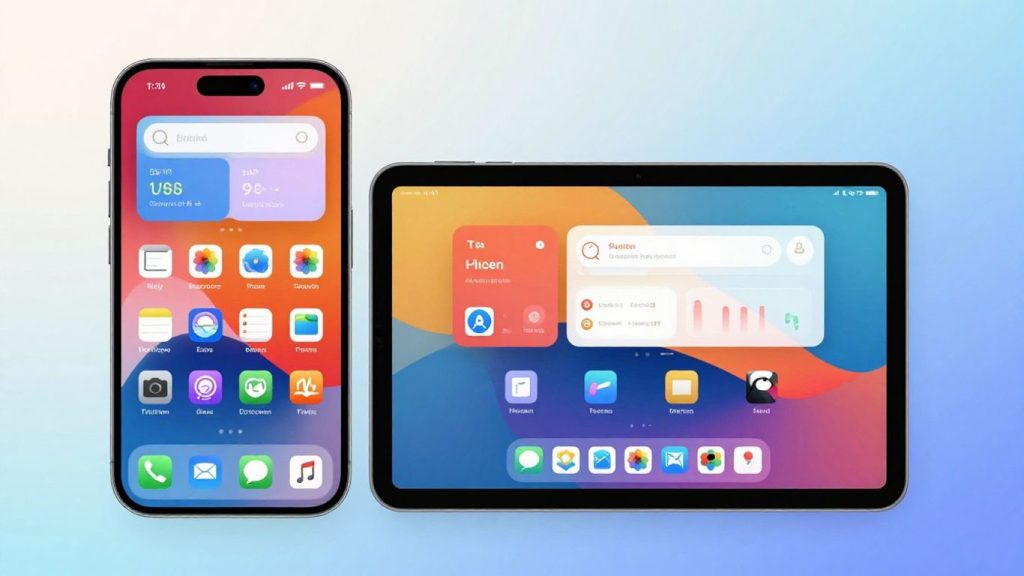
Thinking about getting TradingView on your devices? It’s a pretty popular platform for traders, and for good reason. They’ve made it easy to grab their app whether you’re on a computer, an iPhone, or an Android phone. This means you can check your markets and charts pretty much anywhere. Let’s look at how you can get the tradingview app download and what you can do with it.
Key Takeaways
- You can download the TradingView app for desktop computers, iPhones, and Android devices.
- The desktop app offers extra speed and flexibility, especially with multi-monitor setups.
- Mobile apps let you access charts, alerts, and watchlists on the go.
- TradingView provides powerful charting tools, real-time data, and social features for traders.
- You can create custom tools with Pine Script and set up alerts to not miss market moves.
TradingView App Download Options
Getting TradingView onto your devices is pretty straightforward. You’ve got a few ways to go about it, depending on what works best for you and how you like to trade. It’s all about making sure you can access your charts and markets without a hitch.
Get the TradingView Desktop App
For those who spend a lot of time at their computer, the desktop app is a solid choice. It gives you a bit more power and speed compared to using it in a web browser. Think of it as having a dedicated space for your trading, separate from all those other browser tabs you might have open. It’s designed to feel familiar, so you won’t have to learn a whole new interface. Plus, it handles things like multiple monitors really well, which is a big deal for serious chart analysis. You can grab the TradingView Desktop app for Windows and Linux.
Download for Mobile Devices
If you’re often on the move or just prefer checking things on your phone or tablet, the mobile apps are where it’s at. TradingView has apps for both iOS and Android. These are built to give you a good trading experience on smaller screens, without losing the core features you need. You can easily find them in your device’s app store. Just search for TradingView, and you’ll see the options.
Access TradingView on Any Device
One of the cool things is that TradingView works across different platforms. Whether you use the desktop app, the mobile apps, or just the website in your browser, your settings, watchlists, and layouts sync up. This means you can start looking at a chart on your computer and then pick up right where you left off on your phone. It’s pretty convenient because you don’t have to worry about setting things up multiple times. Your trading setup follows you wherever you go.
Enhance Your Trading Experience
TradingView isn’t just about looking at charts; it’s about making your whole trading process smoother and more effective. Whether you’re glued to your desktop or checking in on your phone, the platform is built to work with you, not against you.
Desktop App Features
The desktop version really lets you spread out. Think about having multiple monitors – something a lot of traders find super helpful. The desktop app lets you set up and save those multi-monitor layouts without the usual browser headaches. Plus, you can keep all your TradingView windows tidy and easy to find, right from your desktop menu. No more digging through a dozen browser tabs to find your charts!
- Native multi-monitor support: Arrange your workspace across several screens just how you like it.
- Symbol syncing between tabs: Pick a few tabs, turn this on, and they’ll all show the same stock or crypto. Change it in one, and it changes everywhere. Great for comparing different views of the same asset.
- Synchronized workspace crosshairs: When you’re really digging into the charts, your crosshairs can move together across all your displays. Makes detailed market study way easier.
Keeping your trading setup organized and accessible is key when you’re trying to make quick decisions. The desktop app helps with that by giving you more control over your workspace.
Mobile App Functionality
When you’re on the go, the mobile app keeps you connected. It’s designed so you can still get a lot done, even on a smaller screen. You get access to those powerful charts, customizable watchlists, and you can even set up alerts. It’s pretty neat how much they’ve packed into the mobile experience.
- Real-time quotes and news: Stay updated with live prices and market news wherever you are.
- Alerts on the go: Get notified instantly when your price targets are hit, no matter your location.
- Access to watchlists: Keep track of your favorite assets and see their performance at a glance.
Cross-Platform Synchronization
This is where TradingView really shines. What you do on one device shows up on another. Set up a watchlist on your desktop, and it’s there on your phone. Draw a trendline on your tablet, and it appears on your laptop. It means your settings, layouts, and watchlists are always in sync. This consistency across devices makes trading much more fluid.
| Feature | Desktop App | Mobile App | Web Platform |
|---|---|---|---|
| Layout Sync | Yes | Yes | Yes |
| Watchlist Sync | Yes | Yes | Yes |
| Settings Sync | Yes | Yes | Yes |
| Chart Drawing Sync | Yes | Yes | Yes |
Explore TradingView’s Powerful Features
TradingView isn’t just about looking at charts; it’s about having the right tools to actually understand what’s happening in the markets. They’ve packed the app with features that help you do just that.
World-Class Charting Tools
This is where TradingView really shines. You get access to a ton of different chart types, not just the basic line or bar charts. Think Heikin Ashi, Renko, Kagi, and more. Each one can show you price action from a different angle, which is pretty neat when you’re trying to spot trends. Plus, there are hundreds of built-in technical indicators – things like Moving Averages, RSI, MACD – that you can slap right onto your charts. You can also draw trendlines, Fibonacci retracements, and all sorts of shapes to mark up your charts. It’s like having a whole toolbox for analyzing price movements.
Customizable Watchlists
Keeping track of all the stocks, crypto, or forex pairs you’re interested in can get messy fast. TradingView lets you create custom watchlists. You can group symbols however you want, maybe by sector, by country, or just by whatever you feel like. You can see key info like the current price, the day’s change, and volume right there in the list. It makes it super easy to scan through your chosen markets without having to search for each one individually.
Real-Time Market Data Access
Getting information quickly is key in trading. TradingView connects you to real-time data from exchanges all over the world. This means you’re seeing prices as they happen, not with a delay. You can see live quotes, trading volumes, and order book data for a huge range of assets. This live feed is what lets you react to market changes as they occur, rather than finding out about them later.
Having access to accurate, up-to-the-minute data is non-negotiable for anyone serious about trading. It’s the foundation upon which all good trading decisions are built. Without it, you’re essentially flying blind.
Here’s a quick look at what you get:
- Charting: Dozens of chart types and drawing tools.
- Indicators: Over 100 pre-built technical indicators, plus the ability to create your own.
- Watchlists: Create and manage unlimited lists of your favorite financial instruments.
- Data: Real-time and delayed data feeds from numerous global exchanges.
Leverage Advanced Trading Capabilities
TradingView isn’t just about looking at charts; it’s about actively using them to make smarter moves. You can really dig into the market with tools that go beyond the basics. Think about using Pine Script, which is TradingView’s own language for creating custom indicators and strategies. It lets you build exactly what you need, whether it’s a unique way to spot trends or a specific signal you want to track. It’s like having a personal toolkit for your trading style.
Utilize Pine Script for Custom Tools
Pine Script is a game-changer if you want to automate your analysis or create indicators that aren’t available out of the box. You can write scripts to identify specific chart patterns, calculate custom metrics, or even generate trading signals. The community shares a lot of these scripts, so you can often find something useful and adapt it. It’s a powerful way to tailor the platform to your exact needs.
Employ Bar Replay for Analysis
Ever wish you could go back in time and see how you would have traded a past market event? The Bar Replay feature lets you do just that. You can select a point on the chart and replay the price action bar by bar. This is fantastic for backtesting strategies, practicing your decision-making without risking real money, or simply understanding how certain market conditions played out. It’s a really practical way to learn from history.
Set Up Unmissable Alerts
Don’t want to stare at the screen all day? TradingView’s alert system is incredibly robust. You can set up notifications for a huge range of conditions. This includes price levels being hit, indicators crossing certain values, or even specific chart patterns forming. You can get these alerts sent to your phone, email, or directly within the platform. This means you won’t miss those critical trading opportunities, even when you’re away from your desk.
Setting up alerts effectively can save you a lot of time and prevent missed trades. It’s about letting the platform work for you, so you can focus on what matters most – your strategy.
Here’s a quick look at what you can alert on:
- Price crossing a specific level
- Indicator values reaching a threshold
- Specific candle patterns appearing
- Volume changes exceeding a set amount
- Crosshair values hitting a target
These advanced capabilities help you move from simply observing the market to actively engaging with it in a more sophisticated way. You can even execute trades directly from the platform, making the process smoother. For mobile users, features like one-tap trading mode can make executing orders incredibly fast when you’re on the go.
Connect with the Trading Community
TradingView isn’t just about charts and data; it’s also a huge social hub for traders. Think of it as the biggest online hangout spot for people interested in markets. You’ll find millions of other traders sharing their thoughts and ideas every single day. It’s a place where you can really connect with others who get what you’re doing.
Join the Largest Social Network for Traders
This is where the action is. TradingView has built a massive community, and it’s open to everyone. Whether you’re just starting out or you’ve been trading for years, you can jump right in. You can see what other traders are posting, follow people whose ideas you like, and even get your own ideas out there.
Share Your Market Analysis
Got a hunch about a stock? Think a currency pair is about to move? You can actually share your charts and analysis right on the platform. It’s a great way to get your thoughts organized and put them out there for others to see. You can add notes, draw on charts, and explain your reasoning. This process helps solidify your own thinking, even before anyone else sees it.
Learn from Experienced Traders
One of the best parts is learning from others. You can follow traders who have a good track record and see how they approach the markets. It’s not about blindly copying them, but more about understanding their methods and seeing different perspectives. You might discover new ways to look at charts or find strategies you hadn’t considered before.
It’s easy to get lost in the numbers and charts, but remember that trading involves real people with real strategies. Being part of a community means you’re not trading in a vacuum. You can bounce ideas around, get feedback, and sometimes just commiserate when things don’t go as planned. It makes the whole experience feel a lot less lonely.
TradingView App Compatibility
System Requirements for Desktop
Getting TradingView on your computer is pretty straightforward. The desktop app is built to be fast and flexible, giving you a bit more power than the browser version. It’s designed to run smoothly on most modern Windows and macOS machines. You don’t need a super high-end gaming rig or anything like that. Just make sure your operating system is reasonably up-to-date, and you should be good to go. It’s really about having a stable system so your charts and data don’t get interrupted.
iOS Device Compatibility
If you’re an Apple user, you’ll want to know that the TradingView app works with iPhones and iPads. To get the latest version, your device needs to be running iOS 17.0 or a newer version of iPadOS. This means if you have one of the newer iPhones or iPads, it’ll work perfectly. Older devices might not be able to run the most current app updates, so it’s worth checking your device’s software version if you’re unsure. The app supports a bunch of languages too, which is nice.
Android Device Compatibility
For those on Android devices, TradingView also has you covered. The app is available for download, and it’s designed to run on a wide range of Android phones and tablets. While there isn’t a strict minimum Android version number publicly listed like with iOS, it’s generally recommended to have a fairly recent version of Android installed. Most devices made in the last few years should handle it without any issues. You can usually find it on the Google Play Store.
Keeping your operating system updated is a good idea not just for TradingView, but for your device’s overall security and performance. It helps make sure all your apps run as they should.
Here’s a quick look at what you generally need:
- Desktop: Windows or macOS with a recent operating system version.
- iOS: iPhone or iPad running iOS 17.0 or later.
- Android: A smartphone or tablet with a reasonably current Android version.
Wrapping It Up
So there you have it. TradingView isn’t just for your computer anymore. Whether you’re on your phone, tablet, or desktop, you can get the app and keep tabs on the markets. It’s pretty handy for checking charts and alerts on the go, or just having a more focused setup at your desk. Give it a download and see how it fits into your trading routine.
Frequently Asked Questions
What devices can I use the TradingView app on?
You can use TradingView on pretty much any device! There’s a special app for your desktop computer, and also apps for your iPhone, iPad, and Android phones and tablets. So, no matter where you are, you can keep an eye on the markets.
Is TradingView free to use?
Yes, you can use TradingView for free! It offers powerful charting tools and access to market data without costing you anything. There are also paid options if you want even more advanced features, but the free version is great for getting started.
Can I trade directly from the TradingView app?
You sure can! TradingView lets you connect with many popular brokers so you can trade right from the charts. If you’re just learning or want to practice, you can also use ‘Paper Trading’ to buy and sell without using real money.
What makes the desktop app different from the mobile app?
The desktop app gives you extra power, speed, and flexibility, especially if you use multiple monitors. It helps keep your TradingView charts organized and easy to find. The mobile apps are perfect for trading on the go, letting you check charts and get alerts from anywhere.
How does TradingView help me learn about trading?
TradingView is like a big online community for traders. You can see what other traders are sharing, learn from their ideas and analysis, and even chat with them. It’s a fantastic place to pick up tips and improve your trading skills by seeing how others approach the markets.
What kind of market data can I see on TradingView?
TradingView gives you access to a ton of market information. You can see live prices for stocks, cryptocurrencies, futures, and more from exchanges all over the world. Plus, you get news, economic event calendars, and company reports all in one spot.











