

Ever feel like you’re chasing price action on your 5-minute chart, always a bit too late? It’s a common problem, especially when you’re trying to catch those quick moves. The MACD indicator can really help, but only if you’ve got the right settings dialed in. This article is all about finding those best MACD settings for 5 minute chart strategies that can actually make a difference. We’ll break down how the MACD works and what changes you might need to make it more useful for fast trading.
Key Takeaways
- The MACD is a handy tool for spotting momentum, especially on a 5-minute chart, but default settings often aren’t the best fit.
- Standard MACD settings (12, 26, 9) can be too slow for quick 5-minute chart moves, leading to missed trades.
- Trying settings like 24, 52, 18 or 8, 17, 9 can make the MACD react faster to price changes on short timeframes.
- To get more reliable signals, it’s smart to use the MACD along with other indicators like the RSI or moving averages.
- Always test your chosen MACD settings and strategies on past data before using them with real money.
Understanding The MACD Indicator For Short-Term Trading

Alright, let’s talk about the MACD, or Moving Average Convergence Divergence. It sounds complicated, I know, but stick with me. This indicator is a real workhorse for traders, especially when you’re looking at those fast-paced 5-minute charts. Think of it as your guide through the market’s quick shifts. It helps you see the momentum behind price moves, which is super important when every second counts.
Decoding The MACD’s Core Components
The MACD is built on three main parts that work together. Understanding these is key to using it right.
- MACD Line: This is the main line. It’s calculated by taking a shorter-term Exponential Moving Average (EMA) and subtracting a longer-term EMA from it. Usually, it’s the 12-period EMA minus the 26-period EMA. When this line is above zero, it suggests shorter-term momentum is stronger than longer-term momentum. When it dips below zero, the opposite is true.
- Signal Line: This is a moving average of the MACD line itself, typically a 9-period EMA. It acts as a smoother version of the MACD line. When the MACD line crosses over the signal line, traders often see it as a potential buy or sell signal.
- Histogram: This shows the difference between the MACD line and the signal line. It’s plotted as bars above and below a zero line. The histogram can give you an early heads-up about changes in momentum before they show up on the main MACD line.
MACD’s Role In Fast-Paced Markets
On a 5-minute chart, things move quickly. Prices can jump around based on news, order flow, or just general market sentiment. The MACD helps cut through that noise. It’s not about predicting the future, but rather showing you the current strength and direction of price momentum. This ability to reflect shifts in momentum in near real-time makes it incredibly useful for short-term strategies.
In markets that are just going sideways, without a clear trend, the MACD can get a bit confused. It might give you a lot of signals that don’t pan out. That’s why knowing how to use it, and when to maybe look at other tools, is so important for avoiding losses.
For example, if the MACD line is consistently making higher lows while the price is still making lower lows, that could be a sign that selling pressure is fading. It’s these kinds of subtle clues that can give you an edge when you’re trading on short timeframes.
Evaluating Default MACD Settings On A 5-Minute Chart
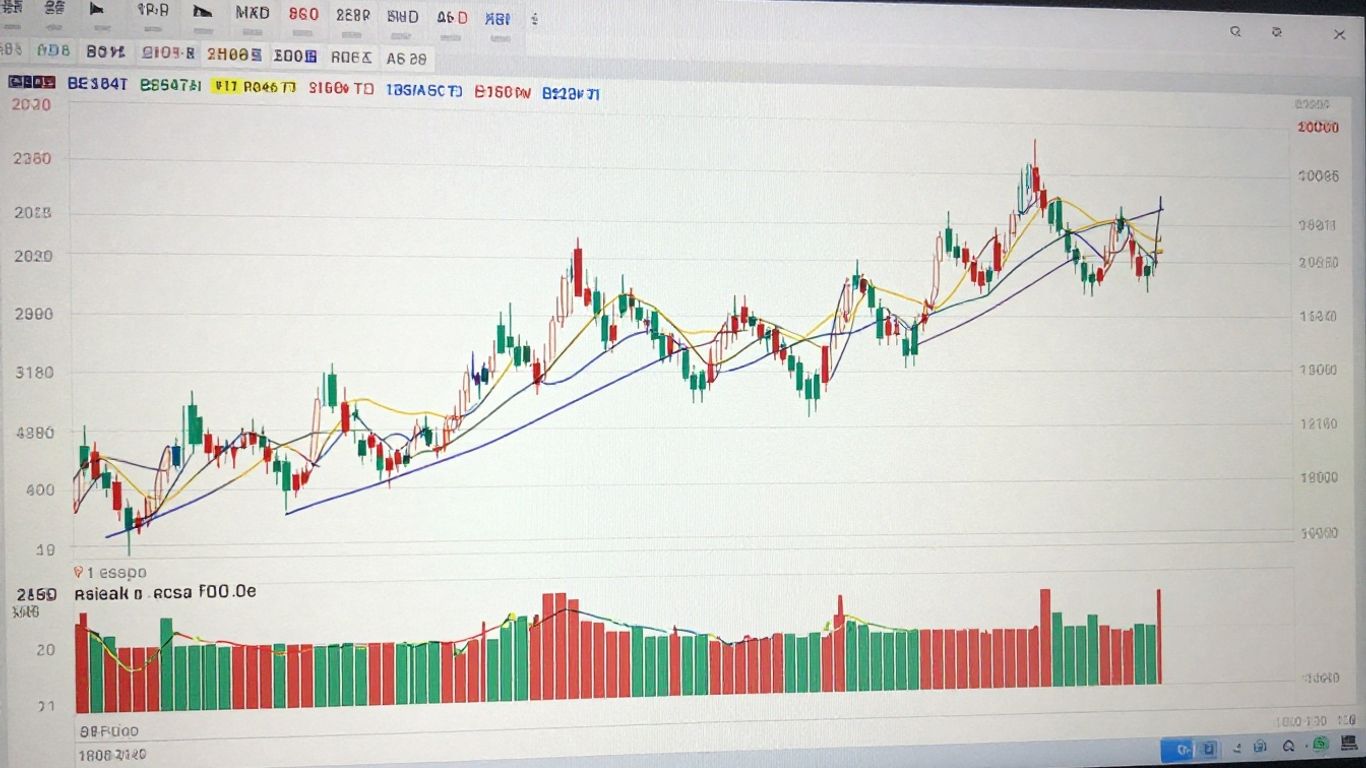
So, you’ve got the MACD indicator on your chart, and it’s showing those standard numbers: 12, 26, and 9. These are the defaults, right? They’re what most platforms give you straight out of the box. They were originally designed with longer timeframes in mind, like daily charts, to catch bigger trends. But here’s the thing: when you slap those same settings onto a 5-minute chart, things can get a bit… sluggish.
Limitations Of Standard Parameters
Using the default 12, 26, 9 settings on a 5-minute chart can really put you at a disadvantage. Because the 26-period EMA is quite slow to react, the MACD line itself ends up lagging behind the price action. This lag means you might miss the best entry or exit points, which is a big deal when every second counts on a short timeframe. You’re essentially looking at a delayed picture of what the market was doing a few minutes ago, not what it’s doing right now.
Why Default Settings May Lag Price Action
Think of it like this: the default settings are built for a marathon runner, not a sprinter. The 12-period and 26-period EMAs are chosen to smooth out price action over longer periods. On a 5-minute chart, however, prices can change direction very quickly. The slower EMAs in the default setup just can’t keep up. This leads to:
- Delayed Signals: Crossovers between the MACD line and signal line might happen well after the price has already made its move.
- Missed Opportunities: Small, quick price swings that could be profitable are often overlooked because the indicator hasn’t caught up yet.
- Increased False Signals (Whipsaws): The indicator might give a signal, but by the time it registers, the price has already reversed, leading to quick, small losses as you jump in and out of trades.
The standard MACD settings, while a good starting point for understanding the indicator, are often too slow for the rapid pace of 5-minute trading. They were designed for a different kind of race, and trying to use them for scalping can feel like trying to catch a bullet train with a bicycle.
It’s like trying to use a map from last year to navigate a city that’s constantly under construction. You might get there eventually, but it’s going to be a bumpy, inefficient ride. For 5-minute charts, you need something that’s more in tune with the immediate market pulse.
Discovering Optimal MACD Settings For 5-Minute Charts
So, you’ve got the MACD indicator on your 5-minute chart, and you’re wondering if the default settings are really cutting it. Honestly, for the fast-paced world of 5-minute trading, they often fall short. The default 12, 26, 9 setup was really designed with longer timeframes in mind, and on a 5-minute chart, it can feel like you’re driving a truck through a go-kart race – a bit too slow to react.
Recommended Parameter Adjustments
While there’s no magic bullet that works for everyone, a common adjustment that traders find more effective for 5-minute charts is using settings like 24, 52, 18. This means:
- Fast EMA: 24 periods
- Slow EMA: 52 periods
- Signal Line EMA: 18 periods
These numbers are generally shorter than the defaults, making the MACD line more sensitive to recent price action. This increased responsiveness is key when you’re trying to catch quick moves.
The Rationale Behind Faster EMAs
Why do these shorter periods work better? Think of it this way: the 5-minute chart is all about capturing short-term momentum. By using faster EMAs (like the 24-period instead of 12), the MACD line is going to hug the price action more closely. This means it can signal a shift in momentum sooner. When the MACD line crosses the signal line, or when it crosses the zero line, these faster settings can give you an earlier heads-up.
It’s important to remember that while faster settings can get you into trades quicker, they can also generate more ‘noise’ or false signals. This is a trade-off you have to manage.
Experimenting With Alternative Configurations
Don’t feel locked into just one set of numbers, though. The market is always changing, and what works today might need a tweak tomorrow. Some traders have success with other configurations, such as:
- 9, 18, 9
- 10, 20, 10
The best approach is to test these different settings on historical data or a demo account. Pay attention to how quickly signals appear and how many of them turn out to be profitable versus leading to a loss. Consider the volatility of the asset you’re trading too; sometimes, in very choppy markets, you might even need to slightly lengthen the periods to filter out some of the random price swings.
Implementing MACD Strategies On The 5-Minute Chart
So, you’ve tweaked your MACD settings and you’re ready to put them to work on that 5-minute chart. That’s great! But how exactly do you use those lines and signals to actually make trades? It’s not just about watching the indicator; it’s about knowing what to look for. Let’s break down some common ways traders use the MACD.
Leveraging MACD Line And Signal Line Crossovers
This is probably the most basic way people use the MACD. You’re watching for when the main MACD line (the faster one) crosses over the signal line (the slower one). Think of it like two cars on a track; when one overtakes the other, it can signal a change in speed or direction.
- Bullish Crossover: When the MACD line moves above the signal line, it suggests that buying momentum might be picking up. Many traders see this as a potential signal to consider buying.
- Bearish Crossover: On the flip side, if the MACD line dips below the signal line, it indicates that selling pressure might be increasing. This could be a signal to consider selling or closing a long position.
It’s important to remember that these crossovers can happen frequently on a 5-minute chart, so not every single one will lead to a profitable trade. That’s where the next points come in.
Utilizing Zero Line Crossovers For Confirmation
The zero line on the MACD is another key level to watch. It’s basically the point where the two moving averages used to calculate the MACD are equal. Crossing this line can give you more confidence in the direction of the trend.
- Crossing Above Zero: When the MACD line moves from below the zero line to above it, it often confirms that there’s solid upward momentum building. This can be a good sign to look for buy opportunities, especially if you also see a bullish crossover.
- Crossing Below Zero: If the MACD line drops from above the zero line to below it, it suggests that bearish momentum is taking hold. This might be a good time to look for sell signals or confirm a downtrend.
Using the zero line crossover as a confirmation tool can help filter out some of the weaker signals generated by just the MACD and signal line crossovers alone. It adds an extra layer of certainty.
Identifying Potential Reversals With Divergence
This is where things get a bit more advanced, but it can be really powerful. Divergence happens when the price of the asset is doing one thing, but the MACD indicator is doing the opposite. It’s like the indicator is telling you something the price isn’t showing yet.
- Bullish Divergence: Imagine the price of a stock is making lower lows (each new low is lower than the last), but on the MACD chart, the lows are actually getting higher. This could mean that even though the price is falling, the selling pressure is weakening, and a move upwards might be coming soon.
- Bearish Divergence: Conversely, if the price is making higher highs, but the MACD is making lower highs, it might signal that the upward momentum is fading, and a price drop could be on the horizon.
Spotting divergence takes practice, and it’s not a guaranteed signal, but it can give you an edge by showing potential turning points before they fully develop on the price chart.
Enhancing MACD Signal Reliability
So, you’ve tweaked your MACD settings and you’re seeing some promising signals on your 5-minute chart. That’s great! But let’s be real, relying on just one indicator can sometimes feel like a gamble. To really boost your confidence and potentially your win rate, it’s smart to look for confirmation from other tools. Think of it like double-checking your work before submitting it – it just makes sense.
Combining MACD With Relative Strength Index
The Relative Strength Index, or RSI, is a popular choice for confirming MACD signals. It’s great for telling you if a stock is maybe getting a bit too expensive (overbought) or too cheap (oversold) in the short term. So, if your MACD is giving you a buy signal, but the RSI is also showing that the price is coming out of oversold territory, that’s a pretty solid confirmation. It suggests that the upward momentum might actually have some legs.
Here’s a quick way to think about it:
- Bullish Confirmation: MACD shows a bullish crossover (line above signal line) AND RSI is moving up from oversold levels (typically below 30).
- Bearish Confirmation: MACD shows a bearish crossover (line below signal line) AND RSI is moving down from overbought levels (typically above 70).
This combination helps filter out some of those weaker MACD signals that might just fizzle out.
Aligning MACD With Moving Average Trends
Moving averages are fantastic for figuring out the general direction of the market. Are we in an uptrend, a downtrend, or just kind of drifting sideways? Using MACD signals that line up with the bigger trend can make a big difference. For example, if you’re using a 50-period moving average and it’s sloping upwards, you’d want to pay more attention to bullish MACD signals. Trying to catch a falling knife with a MACD buy signal when the moving average is pointing straight down is usually a recipe for disappointment. It’s about trading with the trend, not against it. You can find some good info on moving average strategies that might help.
Integrating MACD With Price Action Patterns
Price action itself tells a story, and sometimes, MACD signals can confirm that story. Think about classic chart patterns like support and resistance levels, or candlestick formations. If you see a bullish MACD crossover happening right at a strong support level, or after a bullish engulfing candlestick pattern, that’s a much stronger signal than if it happened out of the blue. It’s like the market is giving you multiple reasons to believe in a move. For instance, seeing the MACD line make higher lows while the price makes lower lows, a pattern known as bullish divergence, can be a strong hint that selling pressure might be fading. This is a more advanced way to use the MACD, focusing on how it relates to the actual price movement.
When you start combining different types of analysis – indicators, trend direction, and price patterns – you build a more robust trading plan. It’s not about finding a magic bullet, but about stacking the odds in your favor by looking for multiple confirmations before you commit capital. This approach helps reduce the noise and focus on higher-probability setups.
Remember, no single indicator is perfect. By using MACD alongside other tools, you’re creating a more reliable system for making trading decisions on your 5-minute charts.
Avoiding Pitfalls With MACD On Shorter Timeframes
Trading on a 5-minute chart with the MACD indicator can feel like a race. Things move fast, and it’s easy to get caught up in the speed. But just like in any race, there are obstacles you need to watch out for, especially with a tool like MACD.
Recognizing Whipsaws And False Signals
One of the biggest headaches on short timeframes is something called a ‘whipsaw’. This is when the MACD gives you a signal, like a crossover, and then quickly reverses, leaving you on the wrong side of a trade. On a 5-minute chart, these false signals can pop up way more often than on longer charts. It’s like the indicator is getting confused by all the tiny price movements.
- Crossovers that don’t go anywhere: You see the MACD line cross the signal line, jump in, and then it immediately crosses back. Ouch.
- Histogram flickers: The histogram bars might change color rapidly, suggesting momentum shifts that aren’t actually sustained.
- Divergence that fizzles out: Sometimes, you might spot divergence, but the price action doesn’t follow through, making the signal useless.
The MACD indicator was built to catch trends. When the market is just chopping sideways with no clear direction, the MACD can generate a lot of noise. This is where most traders get into trouble, thinking the indicator is broken when really, the market condition just isn’t suited for it.
Addressing Missed Short-Term Opportunities
On the flip side, trying to catch every single tiny move on a 5-minute chart can also lead to problems. You might get so focused on avoiding false signals that you miss out on quick profits. This often happens when you’re waiting for too much confirmation or when the MACD settings are too slow for the rapid pace of the 5-minute chart.
- Over-waiting for confirmation: You see a good signal, but you wait for a second MACD line crossover or a specific candlestick pattern, and by then, the best part of the move is already over.
- Lagging signals: If your MACD settings are a bit too slow (like using longer EMA periods), the signal might appear after the price has already made its move.
- Fear of missing out (FOMO): Seeing a quick profit disappear can make you jump into trades impulsively, often without proper setup or risk management.
The Importance Of Risk Management
No matter how you tweak your MACD settings, risk management is your safety net. On a 5-minute chart, price can move quickly, and losses can add up fast if you’re not careful. Always use stop-loss orders to limit potential losses on any trade.
Here’s a quick rundown of what to keep in mind:
- Position Sizing: Never risk more than a small percentage of your trading capital on a single trade. A common rule is 1-2%.
- Stop Losses: Place them logically, perhaps just below a recent swing low for a buy signal, or just above a swing high for a sell signal.
- Profit Taking: Have a plan for when to exit. Don’t get greedy; taking smaller, consistent profits is better than waiting for a huge win that never comes.
- Backtesting: Before you trade live, test your MACD settings and strategy on historical data. See how it performed in different market conditions. This helps you understand its strengths and weaknesses.
Wrapping It Up
So, we’ve gone over how the MACD works and why those default settings might not be cutting it on a 5-minute chart. Finding the sweet spot for your MACD settings, maybe something like 24, 52, 18 or even 8, 17, 9, is really about making the indicator react faster to those quick price moves. But remember, faster signals can also mean more noise, so always test your settings on past data and don’t be afraid to mix the MACD with other tools like the RSI or moving averages. Sticking with one setting forever probably isn’t the way to go; markets change, and you’ll need to adapt too. Keep practicing, keep testing, and you’ll get a better feel for what works best for your trading style.
Frequently Asked Questions
What is the MACD and how does it help in trading?
The MACD, which stands for Moving Average Convergence Divergence, is like a detective for price movements. It helps traders see if the price is likely to go up or down by looking at how two moving averages of prices are behaving. It’s useful for spotting changes in momentum, which can signal when to buy or sell.
Why are the default MACD settings (12, 26, 9) not always best for a 5-minute chart?
The default settings were made for longer timeframes, like daily charts. On a fast 5-minute chart, these settings can be too slow. This means the MACD might tell you to buy or sell after the price has already moved a lot, causing you to miss out on potential profits or get signals late.
What are some better MACD settings for a 5-minute chart?
Many traders find that using faster settings works better on a 5-minute chart. For example, settings like 24, 52, 18 or 8, 17, 9 can make the MACD react more quickly to price changes. This helps you catch smaller, faster moves.
How can I use MACD signals on a 5-minute chart?
You can look for when the MACD line crosses the signal line – this can be a buy or sell signal. Also, watch when the MACD line crosses the zero line, which can confirm if the price is moving up or down strongly. Spotting when the price and MACD move in opposite directions (divergence) can also hint at a possible trend change.
Can I use MACD alone, or should I combine it with other tools?
While MACD is powerful, it’s best not to rely on just one tool. Combining MACD signals with other indicators like the RSI (to see if a price is too high or too low) or moving averages (to check the main trend) can give you stronger, more reliable trading signals.
What are the common mistakes to avoid when using MACD on a 5-minute chart?
Be careful of ‘whipsaws,’ which are quick false signals that can make you buy and sell back and forth, losing money. Also, remember that even with the best settings, it’s important to manage your risk by not risking too much on any single trade. Always test your settings and strategies before trading with real money.











