Looking to trade forex on the go? You’re in luck. There are tons of apps out there for Android that let you do just that. But with so many choices, how do you pick the right one? This guide will help you sort through the options, figure out what features matter most, and find the best forex trading app download for Android that fits your needs. We’ll cover everything from understanding the basics to exploring some of the top contenders.
Key Takeaways
- When picking a forex trading app for Android, look at the broker’s reputation and if they are regulated. This is super important for keeping your money safe.
- Check out the trading tools and market access the app provides. Does it have the charts, indicators, and currency pairs you need?
- Many apps offer demo accounts. These are great for practicing trades with fake money before you risk your own cash.
- Consider apps that give you real-time prices, news, and research. This helps you make smarter trading decisions.
- Some apps are better for beginners, while others have advanced features for experienced traders. Think about what level you’re at.
Choosing Your Android Forex Trading App
Picking the right forex trading app for your Android device isn’t just about downloading the first one you see. It’s more like choosing a tool for a job – you want something that fits your needs, works well, and you can trust. Think about what you’ll actually be doing with the app. Are you just checking prices now and then, or do you plan on making trades on the go? This decision really matters.
Understanding Key Features for Mobile Trading
When you’re looking at apps, pay attention to a few things. First off, how easy is it to see your account balance and how much money you have available to trade? Most good apps will show this right at the top. Then, check out how they display currency pairs. You want to see live prices, and ideally, how much they’ve moved that day, maybe even as a percentage. A clear menu at the bottom usually helps you jump between your favorite currency pairs, your open trades, and any alerts you’ve set up.
Here’s a quick rundown of what to look for:
- Real-time Quotes: You absolutely need live prices. Waiting for prices to update is a recipe for missed opportunities or bad trades.
- Order Types: Can you place market orders, limit orders, stop orders? The more options, the better you can control your trades.
- Watchlists: Being able to create custom lists of the currency pairs you’re interested in is a must.
- Notifications: Alerts for price movements or news can be super helpful when you can’t stare at the screen all day.
The best apps make it simple to do the most common tasks without a lot of tapping around. If you find yourself hunting for buttons or getting lost in menus, it’s probably not the app for you.
Evaluating Broker Trust and Regulation
This is a big one. You’re trusting this app and the company behind it with your money. So, you need to know they’re legit. Look for brokers that are regulated by well-known financial authorities in major countries. Think of the UK’s Financial Conduct Authority (FCA) or the US’s Commodity Futures Trading Commission (CFTC). Regulation means they have to follow strict rules, which is good for you.
Here’s a simple way to think about it:
- Regulation: Is the broker licensed by a reputable authority?
- Reputation: What do other traders say about them? Look for reviews, but take them with a grain of salt.
- Security: Does the app use strong security measures to protect your account?
Assessing Trading Tools and Market Access
Beyond just seeing prices, what can you actually do with the app? Most serious traders need more than just basic buy/sell buttons. Check if the app offers charting tools. Can you add technical indicators like moving averages or RSI? How many different timeframes can you look at? Some apps even let you draw lines on charts to spot trends. Also, consider how many currency pairs and other markets (like commodities or indices) the app gives you access to. If you’re only interested in EUR/USD, that’s fine, but if you want more options, make sure the app provides them.
Top Forex Trading Apps for Android
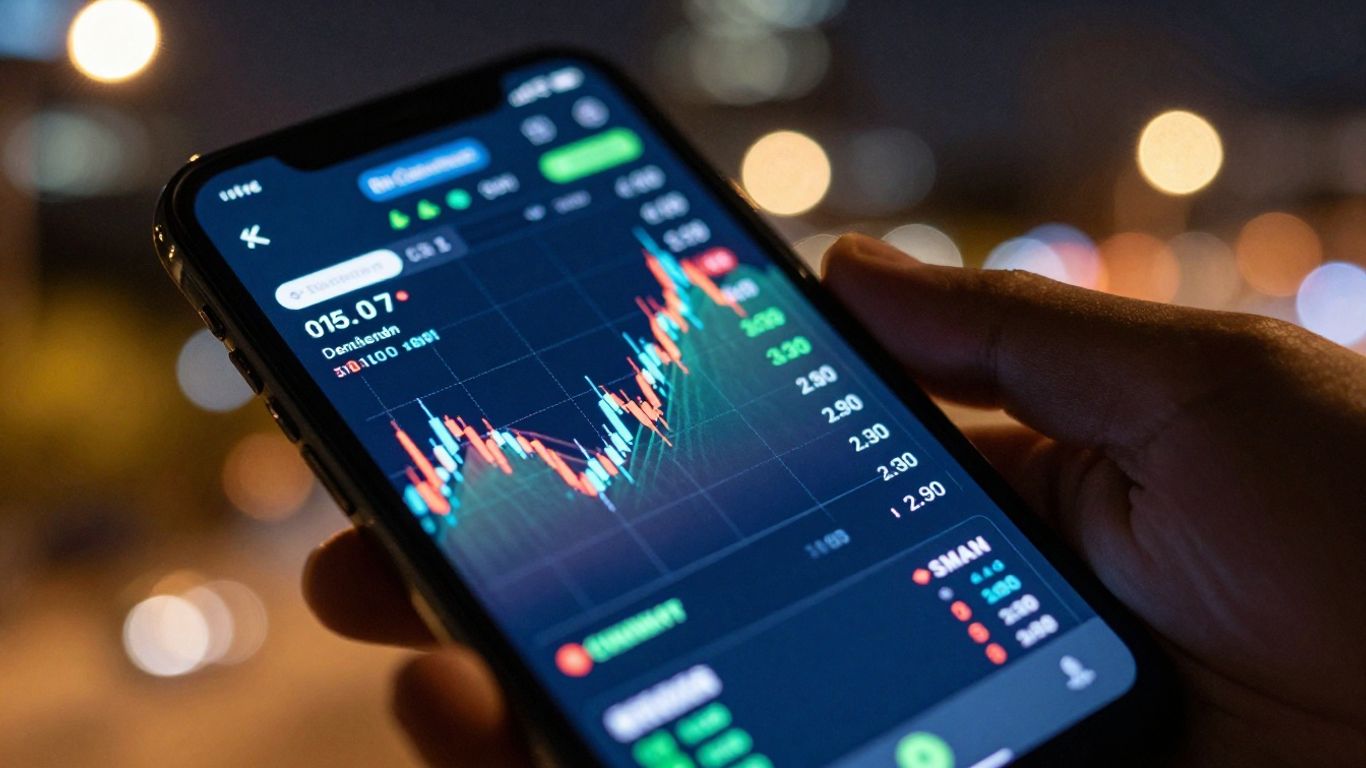
Finding the right app can make a big difference when you’re trading forex on your phone. I’ve looked at a few that really stand out for Android users, trying them out to see how they actually work.
IG Trading App: A Feature-Rich Experience
The IG app is packed with tools, which is great if you like having a lot at your fingertips. It’s got a lot of indicators and charting options, more than some others I tested. You can set up alerts pretty easily, and they have a good amount of market news built right in. It feels pretty solid for getting a lot done without needing your computer.
- Lots of technical indicators: Over 30 are available, which is quite a bit for a mobile app.
- Customizable alerts: You can set up notifications for price movements or other events.
- Integrated news feed: Stay updated on market happenings directly within the app.
While it has a lot of features, it might take a little time to get used to everything if you’re new to trading apps.
FOREX.com App: Streamlined and Powerful
This app from FOREX.com is pretty straightforward. When you open it, you see your account balance right away, and it keeps track of the currency pairs you’re watching. It shows you the current prices and how much they’ve moved that day. The bottom menu makes it easy to switch between your watchlists, see your open trades, and check your alerts. It’s a good choice if you want something that works well without being overly complicated.
CMC Markets NextGeneration App: Sophistication Meets Simplicity
CMC Markets has an app called NextGeneration, and it does a good job of feeling advanced but still easy to use. They were one of the first to really focus on mobile trading, and it shows. You can see things like how other traders are feeling about a certain currency pair right when you’re about to place a trade. They also have tools that can spot chart patterns for you.
It’s easy to find trading ideas with pre-set lists like "Biggest Risers." However, one thing I noticed is that you can’t drag and drop your open trades on the charts to change them, which is a bit of a drawback. But, if you like other platforms, CMC Markets also works with MetaTrader 5 and TradingView apps.
Here’s a quick look at some features:
- Client sentiment data: See how other traders are positioned.
- Chart pattern recognition: Helps identify potential trading opportunities.
- Pre-defined screeners: Quickly filter assets based on performance.
| Feature | IG Trading App | FOREX.com App | CMC Markets App |
|---|---|---|---|
| Technical Indicators | 30+ | Basic | Good |
| Order Types | Many | Standard | Standard |
| News & Research | Integrated | Basic | Integrated |
| Ease of Use | Moderate | High | High |
Advanced Features in Forex Trading Apps
MetaTrader 4: The Industry Standard
When you talk about forex trading apps, especially on Android, MetaTrader 4 (MT4) often comes up. It’s been around for a while and is used by tons of brokers. Think of it as the go-to platform for many traders because it’s pretty solid. It lets you do more than just buy and sell; you can get into the nitty-gritty of technical analysis and even automate your trading.
Charting Capabilities and Technical Indicators
Good charting is a must-have. Most top apps will give you real-time price charts, but the really advanced ones let you do a lot more. You can usually pick from different chart types like candlesticks or bar charts, and change the timeframes from minutes to days. What’s really useful are the technical indicators. These are tools that help you spot trends or potential turning points. Apps might offer dozens, if not hundreds, of these.
Here are some common indicators you’ll find:
- Moving Averages: Smooth out price data to show the average price over a period.
- MACD (Moving Average Convergence Divergence): Shows the relationship between two moving averages of prices.
- RSI (Relative Strength Index): Measures the speed and change of price movements.
- Bollinger Bands: Volatility bands placed above and below a moving average.
Some apps even let you draw trendlines, support/resistance levels, and other shapes directly on the charts, which can be super helpful for visualizing your trading ideas.
Order Management and Execution Options
How you get into and out of trades matters a lot. Beyond just simple buy and sell orders, advanced apps give you more control. You can set stop-loss orders to limit potential losses or take-profit orders to lock in gains automatically. Then there are more complex types like:
- OCO (One-Cancels-the-Other) Orders: You place two orders, and when one is filled, the other is automatically canceled.
- Trailing Stops: These automatically adjust your stop-loss level as the price moves in your favor, helping to protect profits.
Execution speed is also key. You want to know that when you hit the button, your trade goes through quickly at the price you expect. Some apps might show you how quickly trades are typically executed, or offer different ways to place orders, like directly from a chart.
The ability to customize your trading environment, from the indicators you see to the types of orders you can place, makes a big difference. It’s about having the tools that fit your personal trading style and strategy, not just a basic buy/sell button.
It’s worth checking if the app allows you to manage multiple open positions easily, perhaps with a quick ‘close all’ function for those moments when you need to exit the market fast. The best apps make these advanced features accessible without making the interface feel cluttered or overwhelming. It’s a tricky balance, but when done right, it really helps.
Leveraging Demo Accounts for Practice
Before you put any real money on the line, it’s a really smart move to get comfortable with a forex trading app using a demo account. Think of it like test-driving a car before you buy it. You get to play around with all the features, see how things work, and get a feel for the platform without any risk. Most apps let you use these virtual accounts on your phone, tablet, or computer, so you can practice wherever you are.
Testing Strategies with Virtual Funds
Demo accounts are perfect for trying out different trading ideas. You can experiment with various strategies, see how they perform in real market conditions, and figure out what works for you. It’s a low-pressure way to learn the ropes and build confidence. You can test out different order types, like stop-loss or take-profit orders, and see how they execute.
Familiarizing Yourself with App Navigation
Getting used to how an app is laid out is super important. A demo account lets you click around, find where all the tools are, and learn how to place trades quickly. You don’t want to be fumbling around trying to find the buy button when a big market move happens. Practicing the navigation means you’ll be ready when it counts.
Here’s a quick rundown of what to look for:
- Ease of finding charts: Can you pull up the currency pair you want and see its price history easily?
- Placing trades: How many steps does it take to open or close a position?
- Accessing news and research: Is market information readily available within the app?
- Setting alerts: Can you set up notifications for specific price movements?
Transitioning to Live Trading
Once you’ve spent some time in the demo environment and feel good about your strategy and the app itself, you can start thinking about moving to a live account. It’s a gradual process. You might start with a small amount of money that you’re comfortable losing, just to get used to the real-money experience. The goal is to make the transition as smooth as possible, building on the skills you’ve practiced.
Using a demo account is not just about learning the app; it’s about building discipline and understanding your own emotional responses to trading. It’s a safe space to make mistakes and learn from them before real capital is involved.
Essential Considerations for Your Download
Before you hit that download button for a forex trading app on your Android device, there are a few things you should really think about. It’s not just about getting the app; it’s about getting the right app for how you want to trade. You don’t want to end up with something that’s clunky or missing features you actually need.
Here’s a quick rundown of what to look for:
- Real-Time Quotes and Market Data: This is non-negotiable. You need to see prices as they happen, or you’re trading blind. Check if the app provides live, up-to-the-minute price feeds for the currency pairs you’re interested in. Some apps might have a slight delay, which can make a big difference in fast-moving markets.
- Integrated News and Research Resources: Trading isn’t just about charts. Economic news, analyst reports, and market sentiment can heavily influence currency prices. A good app will have these resources built right in, so you don’t have to constantly switch between apps to stay informed. Look for things like economic calendars, news feeds from reputable sources, and perhaps even some basic research tools.
- User Interface and Ease of Navigation: Let’s be honest, if the app is confusing or hard to use, you’re going to get frustrated. A clean, intuitive interface makes a huge difference, especially when you’re trying to make quick trading decisions. Think about how easy it is to find currency pairs, place orders, and access charts. Try to get a feel for it, maybe through screenshots or a demo account if available, before committing.
When you’re looking at apps, think about what kind of trader you are. Are you someone who needs a ton of advanced charting tools and indicators, or do you prefer a simpler, more streamlined experience? The best app for you will match your personal trading style and your comfort level with technology. Don’t pick an app just because it looks fancy; pick one that actually helps you trade better.
It’s also worth checking out the app’s update history and user reviews. Frequent updates can mean the developer is actively improving the app, and user reviews often highlight common issues or strengths that you might not notice otherwise.
Exploring Alternative Android Trading Platforms
While many popular apps get a lot of attention, there are some other solid choices out there for Android users looking to trade forex. These platforms might not always be the first ones mentioned, but they bring their own strengths to the table, especially if you’re trading more than just currencies.
Saxo: Ideal for Multi-Asset Traders
Saxo’s SaxoTraderGO app is a really good option if you’re into trading a variety of assets, not just forex. What’s cool is that the mobile app feels very similar to their web platform. This means if you’re used to trading on a computer with Saxo, you won’t have a huge learning curve when you switch to your phone. They’ve managed to pack a lot of features into the app, including charting tools that are pretty much the same as what you get on the desktop. You can even see trend lines and indicators you’ve set up on your computer right there on your phone. Plus, you get access to things like an economic calendar and market news directly within the app, which is super handy.
- Consistent experience: The mobile app closely matches the web platform, making it easy to switch between devices.
- Advanced charting: Features like trend lines and indicators sync across platforms.
- Integrated research: Access news, economic calendars, and analysis tools on the go.
The SaxoTraderGO app has a screener tool that’s quite powerful. You can set it up to look specifically at forex and precious metals, and it shows you what’s been popular lately. It gives you a clear view of live prices and how much they’ve moved in a day for things like Gold or major currency pairs.
Charles Schwab: Superior Charting Tools
Charles Schwab is a big name in the investment world, and their Android app reflects that. While they might be known more for stocks, their forex trading capabilities are robust. The charting tools are particularly noteworthy. They offer a lot of flexibility for technical analysis, allowing you to add various indicators and draw lines to spot trends. If you’re someone who relies heavily on visual analysis of price action, Schwab’s app could be a great fit. They also provide access to research and news, helping you stay informed about market movements.
OANDA: Tight Spreads and MetaTrader Integration
OANDA is another broker that’s well-regarded, especially for its competitive spreads, meaning the difference between the buy and sell price is often quite small. This can be a big deal for active forex traders. What sets OANDA apart for some is its integration with MetaTrader 4 (MT4). If you’re already familiar with MT4, you can use it through OANDA on your Android device. This gives you access to all the familiar MT4 tools, indicators, and charting features, combined with OANDA’s trading conditions. It’s a solid choice for those who want the power of MT4 with a reputable broker. You can check out other forex apps to see how they compare.
Wrapping It Up
So, you’ve looked through the options for getting a forex trading app on your Android device. It’s not just about picking the first one you see, right? Think about what you actually need. Do you want super detailed charts, or is a simple way to place trades enough? Maybe you’re just starting out and need something easy to learn, or perhaps you’re more experienced and want all the bells and whistles. Remember to check out those demo accounts first – it’s like a free test drive. Finding the right app can make a big difference in how you trade, so take your time and pick one that feels right for you.
Frequently Asked Questions
Can I really trade forex on my phone?
Absolutely! If you have a smartphone that runs on Android or iOS, you can easily download and use forex trading apps. Once you sign up with a broker and log in, you’re all set to trade right from your phone.
What’s the best forex trading app for Android?
Based on our checks, the IG Trading app is a top choice for Android users. It’s packed with useful tools, offers lots of market news, and has great charting features for trading.
Which app gives the lowest trading costs?
It’s tough to pick just one, as costs like spreads can change depending on the market. However, brokers such as IG, CMC Markets, and Interactive Brokers often have really good prices, especially for popular currency pairs.
What are demo accounts and why should I use them?
Demo accounts let you practice trading with fake money. Think of it like a test drive for a car! You can try out different trading strategies and get comfortable with how the app works before you risk your own cash.
What makes a forex app good for trading?
A good app should show you real-time prices, give you access to news and research to help you make smart decisions, and be easy to use. The layout should be simple, so you can find what you need quickly.
Are there apps that let me trade more than just forex?
Yes, many apps allow you to trade other things too, like stocks or cryptocurrencies. Apps from brokers like Saxo are known for letting you trade many different types of assets all in one place.