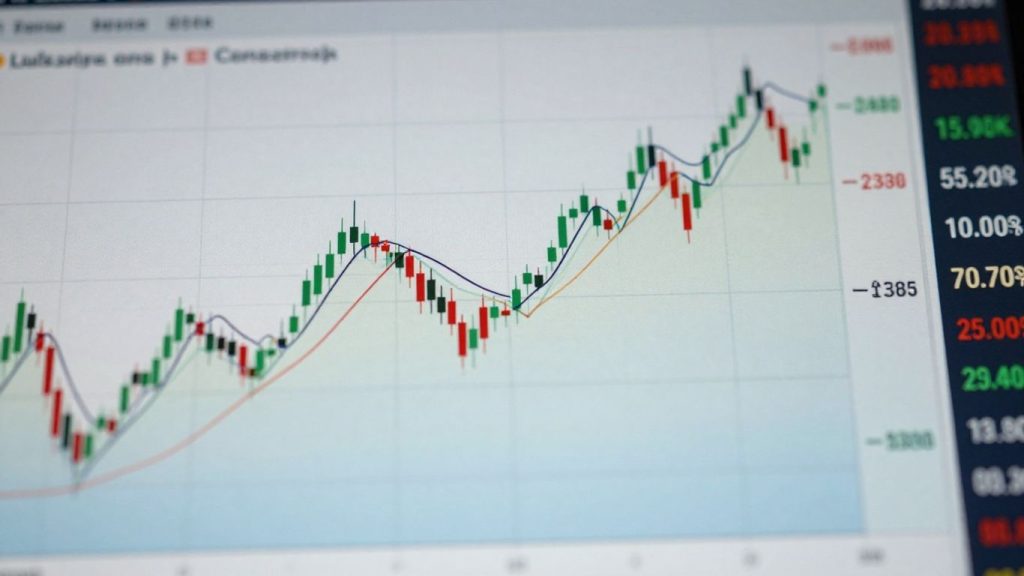
Trading with the MT4 divergence indicator can be a real game-changer, but let’s be honest—it’s not always as straightforward as the tutorials make it seem. I remember the first time I tried spotting divergence on my own charts; it felt like I was seeing ghosts. The lines never seemed to match up, and I kept second-guessing myself. After a lot of trial, error, and more than a few missed trades, I realized that mastering this tool is about keeping things simple and sticking to a process. If you’re tired of feeling lost with all the different indicators, or you just want to sharpen your edge, this guide will walk you through everything you need to know about using the MT4 divergence indicator for better, more consistent trades.
Key Takeaways
- The MT4 divergence indicator helps spot when price and momentum are moving in opposite directions, which can signal a possible trend change.
- Understanding the difference between regular and hidden divergence is important for both reversals and trend continuation trades.
- Combining divergence signals with price action or other indicators, like the RSI or MACD, can improve your trade setups.
- Customizing or building your own MT4 divergence tools can give you a unique edge and help match your trading style.
- Keeping a trading journal and managing your emotions are just as important as the technical tools—discipline matters more than any indicator.
Understanding Divergence In MT4 Trading

What is Divergence?
Divergence in trading is basically when the price of an asset and a technical indicator, usually an oscillator like the RSI or MACD, start moving in opposite directions. Think of it like this: the price is saying one thing, but the indicator is telling a different story. This disagreement can often signal that the current price trend is losing steam and might be about to reverse. It’s not a crystal ball, of course, but it’s a pretty common signal that traders watch for. It happens when the indicator fails to make a new high or low that matches a new high or low made by the price. This mismatch is what we call divergence.
Types of Divergence: Bullish vs. Bearish
There are two main flavors of divergence you’ll see:
- Bullish Divergence: This happens when the price makes a lower low, but the oscillator makes a higher low. It’s like the price is falling further, but the indicator is showing less selling pressure. This often suggests that the downtrend might be ending and a move upwards could be coming.
- Bearish Divergence: This is the opposite. The price makes a higher high, but the oscillator makes a lower high. Here, the price is pushing higher, but the indicator is showing less buying momentum. This can hint that the uptrend is weakening and a price drop might be on the horizon.
Identifying Divergence with MT4 Indicators
MT4 itself doesn’t have a built-in divergence indicator that automatically draws lines for you. You usually need to add a custom indicator for that. However, you can spot divergence manually by looking at your charts. Here’s a basic way to do it:
- Pick an Oscillator: Common choices are the Relative Strength Index (RSI) or the Moving Average Convergence Divergence (MACD).
- Look at Price Action: Find significant highs and lows on your price chart. For bearish divergence, you’re looking for the price making a new high. For bullish divergence, you’re looking for the price making a new low.
- Compare with the Oscillator: Now, look at the same points on your chosen oscillator. Did the oscillator make a corresponding new high (for bearish) or new low (for bullish)?
- Spot the Mismatch: If the price made a new high but the oscillator didn’t, that’s bearish divergence. If the price made a new low but the oscillator made a higher low, that’s bullish divergence.
It takes some practice to get good at spotting these patterns, but once you do, it can be a really useful tool in your trading kit. Many traders find that using specific custom indicators in MT4 can make this process much easier by highlighting these divergences automatically.
Leveraging The MT4 Divergence Indicator
Key Features of a Divergence Indicator
When you’re looking at divergence indicators on MT4, you want tools that actually help you see what’s going on without making your charts a mess. A good indicator will clearly mark potential divergence points, usually with arrows or different colored dots above or below the price bars. It should also be customizable, letting you pick which oscillators it works with, like the RSI or MACD, and adjust their settings. The best ones will also offer sound or pop-up alerts so you don’t have to stare at the screen all day. Some advanced indicators might even show you hidden divergence, which is a whole other ballgame for catching trend continuations.
Here’s a quick rundown of what to look for:
- Clear Signal Visualization: Arrows, dots, or highlighted areas showing divergence.
- Customizable Oscillators: Ability to choose and configure indicators like RSI, MACD, Stochastic, etc.
- Alerts: Sound or pop-up notifications for detected divergence.
- Hidden Divergence Detection: Option to identify trend continuation signals.
- Adjustable Sensitivity: Parameters to fine-tune how sensitive the indicator is to divergence.
Setting Up Your MT4 Divergence Indicator
Getting a divergence indicator onto your MT4 platform is usually pretty straightforward. Most come as .ex4 or .mq4 files. You just need to open your MT4 data folder (File > Open Data Folder), then navigate to MQL4 > Indicators. Drop your indicator file in there. After that, you’ll need to restart MT4, or right-click on ‘Indicators’ in the Navigator window and select ‘Refresh’. Once refreshed, you should see your new indicator listed under ‘Custom’ in the Navigator. Drag and drop it onto your chart, and you’re good to go. You might get a pop-up asking about input parameters – this is where you can tweak settings if needed, but often the defaults work fine to start.
Customizing Your Divergence Indicator
Customization is where these tools really start to shine. You’re not stuck with whatever the developer decided was best. Most divergence indicators let you pick the oscillator you want to use – maybe you prefer the RSI, or perhaps the Stochastic is more your style. You can also usually tweak the periods for the oscillator itself, which changes how sensitive it is. For example, a shorter period on the RSI will make it react faster to price changes, potentially showing more, but possibly less reliable, divergences. Longer periods smooth things out, showing fewer divergences but maybe stronger ones. You can also often change the colors and styles of the signals, making them stand out better on your specific chart setup. Experimenting with these settings is key to finding what works for your trading style and the specific currency pairs or assets you follow.
Don’t be afraid to play around with the settings. What looks good and works for one trader might not be the best for another. It’s all about finding that sweet spot where the signals make sense to you and align with your overall trading plan.
Trading Strategies With Divergence Indicators
Combining Divergence with Price Action
Integrating divergence signals with simple price action analysis often leads to stronger, clearer setups. When a divergence appears, watch for key candlestick patterns, support and resistance levels, or breakout zones. These visual cues help confirm what the indicator is hinting at. You might notice that, after a bullish divergence, a hammer candle forms at a familiar support zone. That’s usually a good sign. Here’s a standard routine:
- Spot divergence on your chosen indicator
- Check for reversal candlestick patterns
- Confirm with horizontal support or resistance
- Evaluate risk and position size
Many traders find that patience—not jumping in on the first signal—often leads to better outcomes when pairing divergence with price moves.
Using Divergence with Oscillators
Oscillators like the RSI or MACD are popular for catching divergences on MT4. These indicators show when price and momentum are out of sync—usually right before something changes. Bullish divergence occurs when price makes a lower low but the oscillator makes a higher low; bearish divergence is the opposite. You can fine-tune your use of oscillators with these simple steps:
- Open your chart and add your preferred oscillator
- Look for places where price and the oscillator disagree
- Use overbought/oversold zones to filter stronger trades
This approach is straightforward but requires a sharp eye and regular practice. There’s even specialized tools like Knoxville Divergence, which combine price action and momentum for reversal spotting.
Confirmation Techniques for Divergence Signals
Acting on divergence alone is risky, so traders add confirmation to stack the odds. You can do this by:
- Waiting for price to break a trendline in the expected direction
- Looking for higher volume near the signal
- Using multi-timeframe checks to see if the same divergence is visible elsewhere
- Adding moving average crossovers as a further filter
| Confirmation Tool | Strength | When to Use |
|---|---|---|
| Trendline Break | High | After divergence |
| Volume Spike | Medium-High | Near key levels |
| Multi-Timeframe View | High | On major reversals |
| Moving Averages | Medium | For trend following |
Using layered confirmation adds peace of mind and often filters out impulsive, loss-making trades.
Advanced Divergence Concepts

So, we’ve covered the basics of divergence and how to spot it. But what if you want to take your trading to the next level? That’s where these advanced concepts come in. They’re not just about finding simple reversals; they’re about understanding the deeper signals the market is giving us.
Hidden Divergence for Trend Continuations
Regular divergence often signals a potential trend reversal. Hidden divergence, on the other hand, is a bit of a different beast. It usually points to a continuation of the existing trend. Think of it as the market taking a breather before powering ahead.
- Bullish Hidden Divergence: Occurs when the price makes a lower low, but the oscillator makes a higher low. This suggests that despite the price dip, underlying buying pressure is building, and the uptrend is likely to resume.
- Bearish Hidden Divergence: Happens when the price makes a higher high, but the oscillator makes a lower high. This indicates that even though the price is pushing higher, selling momentum is increasing, and the downtrend is expected to continue.
Identifying hidden divergence requires a keen eye, as it’s subtler than regular divergence. It’s a powerful tool for traders looking to catch the continuation of strong trends.
Multi-Timeframe Divergence Analysis
Looking at divergence on just one chart timeframe can give you a good signal, but what if you could get a clearer picture? That’s where multi-timeframe analysis comes in. By checking for divergence on different charts – say, a daily chart and then a 4-hour chart – you can get a more robust confirmation.
Here’s a simple way to approach it:
- Identify Potential Divergence on a Higher Timeframe: Look for divergence on a daily or weekly chart. This gives you the bigger market picture.
- Confirm on a Lower Timeframe: Once you spot potential divergence on the higher timeframe, switch to a shorter timeframe (like 1-hour or 15-minute) to find a more precise entry point. You might see similar or confirming divergence on this lower timeframe, or you might use it to time your entry after the higher timeframe signal.
- Consider the Trend: Always factor in the overall trend of the higher timeframe. Hidden divergence on a lower timeframe can be particularly effective when it aligns with the dominant trend.
This layered approach helps filter out weaker signals and increases the probability of successful trades.
Divergence on Different Asset Classes
While we often talk about divergence in the context of Forex, the concept isn’t limited to currency pairs. You can find and trade divergence across a wide range of financial markets.
- Stocks: Spotting divergence on individual stock charts can signal potential reversals or continuations in their price movements.
- Commodities: Markets like gold, oil, and silver can also exhibit divergence patterns, offering trading opportunities.
- Cryptocurrencies: The volatile nature of crypto makes divergence a particularly interesting tool for identifying potential turning points.
- Indices: Major stock market indices can show divergence, reflecting broader market sentiment.
The principles of divergence remain the same regardless of the asset class, but the specific indicators and their settings might need slight adjustments. Understanding how divergence plays out in different markets can significantly broaden your trading horizons.
Divergence is like a secret language between price and indicators. Learning to read it across different timeframes and markets can give you a significant edge, helping you anticipate moves before they become obvious to everyone else. It’s about seeing the subtle shifts in momentum that often precede bigger price action.
Mastering Your Trading Psychology
Trading divergence signals with MT4 is one thing, but keeping your head straight while doing it is another. Let’s be real, staring at charts all day can mess with your mind. You see a nice divergence setup, you place a trade, and then… the market goes the other way. It’s easy to get frustrated, right? This is where psychology comes in, and it’s way more important than any indicator.
Discipline in Executing Divergence Setups
Discipline isn’t about being a robot; it’s about having a plan and sticking to it, even when it’s tough. When you spot a divergence signal that matches your trading rules, you need to take the trade. No second-guessing, no ‘what ifs’. On the flip side, if a setup doesn’t meet your criteria, you have to have the discipline to walk away. It’s about consistency.
Here’s a simple breakdown:
- Identify: Does the divergence signal meet all your pre-defined entry conditions?
- Execute: If yes, place the trade according to your strategy. Set your stop-loss and take-profit levels immediately.
- Monitor: Watch the trade unfold without interfering unless your stop-loss or take-profit is hit.
- Review: After the trade, win or lose, record it in your journal.
Managing Emotions During Divergence Trades
Fear and greed are the big ones. Fear can make you exit a winning trade too early, or worse, avoid taking a perfectly good divergence setup because you’re scared of losing. Greed can make you hold onto a trade for too long, hoping for unrealistic profits, or over-trading after a win.
The market doesn’t care about your personal financial goals or your emotional state. It simply reacts to supply and demand. Your job is to manage your internal state so you can react logically to market conditions, not emotionally.
Think about it: you see a bullish divergence on EUR/USD. Your gut says ‘buy!’, but then you remember a similar trade that went south last week. That fear might make you hesitate, and by the time you decide to enter, the move has already happened. Or, you win a few trades in a row, and suddenly you feel invincible. That’s greed talking, and it might lead you to ignore your risk management rules on the next trade.
The Role of a Trading Journal
Your trading journal is your best friend for sorting out your psychology. It’s not just about recording wins and losses; it’s about understanding why you took each trade and how you felt doing it.
Here’s what to track:
- Trade Details: Entry/exit points, stop-loss, take-profit, currency pair, time of trade.
- Divergence Type: Bullish, bearish, hidden.
- Emotional State: How were you feeling before, during, and after the trade? (e.g., confident, anxious, excited, frustrated).
- Reason for Entry/Exit: Did you follow your plan? Did emotions play a role?
- Lessons Learned: What can you take away from this trade?
Looking back at your journal, you might notice patterns. Maybe you tend to get anxious during choppy market conditions, or perhaps you get overly confident after a string of wins. Identifying these triggers is the first step to managing them. A well-maintained journal is your objective mirror, reflecting your habits and helping you build the mental toughness needed for consistent trading.
Building Your Own MT4 Divergence Tools
Developing custom divergence tools on MT4 opens up a whole new way to trade that simply isn’t possible with ready-made indicators. When you create your own indicators, you shape the tool to fit your strategy perfectly—not the other way around.
The Power of Custom Indicators
Standard indicators don’t always catch every signal or show things in a way that’s useful. Crafting your own indicator lets you:
- Highlight setups that match your exact trading rules (like only showing divergences with certain candle patterns).
- Visualize ideas that are unique to your approach, like custom alerts or combined signals.
- Adapt quickly to market changes—if you want a tweak, just update your code and keep going.
Think of this process as turning your ideas into visual signals right on your MT4 chart. Having this level of control is what helps serious traders stand out from the crowd.
Translating Trading Ideas into Code
Don’t worry if you’re not a coding expert. MQL4, the language for MT4 custom indicators, is pretty approachable even for beginners. Here’s how most traders build their first tool:
- Define what specific behavior or signal you want to see.
- Sketch out what it should look like or when it should alert you (literally, use pen and paper if you have to).
- Translate each part of your rules into MQL4 logic. Start basic: check for higher highs and lower oscillator readings for classic divergence.
- Use installation guides for custom indicators to make sure your new tool appears on your charts.
- Test everything using MT4’s built-in strategy tester. Real data often reveals tweaks you never thought you’d need.
| Development Step | Example Output |
|---|---|
| Define trade logic | Bullish divergence on RSI |
| Sketch chart signals | Mark arrows at reversal spots |
| Write and load code | Indicator appears on MT4 chart |
| Test on demo | Signals match visual analysis |
| Tweak and refine | Alerts only on preferred pairs |
When you’re first starting, expect some mistakes—coding always takes longer than you plan! But with every fix, you’re building a tool that works better for your style than anything off the shelf.
Integrating Custom Indicators with MT4
Once you’ve coded and tested your indicator, fit it smoothly into MT4 by:
- Saving your .mq4 file in the right folder so MT4 will recognize it.
- Adding your indicator to different charts, even multiple timeframes.
- Setting custom alert options, so you never miss a setup.
- Combining your tool with other plugins for double-checking your signals—maybe layer in a volume or volatility-based filter for cleaner trades.
A well-integrated custom indicator saves time and boosts confidence because you know exactly how and why each alert is fired. If you ever want to try something more advanced, there are communities and forums overflowing with MQL4 code snippets and project ideas. Many top traders say DIY indicator development made the difference between second-guessing and trading with clarity.
Conclusion
So, that’s the rundown on mastering the MT4 divergence indicator. If you’ve made it this far, you probably realize trading isn’t just about finding the right tool—it’s about learning how to use it, sticking to your plan, and not letting your emotions run the show. The divergence indicator can be a solid part of your trading setup, but it’s not a magic button. You’ll need to practice spotting setups, keep a journal, and review what works for you. Don’t get discouraged if it feels tricky at first—most traders go through the same learning curve. Stick with it, keep things simple, and remember that steady progress beats chasing quick wins. With patience and a bit of discipline, you’ll start to see how divergence can help you make smarter trades on MT4. Good luck out there, and don’t forget to keep learning and tweaking your approach as you go.
Frequently Asked Questions
What is divergence in trading, and why does it matter?
Divergence happens when the price on a chart moves in one direction, but an indicator like RSI or MACD moves the opposite way. This often signals that a trend might be about to change. Traders use divergence to spot possible reversals or to get early warning signs before big moves.
How do I add a divergence indicator to my MT4 platform?
To add a divergence indicator, first download the indicator file (usually with a .mq4 or .ex4 extension). Open MT4, go to File > Open Data Folder, then find the MQL4 > Indicators folder and copy the file there. Restart MT4, then find your indicator in the Navigator window and drag it onto your chart.
What’s the difference between regular and hidden divergence?
Regular divergence is used to spot possible trend reversals. It happens when price makes a new high or low, but the indicator does not. Hidden divergence, on the other hand, is used to find trend continuations. It shows up when price makes a higher low (in an uptrend) or a lower high (in a downtrend), but the indicator does the opposite.
Can I use divergence indicators on any asset, or just Forex?
You can use divergence indicators on many asset types, not just Forex. They work on stocks, commodities, indices, and even cryptocurrencies. As long as you have a chart and an oscillator indicator, you can look for divergence signals.
How can I make sure I don’t let my emotions affect my divergence trading?
Keeping a trading journal and following a set plan are two great ways to stay disciplined. Write down why you enter and exit trades. Stick to your rules even when trades don’t go your way. Remember, no strategy wins all the time, so don’t let a few losses shake your confidence.
Is it possible to create my own custom divergence indicator in MT4?
Yes, you can make your own custom indicator using the MQL4 programming language in MT4. Start by sketching out what you want your indicator to do, then break it down into simple steps. There are lots of guides and community forums that can help you learn the basics of coding for MT4.