The Forex market is huge, like, really huge. Billions of dollars trade hands every day. So, picking the right place to actually make those trades is a pretty big deal. You need something that works, something that’s got the tools you need, and something that doesn’t make you want to pull your hair out. We looked at a bunch of them to figure out the top 10 forex trading platforms for 2025. It’s not always easy, but we tried to make it simpler for you.
Key Takeaways
- When picking a Forex platform, think about what you need. Are you just starting out, or are you already a pro?
- Some platforms are better for beginners, offering simpler interfaces and more guidance.
- If you like to trade automatically or copy other traders, certain platforms really shine in those areas.
- Don’t forget about costs like spreads and fees. They can add up quickly.
- Make sure the platform you choose is safe and regulated by a good authority.
1. MetaTrader 4
MetaTrader 4, or MT4 as most people call it, has been around since 2005, and honestly, it’s still a big deal in the forex world. It’s like that reliable old car that just keeps running. Lots of traders, from folks just starting out to seasoned pros, stick with MT4 because it’s pretty straightforward to use but also has a lot of power under the hood. It’s developed by MetaQuotes, and they’ve kept it updated over the years, which is probably why so many traders still think of it as the standard.
Key Features
- Charting Tools: MT4 comes with a bunch of charting options, including different chart types, technical indicators you can add, and drawing tools. It’s pretty good for analyzing price movements.
- Automated Trading: This is a big one. MT4 supports something called Expert Advisors (EAs), which are basically automated trading programs. If you like the idea of letting software trade for you, MT4 is a solid choice.
- Customization: You can tweak MT4 quite a bit. Traders can create their own indicators or scripts to fit their specific trading styles.
- Multi-Device Support: You can use MT4 on your desktop computer (Windows or Mac), through a web browser, or on your phone or tablet. The desktop version usually gives you the most features, like access to a marketplace for custom tools.
- Security: Your connection and account details are encrypted, which is important when you’re dealing with money.
Pros
- It’s known for being really stable and reliable.
- There’s a huge community of MT4 users out there, so finding help or custom tools is usually pretty easy.
Cons
- Compared to some newer platforms, the built-in charting might feel a bit dated to some users.
- While it supports automated trading, setting up EAs can take some learning.
Best For
Beginners and experienced traders who want a dependable, customizable platform with strong automated trading capabilities. If you’re looking for a top MT4 broker, consider IC Markets.
MT4 is available in a few different ways: a desktop program, a web version you can use in your browser, and mobile apps. The desktop version is where you get the full experience, letting you download all sorts of custom indicators and trading strategies. The mobile app is super handy for quick trades on the go, though it doesn’t have quite as many analysis tools as the desktop or web versions. The web version has gotten better too, with features like dark and light themes, making it easier to find and add symbols to your charts.
2. MetaTrader 5
MetaTrader 5, often called MT5, is the next step up from the super popular MetaTrader 4. It’s not just a minor update, though; it really expands what you can trade. While MT4 was mostly about Forex, MT5 lets you get into stocks, futures, and even cryptocurrencies, which is pretty neat if you want to diversify your portfolio without switching platforms. It comes with more ways to look at charts, giving you 21 different timeframes to play with, compared to MT4’s 9. That means you can really zoom in or out on price action. Plus, it has a built-in economic calendar, so you can keep an eye on market-moving news without leaving the platform. Another big addition is the Depth of Market (DOM) feature, which shows you the order book. This gives you a better idea of where the liquidity is. The backtesting engine is also supposed to be faster and more accurate, which is a big deal for anyone who uses automated strategies.
Key Features
- More Timeframes: 21 available, giving you finer control over analysis.
- Economic Calendar: Stay updated on global economic events directly within the platform.
- Depth of Market (DOM): See the order book for better liquidity insights.
- Multi-Asset Support: Trade Forex, stocks, commodities, and more.
- Improved Backtesting: Test your trading strategies with greater speed and precision.
Pros
- More advanced than MT4 with extra tools.
- Good for trading different types of assets.
- Better performance for automated trading systems.
Cons
- Can be a bit harder for new traders to learn.
- Not all brokers offer it, sometimes due to costs.
One thing to remember is that if you have automated trading robots or expert advisors made for MT4, they won’t work on MT5. The programming language is different, so you’d need to get them updated or rewritten. It’s a bit of a hurdle, but the added capabilities of MT5 often make it worth the effort for serious traders.
Best For
Experienced traders who want a powerful platform that handles multiple asset classes and offers advanced analytical tools.
3. TradingView

Overview
TradingView is a really popular platform, especially if you like looking at charts and talking to other traders. It calls itself a “supercharged super-charting platform and social network.” It’s got a huge user base, over 50 million people, which means there’s always someone to bounce ideas off of. It lets you track pretty much every market out there, which is pretty handy.
Key Features
- Social Trading: You can share your trading ideas and strategies with a global community. It’s like a trading club.
- Powerful Charting: They offer over 100 technical indicators and a bunch of drawing tools. You can really get into the weeds with your analysis here.
- Real-Time Data: You get live market data for all sorts of assets, so you’re always up-to-date.
- Custom Scripts: If you know how to code a bit, you can create your own indicators using Pine Script.
- Cross-Platform: You can use it right in your web browser or on your phone, which is convenient.
Pros and Cons
| Pros |
|---|
| Great for technical analysis and charting. |
| Free version is quite good. |
| Active community helps you learn. |
| Cons |
|---|
| Trading directly isn’t its main thing; you need a broker. |
| The best features cost money. |
TradingView is a solid choice if you’re big on technical analysis and like the idea of a social network for traders. The charting tools are top-notch, and the community aspect can be really helpful for learning and sharing. Just remember that for actual trading, you’ll likely need to connect it to a broker, and some of the really advanced stuff requires a paid subscription.
Best For
Traders who focus on technical analysis and enjoy interacting with other traders online. If you like digging into charts and discussing strategies, this platform is definitely worth checking out. It’s a great place to get started with charting tools for active traders.
4. IG Markets
IG Markets is a big name in the trading world, and for good reason. They’ve been around since 1974, which means they’ve got a lot of experience under their belt. They’re also listed on the London Stock Exchange and are regulated by some pretty serious financial authorities like the FCA and ASIC. That gives you a good feeling of security, you know?
What really sets IG apart is the sheer number of things you can trade. We’re talking over 17,000 different instruments. That includes forex, stocks from all over the place, indices, commodities, even crypto. If you want to spread your investments around the globe, IG makes it pretty easy. They’ve got more than 16,000 stocks from different countries, over 100 forex pairs, and a bunch of other stuff like commodities and bonds.
When it comes to platforms, IG has a few options. They have their own IG Web Trader, which I found pretty straightforward to use but still packed with features. You can customize the layout, and it’s got over 100 drawing tools and technical indicators. Plus, they offer MetaTrader 4 and ProRealTime, which are popular choices for many traders. For the really serious folks, there’s L2 Dealer, which gives you direct market access for super-fast pricing and execution. It’s kind of like what their own risk management team uses.
Key Features
- Proprietary Platform: IG’s own platform is user-friendly but still has advanced tools.
- ProRealTime Integration: Get professional-level charting and analysis tools.
- Vast Asset Selection: Trade forex, stocks, indices, commodities, and more.
- Strong Regulation: Regulated by top financial bodies, offering a secure trading environment.
- Educational Resources: Access to a trading academy with videos and webinars.
Pros
- Extensive Market Access: Huge range of over 17,000 tradable instruments.
- Multiple Platforms: Offers proprietary platform, MT4, and ProRealTime.
- Top-Tier Regulation: High level of trust due to strict regulatory oversight.
- Educational Support: Good resources for learning and improving trading skills.
Cons
- Higher Spreads: Spreads can be a bit wider compared to some other platforms.
- Limited Advanced Tools: Professional traders might find some advanced tools lacking.
Best For
Beginners and traders looking for a wide selection of assets and solid educational materials. IG provides a complete trading solution with superior trading and research tools, alongside top-tier educational resources. Learn more about IG is a good starting point.
While IG offers a lot, it’s worth noting that some users find the spreads a bit higher than on other platforms. Also, if you’re a super advanced trader, you might want to check if their specific tools meet your needs before committing.
Related Content: pre market trading
5. eToro
eToro really stands out because it’s not just about trading; it’s a whole social experience. You can actually copy what other traders are doing, which is pretty neat if you’re just starting out or don’t have a lot of time. They’ve built a platform that feels more like a community than just a place to buy and sell. It’s got a really simple design, so even if you’re new to all this, you won’t feel totally lost. Plus, they have a bunch of educational stuff, like tutorials and a demo account, so you can practice without risking your own money.
When it comes to what you can trade, eToro has a pretty wide selection. You can trade Forex, of course, but also stocks, cryptocurrencies, and commodities. For US customers, though, it’s a bit different – you can mainly trade crypto and Bitcoin, as CFD trading isn’t available for you there. They don’t have a desktop program, which might seem odd, but it means their web and mobile apps are really well done and easy to use.
Here’s a quick look at some details:
| Feature | Details |
|---|---|
| Minimum Deposit | $50 |
| Trading Types | Social Trading, Copy Trading, Crypto Trading |
| Available On | Web, Mobile App, Tablet |
They’ve managed to make trading feel a bit more engaging, almost like a game, while still giving you the tools and information you need to learn. It’s a good spot for people who like a more relaxed approach or are really into crypto.
Some people might find the spreads a bit higher than other places, and there are withdrawal fees to watch out for. Also, if you’re used to MetaTrader 4, you won’t find it here. But for a platform that focuses on community and making trading accessible, eToro is definitely worth checking out, especially if you’re interested in copy trading.
6. NinjaTrader
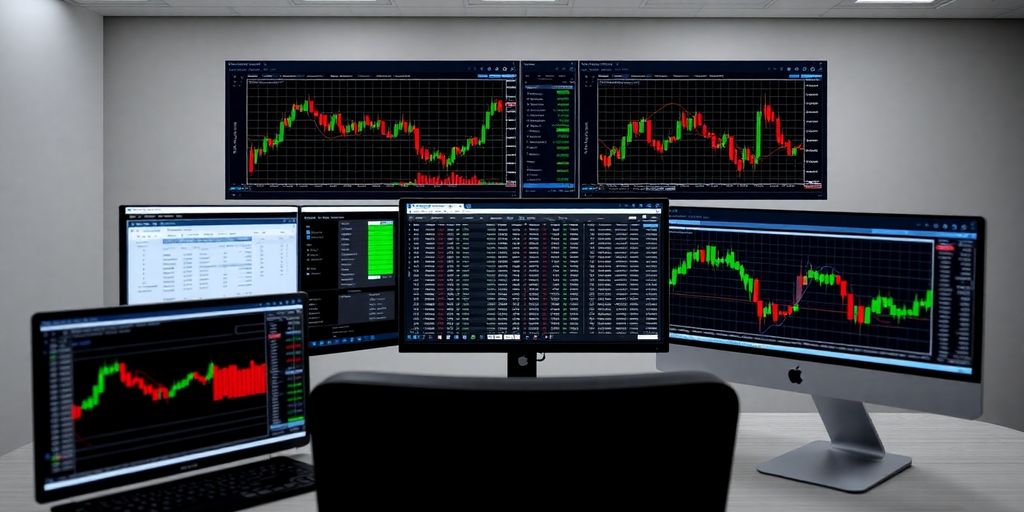
NinjaTrader is a platform that really caters to the more serious trader, especially if you’re into futures and forex. It’s got this reputation for being powerful, and honestly, it lives up to it. You get over 100 technical indicators and drawing tools, which is pretty wild when you start playing around with them. Plus, they have a strategy builder that lets you create automated trading systems without needing to be a coding wizard. It’s used by a huge number of traders, like over 800,000, so you know it’s got some serious backing.
One of the cool things is how customizable it is. You can tweak the interface, indicators, and charts to your heart’s content. They also offer order management and backtesting, which are super important for refining your strategies. If you’re looking to automate your trading, NinjaTrader lets you use something called NinjaScript for that. It’s not exactly beginner-friendly, though; some people find it a bit steep to learn at first.
Key Features
- Advanced Charting: Comes with over 100 technical indicators and drawing tools.
- Strategy Builder: A visual tool for creating automated trading strategies.
- Order Management: Tools for managing your trades efficiently.
- Backtesting: Allows you to test your strategies on historical data.
- NinjaScript: A proprietary language for developing automated trading systems.
Pros and Cons
| Pros |
|---|
| Advanced charting and order management |
| Automated trading and backtesting |
| No deposit minimum |
| Low margins and commissions |
| Free unlimited simulated trading |
| Cons |
| Can be difficult to master for beginners |
| Limited customization options compared to some |
While NinjaTrader is a robust platform, its complexity means it might not be the best starting point for absolute beginners. However, for those willing to invest the time, the advanced features and customization can be incredibly rewarding.
BrokerChooser actually gave NinjaTrader a good rating, which speaks to its standing in the trading community.
7. Thinkorswim
Thinkorswim, now part of Charles Schwab, is a powerhouse platform that really appeals to traders who like to dig deep into the data. It’s not exactly the simplest thing to get the hang of, especially if you’re just starting out, but once you get past that initial learning curve, it’s pretty amazing what you can do. The charting tools are top-notch, giving you tons of options for technical analysis. Plus, they have this feature called paper trading, which is basically a simulator where you can practice with fake money before you risk your own. It’s a smart way to test out strategies without any real-world consequences.
Thinkorswim really shines when it comes to customization. You can tweak almost everything, from the layout to the hotkeys, making it work exactly how you want it to. For those interested in automated trading, they have a strategy builder that lets you create your own trading plans. And if you’re into coding your own indicators, you can do that too using their thinkScript language.
Here’s a quick look at some of its strengths:
- Advanced Charting: Packed with technical analysis tools and drawing capabilities.
- Strategy Builder: A visual tool for creating automated trading strategies.
- Paper Trading: Practice trading with virtual funds and real-time data.
- Customization: Tailor the interface and hotkeys to your preferences.
While the platform is incredibly powerful, its complexity means it’s best suited for experienced traders or those willing to invest time in learning its many features. Beginners might find it a bit overwhelming at first.
For managing your account and accessing key trading tools on the go, the Thinkorswim web platform offers a convenient alternative to the desktop version.
Read More: sway markets
8. cTrader
Overview
cTrader, developed by Spotware Systems, is a trading platform that really stands out for its clean look and how easy it is to use. If you’re someone who likes things to be fast and precise when you trade, this might be the one for you. It’s often seen as a solid alternative to the MetaTrader platforms, especially for traders who appreciate a more modern feel.
Key Features
- Level II Pricing: This shows you the full depth of the market, which can help a lot with getting your trades done at the best possible price.
- Algorithmic Trading: You can use cBots, which are basically automated trading strategies, to have the platform trade for you.
- Customizable Interface: You can tweak the layout to fit exactly how you like to see your trading information.
- Advanced Analytics: It comes with over 70 technical indicators and tools for testing your trading ideas.
- Transparency: cTrader uses a No Dealing Desk (NDD) execution model. This means your trades go straight to the market, which usually means fairer pricing and less chance of weird stuff happening.
Pros and Cons
| Pros |
|---|
| Clean, modern design that’s easy to get around. |
| Trades get executed quickly with very little slippage. |
| Big focus on being open and fair with how trades are handled. |
| Available through many different forex brokers. |
| Has advanced charting tools and technical indicators. |
| You can share your trading ideas with other users. |
| Lets you set up your own alerts and notifications. |
| Cons |
| Backtesting capabilities are a bit limited. |
| Not really built for automated trading in the same way some others are. |
Who is it For?
cTrader is a great choice for traders who want a platform that feels modern and straightforward. Its focus on market depth and transparent execution makes it appealing for those who are serious about getting good trade fills. If you’re into automated trading, the cBots are a good way to go, though some might find the backtesting tools a bit basic compared to other platforms. It’s a solid option for anyone looking for a reliable and user-friendly trading environment, and many brokers offer cTrader for forex trading.
9. OANDA
OANDA: A Solid Choice for US Forex Traders
OANDA is a pretty well-known name in the forex world, especially if you’re trading from the United States. They offer their own platform, OANDA Trade (also called FxTrade), but they also give you access to MetaTrader 4 and TradingView, which is nice for variety. For US traders, they have a single account type, the Spread Only Pricing account. This means you don’t have to mess with calculating separate commissions; it’s all built into the spread. Spreads can start around 0.6 pips, but they often average a bit higher, maybe around 1.2 pips for EUR/USD. It’s not the absolute tightest out there, but the transparency is a big plus.
What’s cool is that OANDA has a rebate program for US customers. If you trade a lot, you can get some money back, like $5 to $15 for every million you trade. They also give you access to a good number of currency pairs – 68 in total, including majors, minors, and exotics. Plus, they’ve got loads of historical data, which is super helpful for backtesting your strategies. For those who like to automate, they offer API access too.
- Transparent Pricing: No hidden fees, just spreads.
- Flexible Trading: Trade in micro-lots.
- Extensive Data: Access decades of historical market data.
- API Access: For custom trading algorithms.
- Regulated: Licensed by major financial bodies.
While OANDA is a strong contender, especially for US-based traders, some might find the platform’s complexity a bit much if they’re just starting out. Also, if you’re not in the US, your options might be a bit more limited.
OANDA’s forex trading costs are generally steep, with high effective spreads on both its default and core pricing when compared to leading brokers. This suggests that traders may incur higher expenses when using OANDA’s services.
10. AvaTrade
AvaTrade is a big name in the forex and CFD trading world, and for good reason. They really stand out because they let you pick between fixed or floating spreads, which is pretty neat. Plus, they’ve got some serious regulatory backing, being regulated in places like Ireland, Australia, and Japan. This gives you a good sense of security when you’re trading.
When it comes to what you can trade, AvaTrade doesn’t hold back. You’ve got over 55 currency pairs, a bunch of commodities, indices, cryptocurrencies, and even individual stocks. They also offer leverage up to 1:500, which is quite high and can be a big deal for managing your trades.
Key Features
- Strong Regulatory Oversight: AvaTrade is regulated in multiple jurisdictions, offering a secure trading environment.
- Trading Platform Variety: They support popular platforms like MetaTrader 4, MetaTrader 5, and their own AvaTradeGO.
- Educational Resources: For those new to trading, AvaTrade provides a good amount of educational material to help you get started.
- Copy Trading: You can use platforms like ZuluTrade and Myfxbook to copy trades from experienced traders, which is a nice feature if you’re looking to learn or automate your strategy.
Account Types
AvaTrade offers a few different account types to suit various traders:
- Retail Account: Standard account for most individual traders.
- Professional Account: For experienced traders who meet certain criteria, offering potentially higher leverage.
- Demo Account: A risk-free way to practice trading with virtual money.
Spreads and Fees
AvaTrade is known for offering both fixed and floating spreads. Fixed spreads can be helpful for budgeting your trading costs, while floating spreads often reflect real-time market conditions. Their pricing is generally competitive, especially considering their regulatory status. You can find more details on their spreads for forex trading on their site.
The choice between fixed and floating spreads can really depend on your trading style. If you prefer predictable costs, fixed is the way to go. If you’re okay with costs fluctuating based on market volatility, floating might offer tighter spreads during calm periods.
Trading Platforms
AvaTrade provides access to several trading platforms:
- MetaTrader 4 (MT4): The classic, widely-used platform known for its reliability and extensive charting tools.
- MetaTrader 5 (MT5): An updated version of MT4, offering more asset classes and analytical tools.
- AvaTradeGO: A proprietary mobile trading app that’s user-friendly and great for trading on the go.
- WebTrader: Trade directly from your web browser without needing to download any software.
Customer Support
Customer support is available through various channels, including phone, email, and live chat. They aim to provide assistance to traders across different time zones, which is important for a global market like forex.
Wrapping It Up: Finding Your Perfect Forex Platform
So, we’ve looked at a bunch of different Forex trading platforms for 2025. It’s a big decision, and honestly, what works for one person might not be the best fit for another. Think about what you need most – maybe it’s super easy tools for beginners, or perhaps you’re all about fancy charting and fast execution. We tried to cover a good range, from the old reliable ones to newer options with cool features like social trading. Take your time, maybe try out a demo account or two, and pick the platform that feels right for your trading journey. Good luck out there!
Frequently Asked Questions
What is the Forex market and why is choosing a platform important?
The Forex market is where countries trade their money. It’s the biggest money market in the world, with trillions of dollars traded every day. Picking the right trading tool, called a platform, is super important for traders.
How did you pick the best Forex trading platforms?
We looked at many trading platforms and checked how easy they are to use, what tools they offer for looking at charts and making trades, and if they are safe and trustworthy. We also checked how much it costs to trade and how good their customer help is.
Which platforms are best for beginners versus experienced traders?
For beginners, platforms like eToro and IG Markets are often good choices because they are easier to understand. For people who have been trading for a while and want more advanced features, MetaTrader 5, NinjaTrader, or Thinkorswim might be better.
Can I copy other traders’ trades on these platforms?
Some platforms let you copy trades from other successful traders, which is called copy trading. eToro and TradingView are known for this social trading feature. It’s a neat way to learn and potentially profit.
Do these platforms offer practice accounts?
Yes, many platforms offer demo accounts. These let you practice trading with fake money so you can get comfortable with the platform and learn how to trade without risking your own cash. It’s a great way to start.
Which platform is best for automatic trading or trading different types of assets?
The best platform for you really depends on what you need. If you like to trade automatically using computer programs, platforms like MetaTrader 5, cTrader, and NinjaTrader are good for that. If you want to trade different types of money and investments, MetaTrader 5, IG Markets, and AvaTrade are solid choices.