Talking photos for financial education can introduce a concept, frame a question or guide a learner to supporting material. Use an authorised portrait and a checked script, and keep explanations separate from recommendations about what an individual should buy or sell.
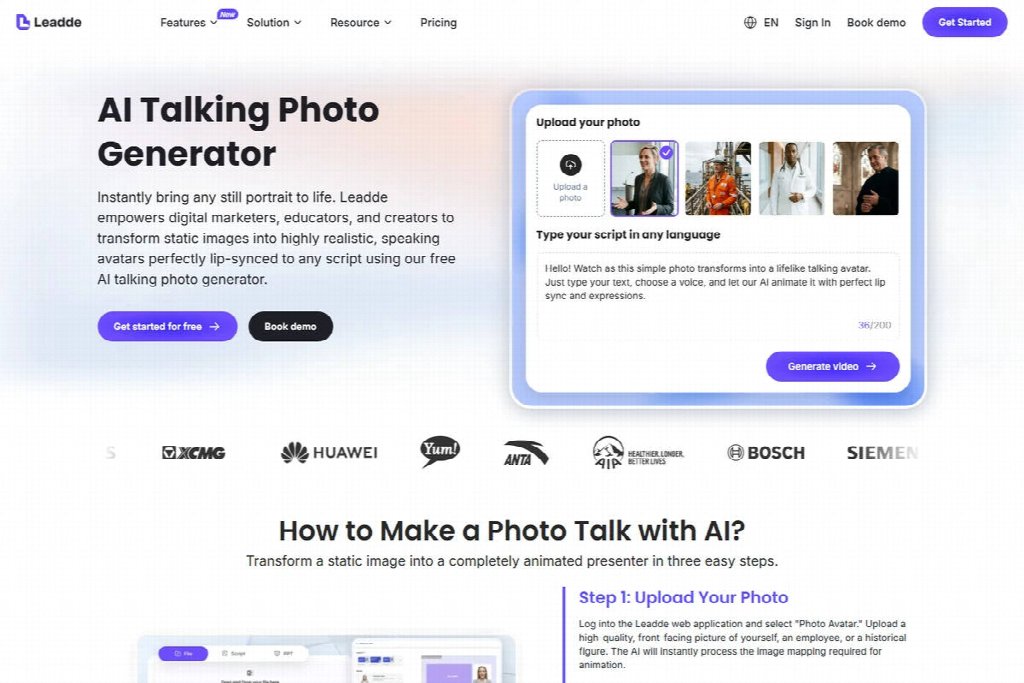
This promotional guest article introduces Leadde as a way to turn a portrait into an educational video. Its public page describes a photo-and-script workflow; the five uses below are teaching ideas, not reports of investment performance or a substitute for a qualified review of financial content.

Where do talking photos for financial education fit?
Use the same speaking portrait to introduce questions and activities across a lesson series and direct viewers to sources. When the explanation depends on a chart, document or worked example, show that material clearly.
Choose the format according to the learning task. If the lesson asks someone to compare two definitions, readable text may be essential. If the task is to notice an assumption in a fictional story, a short spoken setup may work well.
The ideas below are for introductory education. A realistic presenter still needs a checked script, and its appearance establishes no financial qualification.
1. Introduce a term before the learner reads the definition
A portrait can open a glossary lesson with a practical question: “What does this term mean in the document you are reading?” Follow it with the term and a checked definition.
Use a primary reference such as the Investor.gov glossary when preparing introductory terminology. Retain the definition’s important conditions rather than simplifying it until the meaning changes.
For an illustrative lesson, the presenter might ask learners to locate a term in a fictional information sheet, then compare their interpretation with the reference. Leave time for that comparison after the spoken introduction.
Show the word on screen while it is spoken. Check pronunciation separately, especially when an abbreviation could be read as letters or as a word.
2. Set up a fictional scenario with an explicit boundary
A short story can make an abstract question easier to discuss. Label the story as fictional and explain what learners should examine.
For example, a made-up character could receive two descriptions of a financial product that use different vocabulary. The task might be to identify which facts are missing before making a comparison. The script should stop short of telling the viewer which product to choose.
Give the character only the details needed for the question. Keep the personal background brief so the story stays focused on reading the descriptions, with no suggestion of advice tailored to an individual.

A useful scenario ends with an observable task: underline the unfamiliar terms, list the missing information or explain which statement needs a source. “Think carefully about money” is too broad to assess.
3. Introduce a chart and show learners what to inspect
A presenter can explain what a chart is intended to show, then hand attention to the chart itself. Identify the axes, units, time period and source before discussing a pattern.
If the chart uses invented values for teaching, mark it clearly as an illustration. Do not combine fictional numbers with language suggesting a real market result or a forecast.
Have the editor check the chart’s source and compare its labels with the captions and narration. If a sentence refers to a percentage but the axis shows a currency amount, resolve the mismatch before recording the explanation.
Keep the presenter away from the area learners need to inspect. A small introduction followed by a full view of the chart may be more useful than leaving a large face on screen throughout.
4. Explain how to use a worksheet
Introduce the worksheet with a short explanation of what learners should do first. The portrait can name the first field and tell them where to record an answer.
Keep the instruction tied to the actual document. If the worksheet changes, review the video at the same time. A renamed column or moved exercise can make a familiar explanation confusing.
| Worksheet task | Presenter can explain | Supporting visual should show |
|---|---|---|
| Match terms | Where to find the reference list | Term and definition columns |
| Compare descriptions | What information to look for | Relevant excerpts |
| Identify missing facts | How to record a question | Blank question field |
| Review a chart | Which labels to inspect | Actual chart and source |
To adapt the worksheet template, fill in the first row as a clearly labelled teaching example and leave the next row for the learner. Use the same column names in the document and spoken instruction so the learner can find where an answer belongs.
5. Close a lesson with a question and a source route
A final portrait segment can ask the learner to explain the idea in their own words or identify what remains uncertain. Give them a clear place to find the underlying material.
Keep the closing focused on the learning task. Leave out product endorsements and promises of returns.
A glossary lesson could ask for a plain-language explanation to compare with the cited definition. A fictional scenario could end by asking which facts need checking before drawing a conclusion.
Write the closing task before generating the final segment. For a glossary lesson, a useful prompt is: “Explain the term in one sentence, then point to the part of the source definition that supports your wording.” A reviewer can compare the response with that source and identify an omitted condition. Use the source to correct an omitted or misunderstood part of the definition.
Produce the clip with an editorial review record
Prepare the script and source notes before generation. Confirm permission to animate the portrait and approve the voice approach. A photograph alone does not contain a recording of the pictured person’s voice.
Generate a short sample containing the most difficult term. Review the words, pronunciation and movement, then inspect the complete export alongside its captions and supporting visuals.
| Review question | Required evidence |
|---|---|
| Is the concept accurate? | Primary reference and reviewed script |
| Are examples clearly fictional? | Visible and spoken context |
| Does the chart support the explanation? | Source, labels and matching narration |
| Is the presenter represented honestly? | Approved image, voice and disclosure |
| Can learners find the material? | Working reference destination |

Check the rules of the publication platform. YouTube’s synthetic content disclosure guidance is one example of platform-specific requirements for realistic altered content.
Can a talking portrait replace a subject reviewer?
No. A subject reviewer must check the definition even when the generated delivery sounds fluent.
What is the smallest useful first lesson?
Choose one term, one checked source and one activity. Keep the portrait’s role clear, and let the learner work with the material that supports the explanation.