Thinking about getting into the stock market but worried about losing your shirt? Yeah, I get it. It feels like everyone else knows what they’re doing, and you’re just standing there with your wallet open. That’s where a good stock trading simulation comes in. It’s like a practice field for your money moves, letting you try things out without actually, you know, losing cash. We’re going to look at some of the best ways to get your feet wet and maybe even start feeling like you know what’s up.
Key Takeaways
- A stock trading simulation lets you practice buying and selling stocks without risking real money, which is pretty great for beginners.
- Many simulators offer educational resources, like lessons and tutorials, to help you learn the ropes of trading.
- You can test out different trading strategies to see what works for you before you put actual cash on the line.
- Some platforms have features like market replay, allowing you to practice with historical data to understand past trends.
- Using a simulator can help build your confidence and make you more comfortable with the stock market before you start trading for real.
Stock Trading Academy
Think of a stock trading academy as your personal launchpad into the world of investing. It’s not just about memorizing terms; it’s about building a solid understanding of how markets actually work. You’ll find lessons that break down complex ideas into bite-sized pieces, making it easier to grasp concepts like risk management and different trading styles. This is where you build the foundation for making smarter financial decisions.
Here’s what you can typically expect:
- Beginner Basics: Starting from scratch, covering what stocks are, how exchanges operate, and the very first steps to opening a trading account.
- Trading Strategies: Learning about various approaches, from short-term day trading to longer-term investment plans, and understanding the pros and cons of each.
- Market Analysis: Getting introduced to tools and techniques used to evaluate stocks, like looking at charts and understanding company news.
- Risk Management: Discovering how to protect your money, including setting stop-loss orders and understanding position sizing.
Many academies offer interactive exercises or quizzes to test your knowledge. It’s a bit like going back to school, but instead of history, you’re learning about finance. You can find great resources to help you learn stock trading, which can save you from making costly mistakes early on.
The goal is to equip you with the knowledge and confidence to participate in the market, not just guess your way through it. It’s about understanding the ‘why’ behind trades, not just the ‘what’.
These educational platforms are designed to be accessible, often providing content that’s easy to follow without needing a finance degree. They aim to demystify trading, making it approachable for anyone interested in growing their wealth.
Day Trading Simulator
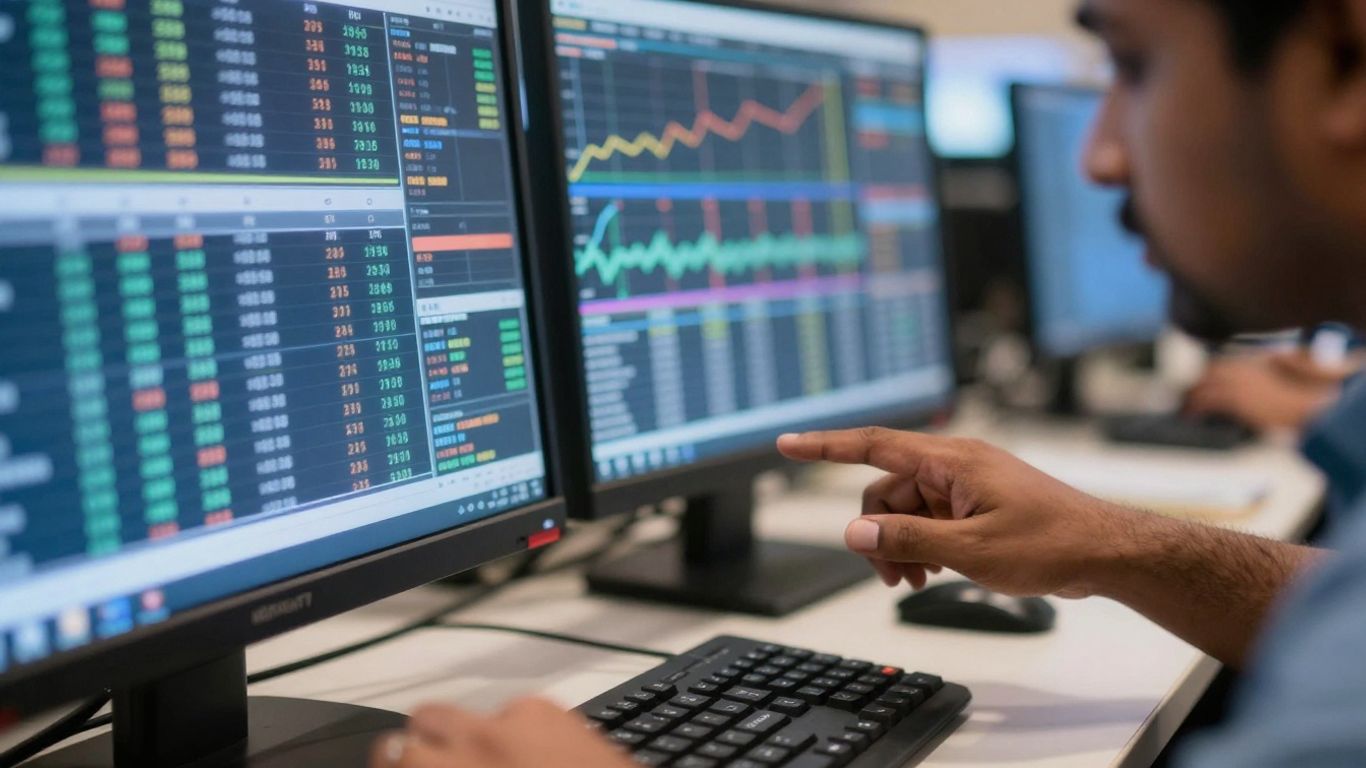
So, you want to try your hand at day trading without actually risking your hard-earned cash? That’s where a day trading simulator comes in. Think of it as a practice field for the fast-paced world of buying and selling stocks within the same day. These simulators let you play with virtual money, using real market data, so you can get a feel for how things work. It’s a fantastic way to test out different strategies and see what sticks before you even think about putting real money on the line.
Using a simulator means you can experiment with various approaches. Maybe you want to try scalping, which involves making many small trades, or perhaps you’re interested in momentum trading, jumping on stocks that are moving fast. A good simulator will let you practice these, and more, with tools that mimic what you’d find on a live trading platform. You can set up alerts, use charting tools, and even practice placing different types of orders, all in a risk-free environment. It really helps you understand the mechanics of trading, like how quickly prices can change and how your decisions impact your virtual portfolio.
Here’s what you can typically expect:
- Virtual Capital: You start with a set amount of fake money to trade with.
- Real-Time Data: The simulator uses live or very recent market prices, so you’re not trading in a vacuum.
- Order Types: Practice placing market orders, limit orders, and stop-loss orders.
- Charting Tools: Analyze price movements with various technical indicators.
- Strategy Testing: Try out different day trading techniques without financial consequences.
The biggest advantage is learning the rhythm of the market. You see how news events can cause sudden price swings and how to react without panicking. It’s about building discipline and a repeatable process, which is half the battle in trading.
Many platforms offer these simulators, and some are quite advanced, even allowing you to practice options trading or forex. It’s a smart move to get comfortable with the tools and the market’s behavior. You can find some great options for practicing your skills, like those offered by Tradier Paper Trading or other dedicated platforms. Getting good at this virtual practice can seriously set you up for success when you decide to trade with real funds.
Stock Market Game
Think of a stock market game as your personal training ground before you step into the real arena. It’s a way to get a feel for how things work without risking any actual money. You usually start with a set amount of virtual cash, say $100,000, and then you’re off to the races. You can buy and sell stocks, bonds, and sometimes even mutual funds, just like a real investor.
These games are pretty good at mimicking the actual market. You get real-time data, so you see prices change as they do in the actual stock exchanges. This means you have to make decisions based on current events and market trends, which is exactly what real traders do. It’s not just about picking stocks randomly; it’s about learning to research, analyze, and make informed choices.
Here’s a quick look at what you can typically do:
- Practice buying and selling: Get hands-on experience with placing orders.
- Test different strategies: See if your ideas about how the market works hold up.
- Learn about diversification: Understand why putting all your eggs in one basket isn’t a good idea.
- Track your performance: See how your virtual portfolio grows or shrinks over time.
The biggest win here is learning without the pressure of losing money. You can make mistakes, figure out what went wrong, and try again. It’s a safe space to build confidence and get a better grasp of financial concepts. Plus, many of these games have leaderboards, so you can even compete with friends or other players to see who the top virtual investor is.
Many educators use these games because they see a real difference in how students understand finance. It’s one thing to read about the stock market, but it’s another thing entirely to actually manage a virtual portfolio and see the results of your decisions firsthand. It makes learning much more engaging and memorable.
Pattern Trainer
Ever feel like you’re just guessing when you look at a stock chart? The Pattern Trainer is here to change that. It’s like a quiz for your trading brain, specifically designed to help you spot those recurring chart formations that often signal a stock’s next move. Think of it as flashcards for traders, but way more interactive.
This tool sharpens your ability to recognize common chart patterns, which is a big deal for making smarter trading decisions. Instead of just hoping for the best, you’ll learn to identify setups like head and shoulders, triangles, flags, and pennants. The more you practice, the quicker you’ll be able to spot them in real-time charts.
Here’s how it helps:
- Build Recognition: Go through various pattern examples and test your identification skills.
- Understand Implications: Learn what each pattern typically means for future price action.
- Improve Speed: Train yourself to spot these patterns faster, giving you an edge.
- Reinforce Learning: Quizzes and challenges make sure the knowledge sticks.
Practicing pattern recognition isn’t just about memorizing shapes; it’s about understanding the underlying market psychology that creates them. This trainer helps bridge that gap, turning abstract chart art into actionable trading signals.
Copy To Chart
Ever look at a chart and think, "I wish I could just grab those lines and patterns and put them on my own chart?" Well, with the Copy To Chart feature, you practically can. It’s like having a magic wand for your trading analysis.
This tool lets you take key elements from expert analysis – think support and resistance levels, trend lines, or other important indicators – and instantly apply them to your own charts. No more manually drawing every single line. It’s designed to speed up your learning and help you see what experienced traders are looking at.
Here’s how it can help you get better:
- See patterns faster: Quickly identify common chart formations that you might miss otherwise.
- Learn from the pros: Directly see how experts mark up charts and understand their reasoning.
- Save time: Spend less time setting up your charts and more time actually trading (or practicing).
- Improve accuracy: By copying proven analysis, you can refine your own ability to spot good trading opportunities.
This feature is a real game-changer for anyone trying to get a handle on technical analysis. It bridges the gap between seeing a good trade setup and being able to replicate that analysis yourself. It’s about making complex charting concepts more accessible and actionable for everyday traders.
It’s a pretty neat way to get a feel for how different technical tools are used in real-time market analysis, without having to be a charting guru from day one.
Trading Battles
Ready to put your trading skills to the test against others? Trading Battles add a competitive edge to the simulation experience. It’s not just about making trades; it’s about seeing how your strategy stacks up against friends, other users, or even AI opponents. These aren’t just casual games; they’re designed to simulate real-world pressure and quick decision-making.
Imagine a 10-minute challenge where you and another trader go head-to-head, trying to find the best trade setups. Who can spot the opportunity and execute the trade most effectively within that tight timeframe? It’s a fantastic way to sharpen your instincts and see how well you perform under pressure. You can climb leaderboards, gain recognition, and really push yourself to improve.
Here’s what you can expect:
- Compete with friends, AI, and global traders: Test your skills in a variety of matchups.
- Engage in 1v1 challenges: See who can find the best trade setups in a limited time, like 10 minutes.
- Gain experience and climb leaderboards: Earn your spot among the top traders.
These simulated battles are more than just a game; they’re a practical way to build confidence and resilience. Learning to manage your emotions and stick to your plan when competing is a skill that translates directly to live trading.
This kind of competition is a great way to get a feel for real trading scenarios without any risk. It’s a step up from just practicing on your own, offering a dynamic environment to hone your abilities. If you’re looking to really push your limits, participating in these stock trading practice challenges can be incredibly beneficial.
Market Replay Engine
Ever wish you could go back in time and see exactly what happened in the market before you made a trade? That’s pretty much what a market replay engine lets you do. It’s like having a DVR for the stock market, letting you rewind and watch past trading sessions unfold.
This isn’t just about watching a single stock. You can replay full market sessions, including pre-market and post-market activity, and analyze multiple symbols and data feeds all at once. Think about watching the price action on Apple, then switching to see how Tesla was moving at the exact same moment, all synced up. It’s a powerful way to study how different events affected prices without any real money on the line.
Here’s what makes a good market replay engine stand out:
- Full Session Playback: Watch entire trading days, from the opening bell to the closing. You can even go back to pre-market and post-market hours to see how volatility plays out then.
- Multi-Symbol and Multi-Timeframe: Keep an eye on several stocks or assets simultaneously. You can view one on a 5-minute chart and another on a 15-minute chart, all moving together with the replay time.
- Adjustable Speed Controls: Slow things down to catch every tick or speed through less interesting periods. You can also jump forward or backward in specific time increments.
- Level 2 and Time & Sales Data: Replay historical market depth and order flow to understand how buying and selling pressure impacts prices.
Using a market replay engine helps you test strategies in realistic conditions. You can see how your planned trades would have performed based on actual historical data, helping you spot weaknesses or confirm strengths before risking capital.
It’s a fantastic tool for learning, especially when you’re trying out new trading ideas or trying to understand complex market movements. You get to see the cause and effect in real-time, just like it happened, but with the benefit of hindsight to analyze your decisions.
User-Friendly Interface
When you’re just starting out with simulated trading, the last thing you want is a platform that feels like you need a degree in computer science to figure out. Thankfully, many simulators get this. They focus on making things clear and easy to use, so you can actually spend your time learning about trading instead of wrestling with confusing menus.
A good interface means you can focus on the market, not the buttons.
Think about it: you want to place a trade, check your portfolio, or maybe look at some charts. If it takes you five minutes to find the right button or you’re constantly clicking around lost, that’s time and mental energy you’re not spending on actual trading strategy. The best simulators have a clean layout. Things are where you expect them to be. You can usually customize the look too, which is nice.
Here’s what makes an interface feel good:
- Clear Navigation: Menus and options are logically organized. You don’t have to hunt for basic functions like placing an order or viewing your account balance.
- Customizable Layouts: You can arrange the windows and charts the way you like. Maybe you prefer a big chart with a small order ticket, or perhaps you want multiple charts side-by-side. Being able to save these layouts is a big plus.
- Intuitive Controls: Placing trades, setting stop losses, or adjusting positions should feel straightforward. Many platforms let you do this directly on the charts, which is super handy.
The goal is to have a trading environment that feels natural, almost like an extension of your own thought process. It should get out of your way so you can concentrate on making smart decisions about buying and selling.
Real-Time Market Data

Having access to real-time market data is pretty much the whole point when you’re trying to learn stock trading, right? It’s like trying to play a video game with a laggy connection – frustrating and not very helpful. The simulators we’re talking about here aim to give you the closest thing to the real deal, without actually risking your own cash.
This means seeing the market move as it happens, or at least, very close to it. You get to watch prices change, see how many shares are being bought and sold, and understand the general flow of trading activity. It’s not just about looking at a static price; it’s about observing the dynamics.
Here’s what you can typically expect:
- Live Price Feeds: See stock prices update constantly, reflecting the latest trades.
- Order Book Depth (Level 2): This shows you the buy and sell orders waiting at different price levels. It gives you a peek into where the market might be heading based on supply and demand.
- Time and Sales: This is a running log of every single trade that happens. You can see the price, the size of the trade, and whether it was a buyer or seller initiating it. It’s a lot of data, but it can show you who’s active.
- Volume Data: You’ll see how many shares are trading. High volume often means a stock is getting a lot of attention, which can be important for your trading decisions.
You’ll find that different simulators offer varying levels of data detail. Some might give you basic price and volume, while others provide the full suite, including Level 2 and Time & Sales. The more detailed the data, the better you can practice reading the market’s pulse.
Think of it like this: if you’re learning to drive, you want to be on a real road, not just a drawing of one. Real-time data lets you practice reacting to actual market conditions, making your simulated trades more meaningful and preparing you better for when you decide to trade with real money.
Variety Of Options And Strategies
When you’re getting into stock trading, especially with simulated accounts, it’s not just about buying and selling. You’ve got a whole world of options and strategies to explore, and a good simulator should let you play around with them all. Think beyond just picking a stock and hoping for the best.
You should be able to test out different types of trades, like spreads, straddles, and iron condors, to see how they work. It’s like having a sandbox where you can try out complex plays without any real money on the line. This is super important because different market conditions call for different approaches. What works when the market is going up might not work when it’s flat or going down.
Here are some common strategies you’ll want to experiment with:
- Covered Calls: Selling call options on stock you already own. It’s a way to generate extra income from your holdings.
- Protective Puts: Buying put options on stock you own. This acts like insurance against a price drop.
- Vertical Spreads: Combining two options of the same type (calls or puts) with different strike prices but the same expiration date. These can limit both your potential profit and loss.
- Straddles/Strangles: Betting on a big price move, but not necessarily in a specific direction. You buy both a call and a put option with the same (straddle) or different (strangle) strike prices.
Trying out these varied strategies in a simulator helps you understand the risk and reward involved for each. You can see how quickly things can change and what factors, like time decay or volatility, really impact your positions. It’s all about building that practical knowledge before you commit real capital.
Platforms that offer a wide range of simulated options strategies are invaluable for developing a well-rounded trading plan. You can get a feel for how these more complex instruments behave and learn to manage them effectively. This kind of practice is key to becoming a more adaptable trader, ready for whatever the market throws at you. You can even start exploring some of these ideas on a stock market game to get a feel for the basics.
Tradier Paper Trading
Tradier’s paper trading platform is built with flexibility in mind. It’s not just about placing fake trades; it’s about setting up a practice environment that feels like your own trading desk. You can tweak settings to match how you actually plan to trade, which is pretty neat. This means you can test out different options strategies without any real money on the line, and importantly, you can often hook it up with other analysis tools you might already be using. This makes it a good choice if you don’t like being locked into one system.
Why pick Tradier for practice?
- Customization: You get to shape the trading environment to fit your personal workflow. This isn’t a one-size-fits-all deal.
- Third-Party Tool Integration: If you have favorite charting software or analysis platforms, Tradier often plays nice with them, letting you bring your own toolkit into the simulation.
- Adaptable Strategy Testing: Test a wide range of options setups and strategies without the platform forcing you into a specific mold.
The real strength here is the ability to make the simulation work for you, not the other way around. It’s about honing your approach using the resources you’re comfortable with, all within a risk-free space.
This kind of adaptability is key for developing confidence before you start trading with actual funds. It’s a solid way to get a feel for the market and refine your decision-making process. You can explore different scenarios and see how your chosen strategies hold up. For traders who value control and want to integrate their preferred analytical methods, Tradier provides a versatile sandbox. It’s a place to experiment broadly and adapt quickly, using your own resources for more effective strategy development. You can check out their brokerage services to see how the live platform compares to the paper trading experience.
Firstrade Paper Trading
Firstrade offers a paper trading simulator that’s pretty straightforward. If you’re just starting out with options or want a simple way to get a feel for how things work without risking your cash, this could be a good spot to check out. It gives you real-time quotes, which is helpful, so you can see how prices change and get used to placing simulated trades.
It’s not packed with a ton of fancy features, and honestly, that’s kind of the point. For beginners, it means less confusion and more focus on the basics: understanding options contracts, seeing how different strategies might play out, and just getting comfortable with the whole trading process. It’s like practicing your driving in a quiet neighborhood before hitting the highway.
The main draw here is simplicity. It lets you practice the core actions of trading without getting bogged down in complex tools you might not need yet. This makes it easier to build a solid foundation.
Here’s what you can expect:
- Real-time quotes: See how prices move as they happen.
- Basic strategy testing: Try out simple options plays.
- Familiarization with mechanics: Learn how to place and monitor trades.
- Beginner-friendly interface: Less clutter, more focus on learning.
Firstrade’s paper trading is a solid choice for absolute beginners looking for a no-frills environment to learn the ropes of options trading. It’s a practical stepping stone before you decide to jump into live trading with real money.
StockTrak
StockTrak is a pretty solid option if you’re looking for a structured way to practice trading, especially if you’re in an educational setting or an institution. It aims to mimic real-time market conditions, which is a big plus for learning how to trade options and spreads. They’ve got a good variety of assets you can play around with, and the performance tracking is pretty detailed, helping you see where you’re doing well and where you need to improve.
It’s used by a lot of people looking to build confidence before putting real money on the line.
Here’s a quick look at what makes StockTrak stand out:
- Wide Range of Markets: You can track stocks from major indices like the Dow 30, S&P 500, Nasdaq 100, and Russell 2000. This gives you a broad view of different market segments.
- Customizable Watchlists: Create and save as many watchlists as you need to keep an eye on your favorite stocks or potential trading opportunities.
- Personalized Trading Environment: The platform lets you create and save custom layouts. You can drag and drop elements to fit your trading style and switch between different setups easily.
- Advanced Execution Tools: Features like hotkeys for quick order placement, an advanced trade ticket for detailed order configuration, and on-chart trading help you execute trades faster and with more control.
- Level 2 and Time & Sales: Get a deeper look into market activity with Level 2 data and Time & Sales visualizations. You can even replay historical data to study order flow and its impact on prices.
StockTrak really tries to give you a realistic feel for the market. They’ve put in features like market scanners and dynamic watchlists to help you find trading setups that match your strategy. Plus, the ability to save specific moments in market replays with bookmarks is a smart way to review your trades and learn from them later.
MarketWatch Virtual Stock Exchange
MarketWatch offers a browser-based platform for practicing stock and options trading, which is pretty neat because you don’t have to download any software. You get a free, user-friendly way to get a feel for the markets. It’s good for setting up virtual portfolios quickly and trying out different strategies, from the simple stuff to a bit more involved. This tool is really for folks who are just starting out or maybe trade casually and want something easy to use.
The biggest plus is that you can access it from any device with a web browser, making it super convenient. No complicated setup means you can jump right in, test some trades, and manage your virtual portfolio. It’s a low-barrier way for beginners to get their feet wet with options and basic trading without any hassle or cost.
Here’s what you can expect:
- Virtual Portfolios: Set up and manage simulated investment accounts.
- Real-time Conditions: Practice trading with data that mimics live market movements.
- Strategy Testing: Experiment with various trading approaches in a risk-free environment.
- Accessibility: Use it on any computer or mobile device with internet access.
This platform is a solid choice for anyone looking for a straightforward way to learn the ropes of simulated trading. It cuts out the technical setup and lets you focus on the actual trading decisions.
While it might not have all the bells and whistles of some more advanced platforms, its simplicity and accessibility make it a great starting point for many.
Option Alpha Paper Trading
Option Alpha is a bit different from some of the other simulators out there. It really hones in on options trading, which can be pretty complex. If you’re looking to get serious about options, this platform might be worth a look. They’ve built in a lot of tools that are specifically for options, like automation features and ways to test out strategies using historical data. It’s designed for people who like to approach trading in a systematic way, using data to back up their decisions.
The main draw here is the focus on options-specific tools.
Here’s what you can expect:
- Automated Trading Practice: You can test out automated trading strategies without risking real money. This is huge for seeing if your bots or algorithms actually work in a market-like setting.
- Strategy Scanning and Analysis: Option Alpha provides tools to scan for different options strategies and analyze their potential outcomes. It helps you find setups that might fit your criteria.
- Real-Time Data for Testing: Unlike some simulators that use delayed data, Option Alpha uses live market data. This gives you a much more accurate picture of how your trades would perform, which is pretty important if you’re trying to get a feel for actual market conditions. You can see how your trades would execute in real-time, which is a big step up from just looking at charts Kevin discusses his trading journey.
- Probability Analysis: Understanding the odds is key in options trading, and this platform offers tools to help you assess probabilities for different scenarios.
This platform is really geared towards traders who want to refine their options strategies using a data-driven approach. It’s not just about placing trades; it’s about analyzing, optimizing, and automating where possible, all within a risk-free environment.
If you’re interested in algorithmic trading or just want to get a deeper understanding of options mechanics with a focus on quantitative analysis, Option Alpha’s paper trading feature is definitely something to consider. It helps turn practice into a more strategic, evidence-based process.
Fidelity’s Active Trader Pro®
Fidelity’s Active Trader Pro® is a pretty serious platform, and while it doesn’t have a direct, click-and-play paper trading option specifically for options strategies, you can still get a lot of practice in. It’s more about using its advanced tools to simulate scenarios.
Think of it like this: you can set up watchlists, run analyses on different potential trades, and track how hypothetical positions might perform. It uses both live and historical market data, which is great for seeing how strategies might have played out in the past or how they could work right now without risking any actual money.
Here’s what you can do to practice:
- Scenario Analysis: Test out different market movements and see how your chosen options trades would react.
- Performance Tracking: Monitor hypothetical trades to understand potential gains and losses.
- Volatility Tools: Use built-in features to analyze historical and implied volatility, which is a big deal for options trading.
This platform is really built for traders who like to dig into the data. It’s not just about placing a fake trade; it’s about understanding the probabilities, the breakeven points, and all the little details that go into making a good options decision.
The real strength here is the ability to combine looking at what’s happening now with what has happened before. You can really get a feel for how different market conditions affect options prices and your potential trades. It’s a solid way to build confidence before you start trading with real cash.
TradeSmart University Simulated Trading
TradeSmart University takes a different approach to simulated trading by directly linking its practice platform with educational courses. This means you don’t just get a sandbox to play in; you get structured lessons that explain the ‘why’ behind the trades you’re making. It’s designed for people who want to learn the ropes of stock and options trading and then immediately put that knowledge to the test in a risk-free environment. They really focus on making sure you understand the concepts before you start clicking buttons.
Here’s a bit of what you can expect:
- Step-by-step courses: Covering everything from basic stock mechanics to more complex options strategies.
- Real-time application: Practice what you learn instantly within the simulator.
- Focus on understanding: The goal is to build knowledge, not just practice execution.
This setup is pretty neat because it bridges the gap between theory and practice. You can read about a strategy, then immediately try it out with virtual money to see how it plays out. It’s a good way to build confidence and get a feel for the market without the stress of losing real cash. If you’re looking for a simulator that comes with a built-in curriculum, TradeSmart University is definitely worth a look. They aim to make sure you’re not just guessing, but actually trading with a plan. You can even explore algorithmic trading courses that might use platforms like TradeStation University for developing strategies.
The integration of education and simulation is key here. It’s not just about making trades; it’s about understanding the market dynamics and the reasoning behind each decision. This makes the learning process more effective and less intimidating for newcomers.
Quick Reads
Sometimes you just need a quick way to get the gist of things, right? Like when you’re trying to figure out if a stock is worth watching or if a particular trading strategy might work for you. That’s where these "quick reads" come in handy. They’re designed to give you the essential information without making you wade through pages of text.
Think of it like this: you’re scanning a newspaper. You want the headlines and the main points first. These tools help you do just that for the stock market. You can quickly see things like:
- Market Scanners: These are like super-powered search engines for stocks. You can set criteria, like a stock’s trading volume or how much its price has changed, and it’ll show you what fits. It’s a fast way to find potential opportunities.
- Dynamic Watchlists: Keeping an eye on your favorite stocks is important, and watchlists make it easy. You can set them up to update automatically, so you always see the latest price movements and news.
- Time and Sales Visualization: This shows you every single trade that happens in real-time. It might seem like a lot of data, but it can reveal patterns in buying and selling that you wouldn’t see otherwise.
These quick insights are super helpful for spotting trends or unusual activity that might signal a trading chance. It’s all about getting the information you need, fast.
For example, you might use a scanner to find stocks that have gapped up significantly in pre-market trading. Then, you could add those to a dynamic watchlist to see if the momentum continues after the market opens. It’s a way to streamline your research and focus on what’s happening right now. If you’re just starting out, tools like FX Replay can help you get comfortable with this kind of data analysis in a simulated environment.
Prop Firm Funding
So, you’ve spent time in the simulator, getting your trades just right. You’re feeling confident, maybe even a little too confident. But how do you actually start trading with real money without risking your own savings? That’s where prop firms come in.
Proprietary trading firms, or prop firms, are companies that provide capital to traders. They essentially let you trade their money, and if you make profits, you get a cut. It’s a way to get into the markets with bigger buying power than you might have on your own. This can be a great next step after you’ve proven your skills in a simulated environment.
Here’s a general idea of how it often works:
- Evaluation Phase: You’ll usually have to pass a test or challenge. This isn’t just about making money; it’s about showing you can trade consistently and manage risk. They’ll set rules, like maximum daily loss or profit targets.
- Funded Account: If you pass the evaluation, you get access to a funded account. This account has real money, but it’s the firm’s money. You trade according to their rules.
- Profit Sharing: You keep a percentage of the profits you make, and the firm keeps the rest. Payouts can happen regularly, sometimes weekly or bi-weekly.
It’s not a free ride, though. You have to follow strict rules, and if you break them, you can lose access to the account. But for traders who are disciplined and have a solid strategy, it’s a way to scale up their trading without the huge personal risk.
Think of it like this: you wouldn’t jump into a professional sports game without practicing extensively. Prop firm funding is like getting a contract to play professionally after you’ve shown you have the skills in practice games. You get the opportunity to perform on a bigger stage, but the pressure and expectations are real.
Customizable Trading Settings
When you’re practicing your trading skills, it’s not a one-size-fits-all situation. Different traders like to set things up their own way, and that’s totally fine. Good simulators let you tweak a bunch of things so it feels more like your real trading setup. Think about things like how you place orders. Some platforms let you use hotkeys, which are basically shortcuts, to get orders in super fast. This is handy when the market is moving quickly and you need to react right away. You can also usually set up a more detailed order ticket. This means you can specify exactly what price you want to buy or sell at, how many shares, and even set stop-loss or take-profit levels right when you place the trade. It gives you a lot of control.
Here are some common settings you might find:
- Order Entry: Customize hotkeys, set default order sizes, and configure advanced order types like OCO (one-cancels-the-other) or OTO (one-triggers-the-other).
- Chart Appearance: Change colors, add or remove indicators, and adjust timeframes to match your analysis style.
- Watchlists: Create multiple lists to track different sets of stocks or market sectors.
- Layouts: Save different screen arrangements for various trading strategies or market conditions.
Being able to adjust these settings makes the practice environment feel more personal. It helps you get comfortable with the tools you’ll actually use when real money is on the line. It’s all about building confidence through familiarity.
Ready to Trade?
So, you’ve seen how a good stock trading simulator can really make a difference. It’s not just about playing pretend with fake money; it’s about building real skills without the real-world sting of losses. Whether you’re just starting out or looking to polish up your existing strategies, these platforms give you a safe space to experiment, learn from mistakes, and figure out what actually works for you. Don’t just jump into the market hoping for the best. Take the time to practice, get comfortable, and build that confidence. Your future trading self will thank you for it.
Frequently Asked Questions
What is a stock trading simulator and why should I use one?
A stock trading simulator is like a video game for learning how to trade stocks. It lets you practice buying and selling stocks using fake money in a pretend market that acts like the real one. This is super helpful because you can try out different trading ideas and learn without losing any of your actual money if you make a mistake. It’s a safe way to get good at trading before you start using real cash.
How do these simulators help beginners learn?
For people just starting out, these simulators are like having a patient teacher. They often come with lessons that explain basic trading terms and ideas, like how to decide when to buy or sell. You can also practice using real market information, so you’re not just guessing. This hands-on practice makes learning much easier than just reading about it.
Can I test different trading strategies with a simulator?
Absolutely! That’s one of the best parts. Whether you want to try quick trades (day trading) or hold stocks for a long time, simulators let you test all sorts of plans. You can see how your strategy works with real market data and make changes until you find something that seems to work well for you.
Are the market conditions in a simulator realistic?
Many top simulators work hard to make things as real as possible. They use live or very recent market data, so you see prices changing just like they do in the actual stock market. Some even have features to replay past market events, letting you practice in different situations and learn how to handle unexpected market moves.
Do I need to download special software to use these simulators?
Not always! Some simulators are web-based, meaning you can use them right in your internet browser without downloading anything. Others might have apps you can download to your computer or phone. This makes it easy to practice whenever and wherever you have an internet connection.
What’s the difference between a ‘stock market game’ and a ‘day trading simulator’?
Think of a ‘stock market game’ as a fun way to compete with others, often with leaderboards and challenges, while still practicing trading. A ‘day trading simulator’ usually focuses more on the technical side, offering tools and data specifically for making quick trades throughout the day. Both are great for practice, but the game might feel more competitive, and the simulator might feel more like serious training.