So, you’re looking to get into automated trading with Interactive Brokers? It’s a big step, and honestly, it can feel a bit overwhelming at first. There’s a lot to set up, and the API stuff can seem like a foreign language. But once you get past that initial hump, it really opens up possibilities for how you trade. This guide is meant to break down the process, from getting your account ready to actually running your strategies, without all the confusing jargon. We’ll cover the basics and some of the more advanced bits, just to give you a clearer picture of what’s involved in interactive brokers automated trading.
Key Takeaways
- Interactive Brokers automated trading lets you run trading strategies using code, cutting down on human mistakes and emotional trading.
- Setting up the IBKR API involves account configuration, installing necessary software like Python libraries, and making sure your connection is secure.
- Choosing the right order types, from simple limit orders to complex VWAP orders, is key for precise execution and managing risk in automated systems.
- Developing and testing your trading strategies, whether they’re trend-following or involve machine learning, is vital before going live.
- Robust risk controls, like proper position sizing and error handling, are non-negotiable for protecting your capital when your trades run automatically.
Understanding Interactive Brokers Automated Trading
What is Interactive Brokers Automated Trading?
Interactive Brokers (IBKR) automated trading is basically using computer programs, or algorithms, to make trades for you. Instead of you sitting there watching the market and clicking buttons, your code does it. It connects to IBKR’s system through their API, which is like a digital bridge. This lets your program send orders to buy or sell stocks, options, futures, and more, all without you lifting a finger. Think of it as having a super-fast, emotionless trading assistant that works around the clock. It’s a way to take advantage of market opportunities that might flash by too quickly for a human to react to, or to execute complex strategies consistently.
Key Benefits of Broker Automation
Why bother with all this automation stuff? Well, there are some pretty good reasons. For starters, it takes the emotion out of trading. No more panic selling when the market dips or FOMO buying when it spikes. Your algorithm sticks to the plan. It also means you can trade 24/7 if you want to, catching opportunities in different time zones or overnight. Plus, it’s all about speed and precision. Algorithms can process data and place orders way faster than any person can. This can lead to better prices, especially for large orders, and the ability to execute strategies that rely on split-second timing. It’s also a great way to manage risk more systematically.
- Removes emotional decision-making.
- Enables 24/7 trading capabilities.
- Increases trading speed and order execution accuracy.
- Allows for systematic risk management.
Core Components of IBKR’s Ecosystem
To get into automated trading with IBKR, you need to know a few key parts of their setup. First, there’s the Interactive Brokers API. This is the main way your programs will talk to IBKR. You’ll also need either the Trader Workstation (TWS) or the IB Gateway software running on your computer. TWS is the full trading platform, while Gateway is a lighter version designed for automated systems. Both act as a secure link between your code and IBKR’s trading servers. Then there’s the account itself, which needs specific permissions set up to allow API trading. Finally, you’ll likely be using programming languages like Python, along with specific libraries that make it easier to work with the API, like ib_insync.
Setting up the API connection might seem a bit technical at first, but once it’s done, it opens up a whole new world of trading possibilities. It’s like getting the keys to a powerful engine that you can then direct with your own strategies.
Setting Up Your Interactive Brokers API Environment
Getting your automated trading system connected to Interactive Brokers (IBKR) is the first real step. It’s not overly complicated, but you do need to get a few things right. Think of this as building the bridge between your trading ideas and the actual market.
Account Configuration and Permissions
Before you can even think about sending orders, you need to make sure your IBKR account is ready for API access. This involves a few checks within your Client Portal.
- Enable API Connectivity: Log into your Client Portal, go to Settings, and find the ‘API’ section. You’ll need to enable ‘Enable ActiveX and Socket Clients’. This is what allows external applications, like your trading scripts, to connect.
- Set Permissions: Within the API settings, you can define what the API connection is allowed to do. For testing, you might start with read-only access, but for live trading, you’ll need to grant permission to ‘Allow connections from an IP address’ and potentially ‘Allow unsolicited messages from the TWS API’. Be mindful of security here; only grant what’s necessary.
- Paper Trading Account: It’s highly recommended to start with IBKR’s paper trading account. This uses simulated money, so you can test your entire setup and strategies without risking actual capital. You can enable API access for your paper account just like your live one.
It’s important to remember that the API connection is a direct line to your account. Any errors in your code or configuration could lead to unintended trades or data issues. Always start with paper trading and double-check your settings.
Installing Essential Python Libraries
Python is a popular choice for interacting with the IBKR API because of its extensive libraries. The most common one you’ll use is ib_insync.
ib_insync: This library acts as a wrapper, making it much easier to send commands to IBKR and receive data back. It handles a lot of the low-level communication for you.pandas: You’ll almost certainly needpandasfor data manipulation. Market data comes in as time-series data, andpandasDataFrames are perfect for handling this.numpy: Often used alongsidepandasfor numerical operations, especially if you’re doing any calculations on your data.
To install these, you’ll typically use pip, Python’s package installer. Open your terminal or command prompt and run:
pip install ib_insync pandas numpy
Make sure you’re using the correct Python environment if you manage multiple installations.
Establishing Secure API Connections
Connecting your Python script to IBKR requires a running instance of either Trader Workstation (TWS) or IB Gateway. The Gateway is a lighter version, ideal for automated systems that don’t need a graphical interface.
- Run TWS or IB Gateway: Download and install either TWS or IB Gateway from the IBKR website. Launch the application and log in to your account (paper or live).
- Configure Connection Settings: Within TWS or Gateway, you need to ensure the API settings match what your script expects. The default port for live trading is usually 7496, and for paper trading, it’s 7497. You’ll also need a ‘Client ID’. If you’re running multiple scripts or connections simultaneously, each needs a unique Client ID (e.g., 1, 2, 3…).
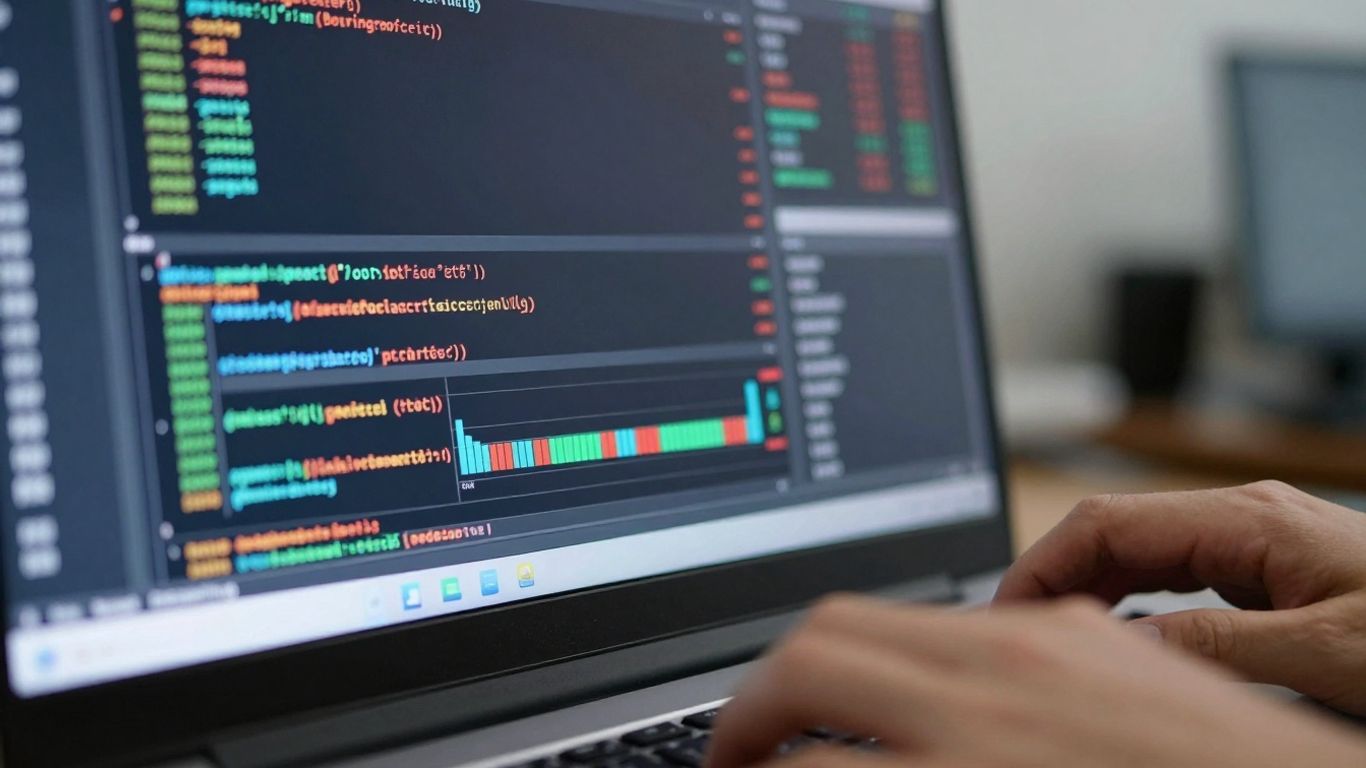
- Write Connection Code: In your Python script, you’ll use
ib_insyncto establish the connection. A basic example looks like this:
Always test your connection code thoroughly. If you get an error, check the port numbers, client IDs, and ensure TWS or Gateway is running and logged in.
Leveraging Interactive Brokers Order Types for Algorithms
Alright, so you’ve got your strategy humming along in a backtest, and you’re ready to let Interactive Brokers’ machines do the heavy lifting. But just sending a basic ‘buy’ or ‘sell’ command isn’t going to cut it, especially when you’re dealing with automated trading. IBKR gives you a whole toolbox of order types, and knowing which one to use when can make a big difference in your fills and your bottom line.
Precision with Limit and Stop Orders
Look, if you’re trying to get a specific price, a market order is usually a bad idea for algorithms. It just grabs whatever the price is right now, and in fast markets, that can mean a much worse price than you expected. That’s where limit orders come in. You tell IBKR, ‘I want to buy this at $10.00 or less,’ or ‘Sell it at $10.10 or more.’ This gives you control over your entry and exit prices, which is super important for strategies that rely on specific price levels, like mean reversion.
Stop orders are the flip side. They sit there and wait for a certain price to be hit, and then they become a market order (or a limit order, if you use a stop-limit). These are great for cutting your losses. You might set a stop loss at 2% below your entry price. If the market moves against you and hits that stop price, the order triggers, and you’re out, hopefully before things get too ugly.
Executing Large Blocks with VWAP
Now, what if you’re not just trading a few shares, but a big chunk of stock? Dropping a massive market order can really move the price against you, which is the last thing you want. IBKR has some special ‘algorithmic’ orders designed for this. One of the most common is VWAP, or Volume-Weighted Average Price. Basically, you tell IBKR how much you want to buy or sell, and it tries to execute that order over a period of time, matching the market’s volume. The goal is to get an average price that’s close to the day’s VWAP, minimizing the impact on the market. It’s like breaking up your big order into a bunch of smaller ones and spreading them out automatically.
Advanced Order Types for Risk Management
Beyond just entry and exit, IBKR offers ways to manage risk right within the order itself. Think about ‘bracket’ orders. You place one main order, and then you attach two child orders: one for a profit target and one for a stop loss. Once the main order fills, the bracket is active. If the price hits your profit target, the other side (the stop loss) is canceled automatically. If it hits the stop loss, the profit target order is canceled. This bundles your entry and your risk controls into a single package, which is super handy for automated systems. It reduces the number of separate commands your algorithm needs to send and helps prevent situations where you might have an open position but forgot to set a stop.
Managing risk isn’t just about having a stop-loss order. It’s about understanding how your chosen order type interacts with market conditions and your overall strategy. Using orders that give you price control, like limit orders, or orders that spread execution to minimize impact, like VWAP, are key to consistent automated trading. Even simple bracket orders can significantly reduce the chance of errors or missed risk controls when your algorithm is running.
Here’s a quick look at some common order types and their uses:
- Limit Order: Good for getting a specific price. Use when you want to buy at X or less, or sell at Y or more.
- Stop Order: Triggers a market order when a price is hit. Use for exiting losing trades.
- Stop-Limit Order: Triggers a limit order when a price is hit. Offers price control after the stop is triggered, but might not fill if the price moves too fast.
- VWAP Order: Spreads a large order over time to match volume. Use for executing big trades with less market impact.
- Bracket Order: Combines an entry order with a profit target and a stop loss. Use for simplifying risk management on a single trade.
Choosing the right order type is a big part of making your automated strategy work smoothly. It’s not just about the logic of your strategy, but how you tell the broker to actually execute it.
Developing and Implementing Trading Strategies
Alright, so you’ve got your IBKR setup humming and you’re ready to actually trade. But what are you going to trade with? This is where the strategy comes in. It’s not just about having a bot; it’s about having a smart plan for the bot to follow. Think of it like giving directions – you can tell a taxi driver ‘go downtown,’ but it’s way better to say ‘take Elm Street to Main, then turn left.’
Trend Following and Mean Reversion Approaches
Two big camps of strategies are trend following and mean reversion. Trend followers are basically looking for a stock or asset that’s already moving in a direction and trying to ride that wave. Think of a surfer catching a big swell. A classic example is the ‘golden cross,’ where a shorter-term moving average (like the 50-day) crosses above a longer-term one (like the 200-day). This signals, "Hey, things are looking up!" The opposite, a ‘death cross,’ suggests it’s time to get out or even go short.
Mean reversion is the opposite idea. It’s like saying, "This price has gone up too much, it’s bound to come back down to its average." Or, "This price has tanked, it’ll probably bounce back." These strategies often use statistical models to figure out when something is way out of its normal range.
- Trend Following: Aims to profit from sustained price movements.
- Mean Reversion: Bets on prices returning to their historical average.
- Key Indicators: Moving averages, RSI, Bollinger Bands are common tools.
The market isn’t always a clear trend or a predictable reversion. Sometimes it just bounces around. Your strategy needs to account for these different moods.
Market Making and Scalping Techniques
Market making is a bit different. Instead of just betting on price direction, market makers try to profit from the difference between the buy price (bid) and the sell price (ask). They’re essentially providing liquidity, always ready to buy or sell. It’s like being a shopkeeper who makes a little bit on every transaction.
Scalping is about making lots of small trades, very quickly. The goal isn’t a huge profit on one trade, but many tiny profits adding up. These traders are often in and out of the market in seconds or minutes. It requires a lot of focus and fast execution, which is where automation really shines.
- Market Making: Profit from bid-ask spread, provide liquidity.
- Scalping: Execute many small, rapid trades for small profits.
- High Frequency: Often associated with scalping, requiring very fast systems.
Integrating Machine Learning Models
Now, things get really interesting when you start bringing in machine learning (ML). Instead of just using fixed rules like ‘buy when X happens,’ ML models can learn from historical data and adapt. They can spot patterns that humans might miss or that change over time.
For example, an ML model could analyze news sentiment, economic data, and price action all at once to predict short-term price movements. Or it could learn to adjust your stop-loss levels based on current market volatility. This ability to learn and adapt is what makes ML so powerful for trading. It’s not a magic bullet, though. You still need good data and a solid understanding of what the model is trying to do.
- Supervised Learning: Training models on labeled historical data (e.g., predicting price direction).
- Unsupervised Learning: Finding patterns in data without pre-defined labels (e.g., clustering market regimes).
- Reinforcement Learning: Training an agent to make decisions by trial and error to maximize rewards.
Executing Live Trades with Robust Risk Controls
Alright, so you’ve got your strategy all tested and looking good on paper. Now comes the real test: putting it to work in the live market with Interactive Brokers. This isn’t just about hitting ‘go’ and hoping for the best. We need to be smart about how we manage our money and protect ourselves from unexpected market swings or technical glitches. It’s about making sure your automated system acts responsibly, even when things get a bit wild.
Capital Allocation and Position Sizing
First things first, how much are you willing to risk on any single trade? You can’t just throw all your money at one idea. A common approach is to set a percentage of your total trading capital for each trade. For example, risking only 1-3% per trade means that even if you have a string of bad luck, your account won’t be wiped out. This percentage then dictates the size of your order. You’ll also need to consider the minimum tradeable units or lot sizes that Interactive Brokers uses, rounding your calculated size to fit.
- Determine your maximum risk per trade (e.g., 2% of account equity).
- Calculate the number of shares/contracts based on your entry price and stop-loss level, ensuring it doesn’t exceed your risk limit.
- Adjust the quantity to comply with broker-specific lot sizes and tick rules.
Implementing Order Stacks and Trailing Stops
Once you know how much to trade, you need to tell IBKR how to trade it. Simply placing a market order can lead to slippage, especially in fast markets. A more controlled approach involves using order stacks. This often means placing a primary limit order to enter the trade. Then, you attach a ‘child’ order, like a stop-loss. A trailing stop is particularly useful here. It automatically adjusts your stop price as the trade moves in your favor, locking in profits while still protecting against reversals. The distance for this trailing stop can be based on volatility, like the Average True Range (ATR), giving your trade room to breathe without giving back too much profit.
| Order Type | Description |
|---|---|
| Limit Order | Specifies the exact price at which you’re willing to buy or sell. |
| Stop-Loss Order | Triggers a market or limit order once a specific price is reached. |
| Trailing Stop | A stop-loss that moves with the price, locking in gains. |
| Bracket Order | Combines an entry order with both a take-profit and a stop-loss order. |
Comprehensive Error Handling and Logging
Things go wrong. Your internet might drop, IBKR’s servers could have a hiccup, or an order might get rejected for some reason. Your automated system needs to be able to handle these situations gracefully. This means having code that can catch errors, log what happened (so you can figure it out later), and take appropriate action. For instance, if an order is only partially filled, or if the connection to IBKR is lost, you might want to cancel any open orders related to that trade and alert yourself. Keeping a detailed log of every action, every order, and every error is super important for debugging and for regulatory compliance.
Building a robust system means anticipating failure. Your code should be designed to detect problems early, react predictably, and record everything for later review. This isn’t just about preventing losses; it’s about building trust in your automated trading process.
- Connection Errors: Detect and handle API disconnections. Implement retry logic or alert the user.
- Order Rejections: Log reasons for rejected orders and decide on a course of action (e.g., retry with adjusted parameters, skip the trade).
- Partial Fills: Monitor order fills and manage remaining quantities or cancel the order if a significant portion isn’t filled.
- Logging: Record all significant events, including connection status, orders placed, fills received, and errors encountered, with timestamps.
Optimizing Performance and Scaling Your Automation
So, you’ve got your automated trading system humming along with Interactive Brokers. That’s awesome! But just because it’s running doesn’t mean it’s running as well as it could be. Think of it like tuning up a race car – you want every part working perfectly to get the best lap times. We need to make sure our algorithms are sharp, our infrastructure is solid, and we’re keeping a close eye on everything.
Backtesting Strategies for Optimal Performance
Before you even think about putting real money on the line, you absolutely have to test your strategies. Backtesting is basically running your algorithm on historical market data to see how it would have performed. It’s not just about seeing if it made money; it’s about understanding why and how it made or lost money. You want to look at things like win rate, average profit per trade, maximum drawdown, and the number of consecutive losses. This helps you tweak parameters, maybe adjust your entry or exit rules, or even decide if a strategy is worth pursuing at all. The goal is to find strategies that are robust across different market conditions, not just ones that got lucky during a specific period.
Here’s a quick look at what to analyze:
- Profitability: Total profit, profit factor, average profit per trade.
- Risk: Maximum drawdown, average drawdown, number of losing trades.
- Trade Statistics: Win rate, average win size, average loss size, number of trades.
- Performance Metrics: Sharpe Ratio, Sortino Ratio.
Utilizing VPS for Enhanced Uptime
Running your trading bots from your home computer is fine for testing, but for live trading, you really need something more reliable. That’s where a Virtual Private Server (VPS) comes in. A VPS is basically a computer that lives in a data center, and it’s online 24/7. This means your trading system keeps running even if your internet goes down at home, your computer crashes, or you just want to turn off your PC for the night. Latency is also a big deal in trading, and data centers are usually much closer to the exchange servers, which can shave off precious milliseconds from your trade execution times. It’s a small thing, but in automated trading, those milliseconds can add up.
Monitoring and Auditing Your Trading Activity
Even with the best-tested strategy and a super-reliable VPS, you can’t just set it and forget it. You need to keep a close watch on what your bots are doing. This means setting up good logging so you can see every trade, every order, and any errors that pop up. You should also have alerts set up for unusual activity – like a sudden spike in trading volume or a large unexpected loss. Regularly reviewing your trade logs and performance reports is key to catching issues early and making sure your system is still performing as expected. It’s like having a mechanic check under the hood of your car regularly, even if it seems to be running fine.
Continuous monitoring isn’t just about catching problems; it’s also about identifying opportunities. Sometimes, market conditions change in ways that your current strategy isn’t perfectly suited for. By watching your performance metrics closely, you can spot when a strategy might be starting to underperform and decide whether to adjust it, pause it, or deploy a different one. This proactive approach is what separates successful automated traders from those who just hope for the best.
Wrapping It Up
So, we’ve gone through setting up automated trading with Interactive Brokers. It’s not exactly a walk in the park, especially with the API, but the payoff can be pretty big. You can get your trades done faster, cut out a lot of the emotional guesswork, and really scale up what you’re doing. Whether you’re using code or a tool like PickMyTrade to help, the main thing is to start small, test everything out on paper first, and really get a handle on your risk. Keep learning, keep tweaking your strategies, and you’ll be well on your way to building your own automated trading system that works for you.
Frequently Asked Questions
What exactly is automated trading with Interactive Brokers?
It’s like having a robot trader! You use special computer code, called an API, to tell Interactive Brokers exactly when to buy or sell things like stocks or options. This code follows your trading plan automatically, so you don’t have to sit and watch the market all day.
How do I get started setting up the computer code for trading?
First, you need to tell your Interactive Brokers account that you want to use automated trading. Then, you’ll install some helpful computer tools, usually for a language called Python. Finally, you’ll connect your code securely to Interactive Brokers to test it out.
What are the best kinds of orders for automated trading?
Interactive Brokers has tons of order types! For quick trades, ‘Market’ orders are good. For more control over the price, ‘Limit’ or ‘Stop’ orders work well. There are also fancy ones like ‘VWAP’ that help you buy or sell big amounts without messing up the price too much.
Can I use tools like PickMyTrade with Interactive Brokers?
Yes! Some tools, like PickMyTrade, can connect to Interactive Brokers without you needing to write any code. They act like a bridge to help you automate your trades more easily.
What are some popular strategies for automated trading?
Many traders like to follow trends (buying when prices go up, selling when they go down) or bet on prices returning to normal. Others try to make money by buying and selling very quickly (scalping). Looking at past market data to see if a strategy works is super important.
How do I make sure my automated trading doesn’t lose too much money?
This is super important! You need to decide how much money you’re willing to risk on each trade. You can also set up automatic ‘stop-loss’ orders that sell your position if the price goes against you, and ‘take-profit’ orders that sell when you’ve made enough money.