So, you’re looking to get a handle on trading with the Interactive Brokers desktop app? It’s a pretty powerful tool, and honestly, it can feel a bit much when you first start. This guide is meant to break down what you can actually do with it in 2026, from setting it up how you like to using some of the more advanced features. We’ll cover how to find information, manage your money, and even connect it with your phone. Think of it as a friendly chat about making this complex platform a bit more manageable.
Key Takeaways
- The interactive brokers desktop app offers a clean way to trade stocks, options, and more across lots of global markets.
- You can really make the platform your own by changing how it looks and what information you see first.
- It’s packed with tools for research, like news summaries and ways to see how different investments relate to each other.
- Interactive Brokers makes it easy to use their desktop app alongside their mobile options, so you can trade from anywhere.
- Managing your money is straightforward, with good rates on loans (margin) and interest on cash you’re not using.
Navigating the Interactive Brokers Desktop App Interface
Getting around the Interactive Brokers desktop platform might seem a bit much at first, but it’s actually pretty straightforward once you get the hang of it. Think of it like learning a new city; you start with the main roads and then discover the smaller streets. The platform is built to be flexible, letting you set things up just the way you like them.
Streamlined User Experience
The main goal here is to make trading easier. Interactive Brokers has put a lot of effort into making the desktop app feel less cluttered than some of the older systems. You’ll find that common tasks are grouped together logically. For instance, when you want to place an order, the windows for doing so are easy to find and use. They even have a specific section for learning the ropes, which is great for beginners. You can get started by learning the basic features and format of the TWS platform, including its myriad of available order types, customizable displays and trading tools, and configurable financial charts. This approach means you spend less time hunting for buttons and more time actually trading.
Customizing Your Trading Environment
This is where the platform really shines. You’re not stuck with a one-size-fits-all setup. You can change layouts, add or remove columns in your watchlists, and even set up different trading windows for different tasks. Want to see news, charts, and your order tickets all at once? You can do that. Need a clean screen with just your portfolio and a buy/sell button? That’s doable too. It’s all about making the interface work for your specific trading style. You can adjust things like:
- Window Layouts: Arrange charts, news feeds, and order entry panels.
- Column Display: Choose what data points appear in your watchlists (e.g., bid, ask, volume, P&L).
- Hotkeys: Set up keyboard shortcuts for frequent actions.
- Color Schemes: Personalize the look to reduce eye strain.
The ability to tailor the desktop application to your personal workflow is a significant advantage. It means the platform adapts to you, not the other way around, which can make a big difference in how efficiently you can react to market movements.
Accessing Global Markets Seamlessly
Interactive Brokers gives you access to a huge number of markets around the world, and the desktop app makes it simple to find and trade them. Whether you’re interested in US stocks, European bonds, or Asian futures, it’s all in one place. You can search for specific instruments or use tools to discover new opportunities across different regions. This global reach is a big deal for anyone looking to diversify their investments beyond their home country. You can easily switch between different markets and see how they’re performing, all within the same application. For example, you can explore how to trade right from an iPhone or Android device to stay connected even when you’re away from your main computer.
Advanced Trading Features within the Interactive Brokers Desktop App
When you’re ready to move beyond basic stock picking, the Interactive Brokers desktop app really shines. It’s packed with tools that let you get creative with your trades and manage risk more effectively. This isn’t just for the pros, though; these features can help anyone looking to refine their trading approach.
Executing Complex Options Strategies
Options trading can seem complicated, but IBKR’s platform breaks it down. You can build multi-leg strategies like spreads, straddles, and butterflies right within the app. The platform provides real-time pricing and risk analysis for these complex positions, so you know what you’re getting into before you commit. It’s pretty neat how they show you the potential profit and loss scenarios.
Leveraging Algorithmic Order Types
For those who want to automate their trading or execute large orders with minimal market impact, algorithmic orders are the way to go. IBKR offers a variety of these, including:
- TWAP (Time-Weighted Average Price): Breaks down a large order into smaller pieces, executing them over a set period to minimize price impact.
- VWAP (Volume-Weighted Average Price): Similar to TWAP, but uses trading volume to guide execution, aiming to match the average price weighted by volume.
- Iceberg Orders: Hides the full size of your order, revealing only a small portion at a time to avoid signaling your intentions to the market.
- Arrival Price Orders: Aims to execute at or better than the price when the order first arrived at the exchange.
These tools are great for managing trades without constant supervision. You can set them and let the system handle the execution based on your parameters.
Utilizing Powerful Charting Tools
Charts are where a lot of the action happens, and IBKR’s charting tools are seriously robust. You get access to a wide array of technical indicators – we’re talking over 97 different studies, from simple moving averages to more complex oscillators. You can customize these studies, change their parameters, and even create your own. The platform also supports after-hours charting, giving you a view of price action outside of regular trading sessions. This level of detail helps in spotting trends and making informed decisions. The ability to visualize market relationships, like how a stock moves relative to its competitors or related ETFs, is also a big plus. You can find out more about the platform’s updates on their press release.
The desktop app provides a sophisticated environment for traders who need more than just basic execution. It offers advanced order types and analytical tools that can help manage risk and execute strategies with precision. While there’s a learning curve, the capabilities are substantial for serious market participants.
Data and Research Capabilities of the Interactive Brokers Desktop App
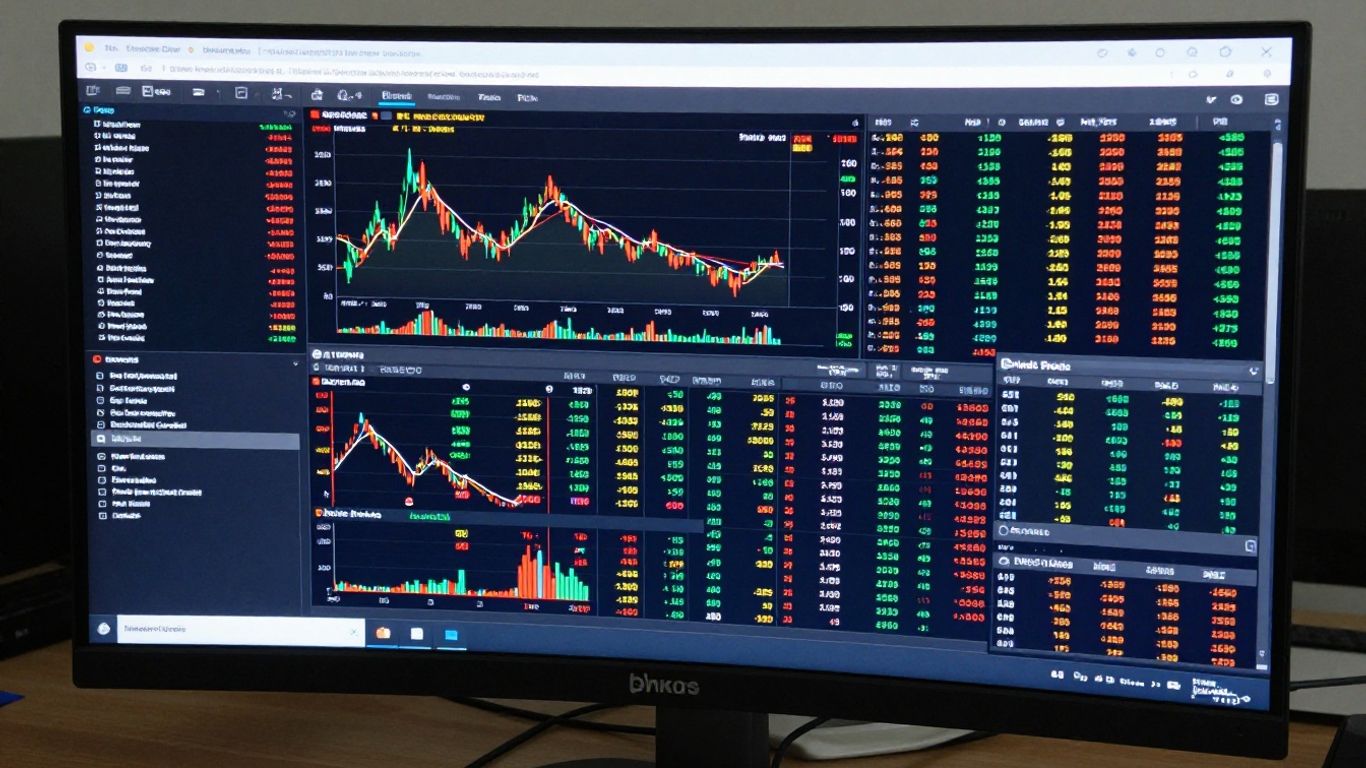
Interactive Brokers has always been known for packing a ton of market information into its platform. It’s not always the easiest to sort through at first, but if you’re willing to dig a little, you’ll find insights that are hard to get elsewhere. They’ve really improved how they organize all this data, making it much more useful for everyday investors.
In-Depth Stock Quote Analysis
When you look up a stock, you don’t just get the price. The desktop app shows you a lot of different numbers right away. You can see things like earnings per share, price-to-earnings ratios, and dividend yields without having to click around too much. It’s like having a mini-report for every stock you check.
Here’s a quick look at what you might find on a quote page:
- Key Financials: P/E ratio, EPS, dividend yield, market cap.
- Analyst Ratings: Consensus opinions and price targets.
- Company Profile: Business description and sector information.
- Related Securities: Links to competitors and ETFs.
The platform makes it simple to find specific data points. If you’re looking for information on a company’s dividend payout, for example, the search function can take you right to the relevant section, saving you time hunting through menus.
AI-Powered News Summaries
Reading through endless news articles to figure out why a stock is moving can be a real drag. Interactive Brokers uses AI to summarize the latest news for you. Instead of reading ten articles, you get a few bullet points that tell you the main reasons for any recent price action. This is a huge time-saver, especially when markets are busy.
Visualizing Market Relationships
One of the coolest features is the "Connections" tab. It shows you how a stock relates to other things in the market. You can see its main competitors, companies in the same industry, and even exchange-traded funds (ETFs) that track similar sectors. This helps you understand the bigger picture and find new investment ideas by seeing how different companies and markets are linked together. It turns a simple stock lookup into a more connected view of the market landscape.
Integrating Mobile and Desktop Experiences with Interactive Brokers
The IBKR Mobile Ecosystem
Interactive Brokers really gets that people don’t just trade from their desks anymore. They’ve built out a whole set of apps, not just one that tries to do everything. For serious traders, there’s IBKR Mobile, which is basically the desktop platform shrunk down for your phone. It’s packed with data and tools, letting you do pretty complex stuff right from your pocket. Then, if you want something simpler, especially for trading stocks and crypto across different countries, IBKR GlobalTrader is a good choice. It’s got a cleaner look. For folks who care about where their money goes, like investing in green energy or companies with fair labor practices, the Impact app is the way to go. They even have a new app called InvestMentor that makes learning about investing feel more like a game. It’s a smart way to cover different kinds of investors.
Seamless Transitions Between Platforms
What’s really neat is how you can move between the desktop app and the mobile versions without losing your place. You can set up a watchlist on your computer, and it’s right there on your phone when you open IBKR Mobile. Or, you might start looking at a stock on your phone and then decide to dig deeper using the desktop platform. The apps sync up pretty well, so you’re not constantly having to re-enter information or search for things again. It feels like one connected system, which is a big help when you’re trying to keep up with the markets throughout the day.
Managing Portfolios On-the-Go
Being able to check and manage your investments from anywhere is a huge plus. With IBKR Mobile, you can do more than just see your account balance. You can place trades, adjust existing orders, and even look at charts with technical indicators. For example, you can pull up a stock quote and see over 20 different data points instantly, including things like forward P/E ratios. Plus, there’s a new feature that uses AI to summarize news articles, giving you the main points in a few bullet points. It saves a lot of time when you’re trying to get a quick update on a company or the market.
The ability to execute sophisticated trades, like multi-leg options strategies, directly from a mobile device is a game-changer. It means you don’t have to wait until you’re back at your computer to react to market movements or manage your positions.
Here’s a quick look at what you can do on the go:
- Trade Execution: Place market, limit, stop, and even complex algorithmic orders.
- Portfolio Monitoring: View real-time account balances, positions, and performance.
- Research & Analysis: Access news summaries, charts with technical studies, and market data.
- Order Management: Modify or cancel open orders with ease.
- Watchlist Management: Create, edit, and monitor your custom watchlists.
Understanding Key Tools in the Interactive Brokers Desktop App
Interactive Brokers packs a lot of useful tools into its desktop platform, and knowing how to use them can really make a difference in how you trade. It’s not just about placing orders; it’s about finding opportunities and managing your portfolio effectively. Let’s look at a few of the standouts.
The Discover Tool for Investment Ideas
Sometimes, you know you want to invest but aren’t sure where to start. That’s where the Discover tool comes in. It’s designed to help you find new markets and potential investments without getting overwhelmed. Think of it like a visual way to see what’s happening in the market and which companies are getting a lot of attention. The bigger the "bubble" in the display, the more buzz there is around that stock or sector. It’s available on the desktop app, the mobile app, and the Trader Workstation (TWS), making it pretty accessible.
Utilizing Scanners and Watchlists
Watchlists are pretty standard, but Interactive Brokers takes them up a notch. You can create extensive watchlists with a huge number of fields – we’re talking over 650 potential data points to track. This means you can customize them to show exactly what you need to see, whether it’s price changes, volume, or specific technical indicators. The platform also offers robust scanners that can help you find stocks meeting certain criteria, like unusual volume or price movements. This ability to filter and monitor a vast amount of information is key for active traders.
Leveraging the MultiSort Screener
This tool is a bit more advanced but incredibly powerful for digging deeper. The MultiSort Screener lets you combine various criteria to find specific investment opportunities. You can set up complex filters based on fundamental data, technical indicators, and more. For instance, you could look for companies with a certain P/E ratio that also have a specific moving average crossover and positive earnings growth. It’s a way to really narrow down your search and find trades that fit your exact strategy.
The desktop platform offers a wide array of tools designed to assist traders at all levels. From initial idea generation to detailed market scanning, these features aim to provide clarity and efficiency in the trading process. Getting familiar with these tools can help you make more informed decisions and manage your trades more effectively.
Cost Efficiency and Account Management with Interactive Brokers
When you’re trading, every penny counts, right? Interactive Brokers really seems to get that. They’ve structured their fees and account management in a way that feels pretty good for your wallet, especially if you’re active.
Industry-Leading Margin Rates
Let’s talk about margin rates first because this is a big one. If you use margin to trade, the interest you pay can really eat into your profits. Interactive Brokers offers some of the lowest margin rates out there. We’re talking rates that are significantly lower than what many other brokers charge, especially for smaller account balances. This can make a huge difference over time, letting you keep more of your trading gains.
Here’s a general idea of what you might see, though actual rates can change:
| Balance Tier | Approximate Margin Rate |
|---|---|
| Up to $100,000 | ~5.5% |
| $100,000 – $1,000,000 | ~4.5% |
| Over $1,000,000 | ~3.5% |
Note: These are illustrative rates as of early 2026 and can fluctuate. Always check the latest rates on the IBKR website.
Maximizing Yields on Idle Cash
What about the cash sitting in your account that isn’t actively being traded? Interactive Brokers has a pretty neat system for that too. They offer competitive interest rates on uninvested cash balances. This means your spare cash can actually earn money for you, rather than just sitting there doing nothing. It’s a nice little bonus that adds up, especially if you tend to keep a decent amount of cash on hand.
- Tiered Interest Rates: The more cash you have, the better the interest rate you can earn.
- Global Currency Support: You can earn interest on cash held in multiple currencies.
- Automatic Application: Interest is typically calculated and paid automatically, so you don’t have to do anything extra.
Accessing Account Statements and Reports
Keeping track of your trades, profits, and losses is super important for taxes and just knowing how you’re doing. Interactive Brokers makes it pretty straightforward to get your account statements and various reports. You can access them directly through the desktop app or their client portal. They offer detailed statements that break down your activity, helping you stay organized.
Managing your account effectively means understanding all the costs involved. Interactive Brokers provides clear fee structures and tools to help you monitor your expenses, from commissions to margin interest. This transparency is key for making informed trading decisions and keeping more of your money working for you.
They also have options for things like:
- Tax Statements: Reports designed to help with tax preparation.
- Performance Reports: Tools to analyze your trading performance over different periods.
- ACAT Transfers: They generally don’t charge fees for transferring your account to or from Interactive Brokers, which is a big plus if you ever decide to switch brokers.
Wrapping It Up
So, that’s the rundown on the Interactive Brokers desktop app for 2026. It’s clear IBKR isn’t just resting on its laurels. They’ve really put effort into making their platform more user-friendly, especially with the new desktop version. While it still has a lot of power under the hood, which can take some time to get used to, it feels more approachable now. Plus, with all the different apps they offer, like GlobalTrader for simpler needs or Impact for ethical investing, there’s likely something for most people. If you’re looking for a serious trading tool that can grow with you, IBKR is definitely worth another look.
Frequently Asked Questions
What makes the Interactive Brokers desktop app stand out for trading?
The Interactive Brokers desktop app is like a super-toolbox for trading! It lets you see tons of information really fast, helps you set up trades in many different ways, and gives you cool tools to check out stocks and news. Plus, you can change how it looks so it works best for you.
Can I trade stocks from other countries easily with this app?
Yes, you absolutely can! This app is great because it connects you to markets all over the world. It’s like having a passport to global trading, letting you buy and sell stocks from many different countries without a hassle.
Is it hard to learn how to use all the features in the app?
It can seem like a lot at first because there are so many powerful tools. But Interactive Brokers has made it much easier to use than before. They offer guides and different apps, like GlobalTrader, which is simpler if you’re just starting out or want a more basic experience.
Does the app help me find new investment ideas?
Definitely! There’s a cool feature called the ‘Discover Tool’ that uses visuals, like bubbles, to show you what’s popular and interesting in the market. It helps you spot trends and companies that are getting a lot of attention, making it easier to find new places to invest.
How does the mobile app compare to the desktop version?
Interactive Brokers has a whole set of apps! Their main mobile app is really powerful, almost like the desktop version, and lets you do complex trades on your phone. They also have simpler apps like GlobalTrader for easier global trading and Impact for investing in companies that are good for the environment.
Is Interactive Brokers a good choice for saving money on trading fees?
Yes, Interactive Brokers is known for being very cost-effective. They often have some of the lowest fees for borrowing money to trade (margin rates) and pay good interest on cash you’re not using. This can really help your investments grow over time.